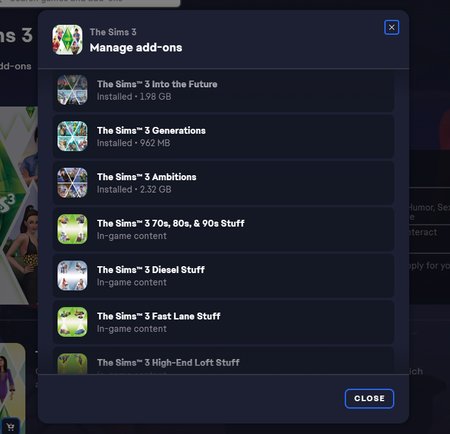
Game back up running. Expansions able to download, but stuff packs missing.


 Community Manager
Please clear the cache for the EA app and check your account again now- let me know if you're still not able to download and access these packs.

Hi Solaire,
I went into the app and cleared the cache and it still did not resolve the issue. Still no option to download them. They don't appear in the Sims 3 Launcher either.
Community ManagerWe've just tried something else on our end, could you check your account again now please?
Nothing appears to have changed. Should I reinstall at all...? EA app still thinks I own the stuff packs but in-game, they do not exist. Also remember, even installing custom sim.3packs don't even show up in my game launcher either.

@Aventerra Tomorrow (today in most places) is a holiday in the U.S., so you may not get an official reply for a while. In the interim, I'd suggest doing a clean uninstall of Sims 3 with Revo Uninstaller (the free version is fine). This will clean out any leftover registry entries that might interfere, and it's important to do it after EA support made whatever changes they applied on the back end.
If you have saves or other user content you want to preserve, go into Documents > Electronic Arts and rename the Sims 3 folder to something that does NOT include "Sims 3" in its name. This will prevent Revo from finding it and flagging it for deletion. It is of course a good idea to back up your saves in general as well, preferably on an external drive.


