please help with sims 3 error during start up
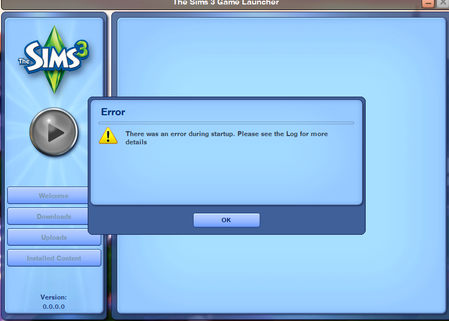


kiragrls Have you been disabling/uninstalling DLC before trying to launch the game? That's the most common cause of this issue. Uninstalling the DLC through Steam doesn't remove the registry entries, and the game won't launch with registry entries present but without those packs installed. Uninstalling the entire game with Revo would fix this, as would deleting the relevant registry entries by hand, but reinstalling everything and then disabling DLC again would reintroduce the issue.
Anyway, let me know if you've done this, and if you have, one way around the error is to reenable all the DLC. Even if you don't want to play with everything right now, it's a useful test. Just don't start a save you want to keep with all DLC enabled because it won't be playable once you disable any expansions.
By the way, there are two sets of registry entries associated with a Sims 3 install on Steam. Let me know if you only found one.

Hello! Thank you so much for your reply but If I am being honest I am realy confused by your response english is not my first language lol...
I did delete everything with revo and reinstalled the game if that is what you are asking but it still doesn't work.
I also tried disabling DLC through steam and launching but still doesnt work.
When I try to launch the game I also get the CD keys window pop up with codes is that smth Ineed to activate??
I have already deleted the regitrys manually in steam folder before as well..

