Poor Graphics Despite Recognized GPU
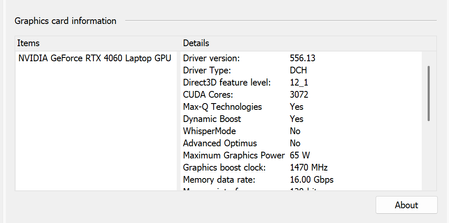

SFContact Your GPU is properly recognized, so that's not the issue. Deselecting the CPU cores might be contributing to the issue though. Try the Alder Lake patch mentioned in the accepted solution here:
Sims 3 won't open: Alder Lake (Intel 12th-gen) CPU | EA Forums - 8265525
Or at the very least, reenable the CPU cores at the Main Menu. The problem that keeps the game from loading on newer Intel CPUs is only in play for the first few seconds post-launch.
If this doesn't help, switch from fullscreen to windowed mode, or vice versa, then quit and reload to see whether there's a difference.
If that doesn't help either, please post screenshots of the issue. What you're describing may be a real problem or might fall within the normal range of low-quality-graphics complaints we see about an older game that doesn't get along perfectly with newer hardware.