Poor graphics/low-resolution/graphics glitches (TS3 64-bit)
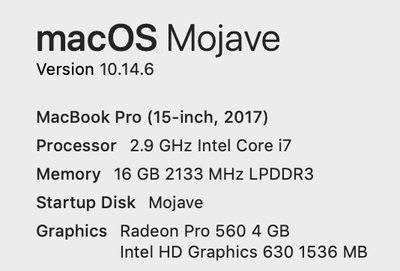


Have no idea what to do. Haven't played the game properly yet as I can't seem to remove the black borders from the game that are either side of the screen, could someone help? There isn't a fullscreen option so I can't just make it fullscreen either, would appreciate the help.

@ItsDylann You're already in fullscreen mode, and the black borders are there because the in-game resolution you're using is very different from the resolution of your screen. So instead of stretching the game window to fit, the black borders get added.
As @Arual7296 mentioned, you can try a different in-game resolution, although be sure to pick one that has the same aspect ratio as your screen. (To see it, click the Apple icon in the upper left corner of your screen, select About This Mac, and click the Displays tab.) As an example, my screen's native resolution is 2880x1800, which is a 16:10 aspect ratio, so I use other 16:10 in-game resolutions when in fullscreen mode.
Or you could try windowed mode. Click cmd-enter to switch back and forth between fullscreen and windowed.