Poor graphics/low-resolution/graphics glitches (TS3 64-bit)
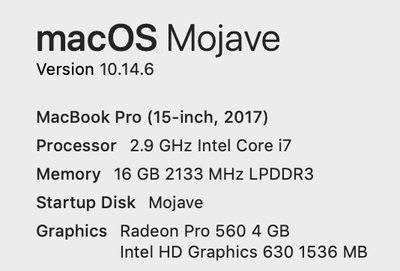


I've been having issues with screen tearing on my 16" MBP that should be able to run the game flawlessly. Below is some info 🙂
Mac Specs:
Hardware Overview:
Model Name: MacBook Pro
Model Identifier: MacBookPro16,1
Processor Name: 8-Core Intel Core i9
Processor Speed: 2.4 GHz
Number of Processors: 1
Total Number of Cores: 8
L2 Cache (per Core): 256 KB
L3 Cache: 16 MB
Hyper-Threading Technology: Enabled
Memory: 32 GB
In Game Graphics Settings:
Playing in windowed mode
First 40 Lines:
=== Application info ===
Name: Sims3
Version:
Build: Release
=== Rating info ===
GPU: 5 GPU Memory: 5 CPU: 4 RAM: 5 CPU Speed: 2400 Threading: 3
Adjusted CPU: 4080 RAM: 32768 Adjusted RAM: 32256 Cores: 8
Card Found in DB: 1
=== Machine info ===
OS version: Mac OS X Version 10.15.2 (Build 19C57)
OS prod type: 0
OS major ver: 10
OS minor ver: 15
OS SP major ver: 0
OS SP minor ver: 0
OS is 64Bit: 1
CPU: MacBookPro16,1
Brand: Intel(R) Core(TM) i9-9980HK CPU @ 2.40GHz
Family: 8
Model: 7
Cores: 8
HT: 1
x64: 1
Memory: 32768MB
Free memory: 3881MB
User: michael
Computer: Michaels-MacBook-Pro
=== Graphics device info ===
Number: 0
Name (driver): AMD Radeon Pro 5500M
Name (database): AMD Radeon Pro 5500M [Found: 1, Matched: 1]
Vendor: ATI
Chipset: Vendor: 1002, Device: 7340, Board: 0000020f, Chipset: 0040
Driver: macOS Metal driver, Version: 0.0.0.0
Driver version: 0
Monitor: 00000000
Texture memory: 8176MB
Vertex program: 3.0
Pixel program: 3.0
Hardware TnL: 0
@itsmikeee64 A lot of us are seeing screen tearing or rippling, even on (maybe especially on) dedicated graphics cards that should be more than capable of ultra settings. The only suggestion as of now is to experiment with different resolutions and see whether you can find one that minimizes the issue. When in fullscreen, be sure to use a resolution with the same aspect ratio as your screen.



