Forum Discussion

leahmay74's avatar
leahmay74
Rising Adventurer
21 days ago

Sims 3 won’t launch

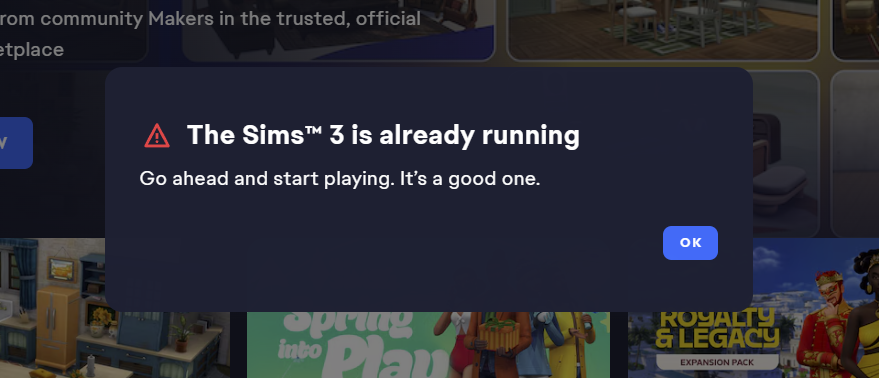
The game was launching fine the night before. No windows updates. Won’t launch today. I get try later or its already running. Tried everything including disabling all mods and changing the sims 3 doc name to generate a new one. Reinstalled the app and cleared cache. Added the game to the antivirus in case it was a new windows security update but like I said there was no updates. The EA app has been acting up since march 2nd windows update. I had the black screen issue but I uninstalled the update and it was fine. Then the update force installed a day later and the game launched fine. It has been fine until today. 

5 Replies

  • leahmay74​  Have you also tried restarting your computer?  If not, please do that first.

    Otherwise, please try playing with your computer offline.  You can sign into the EA App and put it in offline mode, then disable wifi and/or disconnect the ethernet cable before pressing Play.

    If that doesn't help, please provide a dxdiag.  Click Windows key-R, enter dxdiag in the run box, wait for the scan to finish, click "Save all information," and save the file to your desktop.  From there, you can attach it to a reply using the paper clip (Attachment) icon included with the other formatting buttons.

  • leahmay74's avatar
    leahmay74
    Rising Adventurer
    21 days ago

    puzzlezaddict​ Hi, yes, I did try and restart several times and tried the offline way. I've also taken my mods out and have tried sparking a new Sims 3 doc folder. The only thing I haven't tried yet is repair. But I just got up this morning, so I'm going to try to repair it now too. Edited to add I get the Sims is already running every time now. I did end EA in Task Manager many times and refreshed the app many times. No processes indicating the game is already running.

    Just updating again to say I tried the repair, and it's still not launching with an error; it's something on our end. Try again later.

    I needed to add I have just reinstalled the game, I used revo to uninstall. I matched my gpu and it's doing the same thing. Not sure what else I can do. 

  • leahmay74​  Your dxdiag is full of crashes of the graphics driver, and while that wouldn't usually cause an "already running" error, it could cause a "failed to launch game" error.  And this kind of crash should be addressed regardless of the other symptoms.  So please do a clean uninstall and reinstall of the driver, as described here:

    https://crinrict.com/blog/2019/02/clean-re-install-of-graphics-drivers-with-display-driver-uninstaller-ddu.html

    Since there's always a chance that the newest driver isn't working perfectly, please install a slightly older driver, maybe one from December or January.  You can get them here:

    https://www.nvidia.com/en-us/geforce/drivers/

    You'll want a Game Ready Driver, not a Studio Driver, which is for professional workloads.

    As for the errors themselves, "already running" usually means a permissions issue: the game can't read or write to the user folder in Documents > Electronic Arts.  "Failed to launch game" can mean anything at all, including a crash after the game launches, and one cause is not restarting the computer after the last crash.  So it's not useful by itself other than to say the game is in fact crashing rather than being blocked from launching.

  • phina1234's avatar
    phina1234
    Seasoned Newcomer
    10 days ago

    March 29, 2026 - I am having the exact same issue. My game will not start. It will start to launch and then I get a message saying "an error occurred on our end..." from EA. I have deleted all my mods, all my saves - everything. A year and a half of legacy...gone. But such is the Sims. Games crash, saves are lost... But I have NEVER had this problem. I CANNOT start my game at all. 

  • phina1234​  Did you delete or at least remove the entire Sims 3 folder that contains saves and other user data?  If not, please do so now.

    If that doesn't or didn't help, please provide a dxdiag.  Click Windows key-R, enter dxdiag in the run box, wait for the scan to finish, click "Save all information," and save the file to your desktop.  From there, you can attach it to a reply using the paper clip (Attachment) icon included with the other formatting buttons.

    Please also let me know how far you get in the process of launching before you see the error.