
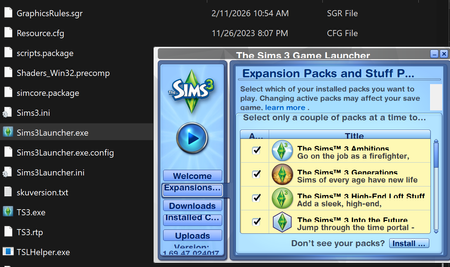
Tiny launcher
 2 months ago
Jellyfishdotorg Sims3LauncherW.exe only works for disc and Steam installs, not for EA App installs. So even if you had it, you wouldn't be able to use it. Having said that, the launcher should definitely not be this small. Can you manually resize the window?
If not, please repair the game in the EA App. Clear the App's cache first:
https://help.ea.com/en-us/help/faq/clear-cache-to-fix-problems-with-your-games/
Then open the App and select Sims 3 > Manage > Repair. If you've made other changes to the game's program files, for example getting the graphics card recognized, this will undo the changes. So you may want to save any edited files and replace them later. But please hold off on that until you've seen what the launcher looks like post-repair.



