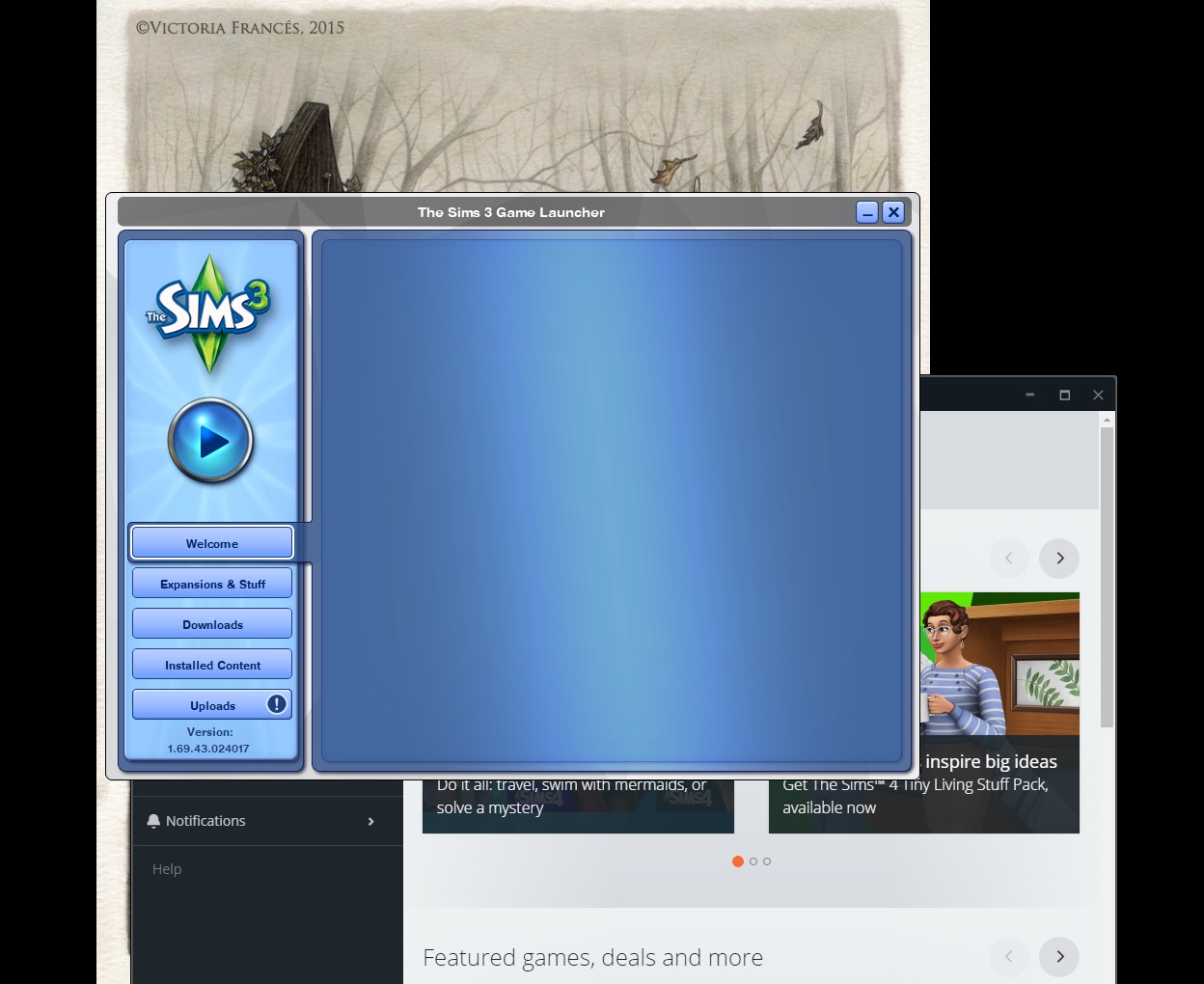
@Corvinus6259 There are a few different issues here. First, for the blank launcher, the browser cache to clear is Internet Explorer's—even if you never use it, the launcher does for some purposes. Be sure to uncheck the box to preserve data for favorite sites.
https://kb.wisc.edu/page.php?id=15141
That should hopefully take care of the attempts to automatically login as well. The other thing to point out about the launcher is that there have been a few different errors on the EA side over the past six months or so. They've all been resolved, after varying amounts of time, but it sounds like you saw at least one or two of them.
As for the packs that aren't registered, you could still add the codes to your account nowm provided they haven't been used. Or, if you registered them on the old Sims 3 store site, you could have EA customer support merge that account with your current one. (Keep in mind that any store content owned by the old account would likely not transfer over to the new one.) Otherwise, you could always contact support and ask what happened to your codes. It's possible you'd be able to get a support rep to manually add them to your account, although that doesn't always work.
https://help.ea.com/en/contact-us/
It's unlikely that a reinstall would fix any specific issue with the game—most problems either have less intrusive solutions or are on EA's side. But if you have a specific problem at any point, please describe it, and I'll try to help. There are so many issues with the game these days, and each one needs to be addressed separately; there's no cure-all solution to be had.







.png)