
6 years ago
Various Sims 3 Bugs
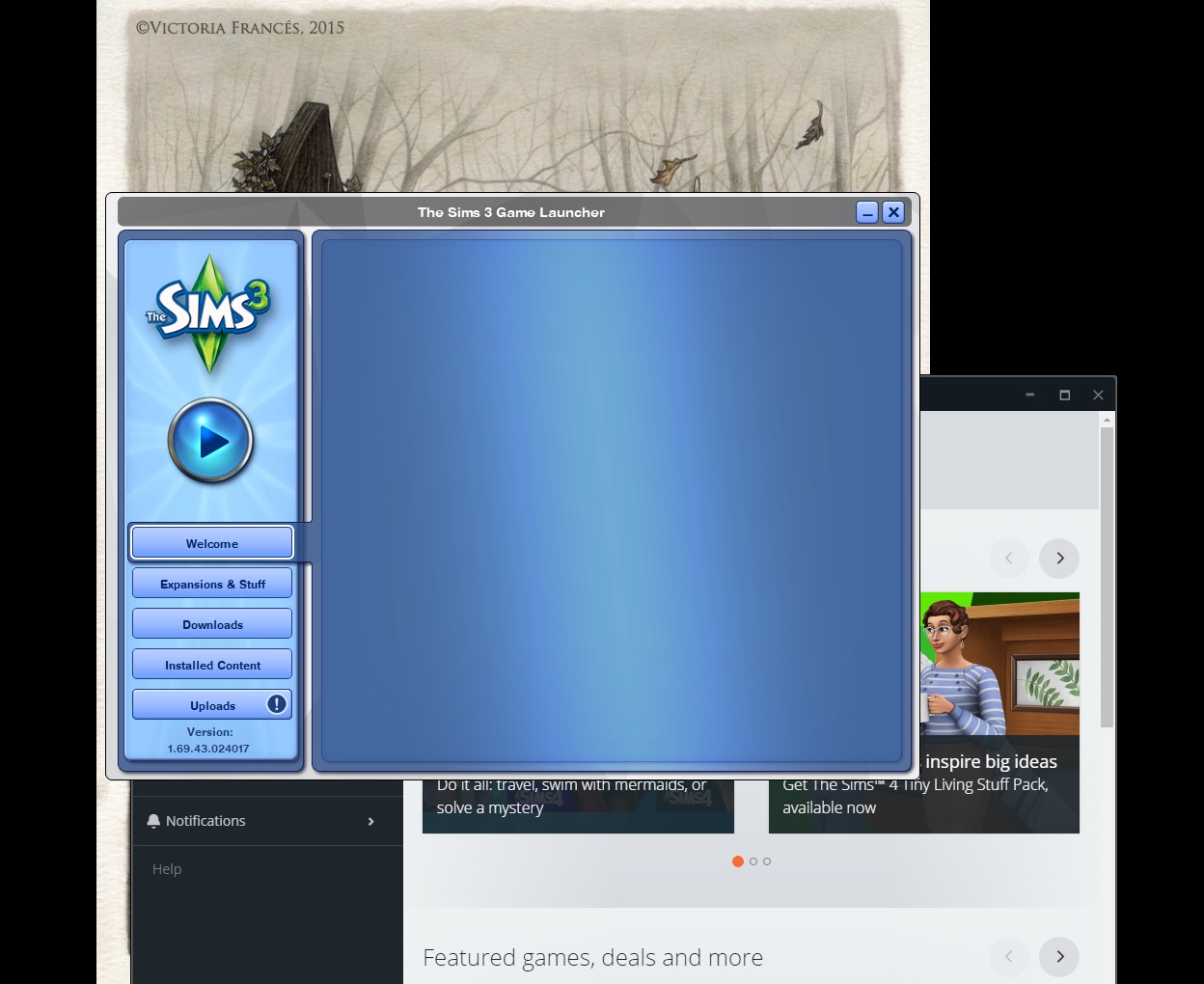
First bug is to do with the launcher itself. The launcher opens but the main "welcome" page is just a blank screen. If left long enough the screen changes to white and says "504 Gateway Time-Out". I'...


@Corvinus6259 Try moving your Sims 3 game folder out of Documents\Electronic Arts and onto your desktop. (Then clear IE's cache again, just to be thorough.) Opening the launcher will create a clean folder with no data, including no cache or log files. It's not necessary to sign into the launcher unless you're uploading content: I download everything through the store without being logged into the launcher, and it's always fine. If the clean folder works, you can transfer your content into it in batches, testing each time to make sure the issues don't recur. Here's a list of the content worth keeping:
https://sims3.crinrict.com/en/2011/01/faq-user-files.html
Signing into the Main Menu isn't necessary either, unless you want to track badges or send gifts to friends or something like that. It does take extra resources to play while signed in, but the difference is small and doesn't normally cause significant issues. It could be that your internet connection is slow or doesn't get along with EA servers, or your antivirus/firewall is blocking something. You can play with the settings if you like, or just not login. You can also set Origin to offline mode before you play.
If you're having "massive" issues with lag or saving, that almost certainly has nothing to do with the launcher problems. The only time they're related is when you have bad custom content installed, which can cause lag, crashing, graphics glitches, and also problems with loading the launcher. A clean folder will get rid of the bad cc, so it will be easy enough to test. Otherwise, lag can have many causes: overloaded saves, playing in poorly made worlds, underpowered hardware, overpowered hardware generating wildly high fps, random game glitches.... Most of these can be fixed or at least worked around, except usually for weak hardware. But they do all require different interventions, none of which involve uninstalling and reinstalling the game.
If you want to troubleshoot the in-game problems, great, but that's separate from the launcher not loading. Let me know whether the launcher issues clear up enough to let you at least load your game consistently, and we can try to address the rest of it.




.png)