Save Game Corruption - Testing and Findings From 10 Years of Experience
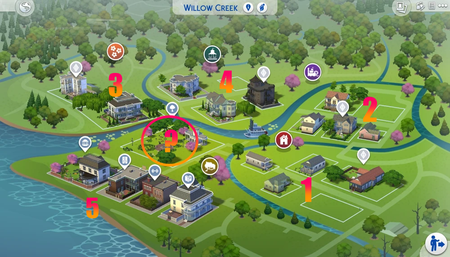

Hi! I have not posted anything on this in a while since I really don’t play the game that often anymore and I have not updated my game since January of last year because of the fear of save corruption but in my game, I found that the number of objects you have in the game is more likely to trigger save corruption than file size. If the save file has already been corrupted, I have found no way to go back and recover it. However, I did a test in my game 2 years ago or so where I played a game and downloaded as many of my large builds as I could to see if that would trigger lots disappearing and it did! With mods, the lots started to disappear sooner and without mods, I can download a few more properties and the lots would again start to disappear so I found that there is definitely an imaginary limit to the number of objects you can have in all of the worlds in the game. However, without saving the game so I would not corrupt the save file in this state, I went back and replaced those very large builds with my medium to small size builds and the lots that disappeared came back, no problem! Also, # of items in household and sims inventories count as objects so that triggers save corruption also. I have 727 played sims inventories my game so I decided to scale down the builds and keep my sims. So far, I can play the game pretty normally. One day when I have time, maybe, I will redesign/rebuild most of my properties in the game so I no longer have to worry about save corruption as much. Currently, I am playing Inzoi and knowing that save corruption could become an issue in that game as well, I build large houses without lots of “clutter”! There may be many rooms that may not have that many items. Basically, my rule of thumb is that if a Sim or a Zoi can’t interact with it and it has no effect on their emotions in gameplay, it doesn’t need to be in my builds! I have learned to build houses for Sims and Zoi’s, not for likes on the gallery or canvas because there will unfortunately never be a video game that will allow anyone to add as much as they want to a game without corrupting a aave file. I also now realize why Rockstar limits the amount of objects you can use to build racetracks in their game which is where my video game building fascination began! I also play City Skylines 2 and I am sure there is a limit in that game also. Another rule of thumb, I had to teach myself to get good at building my own stuff so that I never download anyone else’s builds! For instance in Inzoi, because of my nightmare experience with spending hours to fix my game from becoming corrupt in the Sims 4, I never download anyone else’s builds from canvas in Inzoi! I appreciate all of the builds from other creators but the risk of downloading a build to my game and causing problems is too much! This is coming from someone who has had thousands of other players who have downloaded my builds which I appreciate but I wouldn’t do it myself because of my fear of save corruption that can occur in any video game! I hope you can get your game fixed and let me know if you have any questions or concerns from my limited experience with save corruption.

Thank you so much for your answer! After developing this problem, I wondered about this very thing, but kept reading about how this problem, most thought, was due to residential rentals that became possible with For Rent. So I kind of put it to the back of my mind, as I wasn't seeing anything to corroborate it and I don't have any residential rentals other then what the game added. The thread responded to in which Crinrict answered me and sent me to this thread, was the first I had seen mentioning it. But I haven't read all of the threads, as most of the things that were occurring were not happening with me. It made me think of the Sims 2 and that CC limit we used to worry about reaching. If you went over it, your game just wouldn't run. Take enough CC out to be under that limit, no problem. So then I REALLY began wondering about the limit a game save could be before it started going belly-up. Crinrict mentioned it too, so my attention really went there. My game does not even reach your limit (the number of sims in your save) and this has begun. So save size didn't make sense. But overloaded lots really do. And since this happened on my favorite save, that I tried to take care with, puzzled me. In the past, I didn't realize the removal of CC or just disabling it, changed my save and I kept remaking saves, never getting anywhere. When I finally understood, I tried to make sure all mods were updated before ever opening a save after an update. I tried to keep copies before changes were made, which is how I located a copy of my favorite save pre-bork. The lots that eventually begin disappearing were all downloaded from the gallery were huge, very decorated lots. I understand now, from this discussion, that the game saves that information, so bulldozing them and rebuilding sounds like a moot point now. I will bulldoze them, but only to try to stop the save from disintegrating later. But I do not even have a hundred played sims, more around 75. Yes, my game has many un-played sims. So my sims number is not excessive. It has to be those over decorated builds I am downloading. And that has been laziness on my part, as building is SO RELAXING for me, I often do it to help me go to sleep IRL! So I download them to get to gameplay, as it would take me FOREVER to get to play again if I didn't 🤣
If anyone has anything to add, please do. I kind of would like to know WHAT to avoid before I attempt building another save that I have so much invested in. I can see why you have stopped playing, as to keep doing this is insanity! I just want to play my game. If I create a save, it's because I want to PLAY it, not spend my minute of my time troubleshooting WHY it occurred THIS TIME.
You’re so welcome and yes, in the over 20,000 hours I have spent in the game, about have if that was what I would call, “game maintenance” which includes fixing the game, updating mods, doing my own troubleshooting, and occasionally, having to go back and update all of my 727 Sims (my fault with this one) with the latest clothes and traits that came with new Expansion Packs!
One tip I recommend and I actually have to admit it came from ChatGPT and it actually makes a big difference in file size, I went back to all of the lots where I deleted builds and completed wiped them clean, including the terrain paint, and converted all of the clean lots into “generic” lots which wiped out all of the “metadata” that still exists in the lot data although you bulldoze the lot. This reduced my game save file size down from around 123MB to around 120MB which was huge for me given the size of my save files. If I ever went back a rebuilt my homes efficiently I could probably get my game file size down to under 100MB which would be ideal. I think what saves me on dealing with save corruption on a legacy save file this large is that I play the game on a powerful gaming laptop and the Sims 4 is the only game I have installed on my laptop. All of my other games like Inzoi and City Skylines are on my desktop.
I also thought about going back and rebuilding all of my homes in the sims to be smaller and more efficient for game file size but for now, I just use MCCC to put more than 8 sims in a household to accommodate all of my 727 sims into less builds and actually, because of large family trees I have in my game, I actually enjoy having alot of sims in the same house and it makes my larger houses seem more usable because of more sims! However, I am not going to do anything major with the Sims 4 until I find out what direction EA is headed in regarding “remastering the game” if that ever happens because it will take a major change like that to fix save corruption!
Building is very relaxing to me also and although building in Inzoi is OK for now since the game is in early access, I really miss building in the Sims! Realistic life sims like the Sims and Inzoi give me much needed breaks from playing more intense games like GTA, Ghost Recon, and many racing games which I also enjoy!
I wish you much success in getting your Sims game to where you can play it again worry free!


