[ARCHIVED] How to use Mods/CC on PC
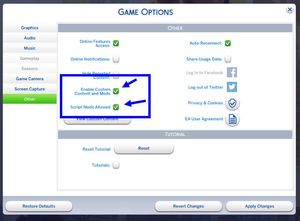


Every single time I've installed Better BuildBuy by Twisted Mexi it continues to say I installed it incorrectly, I disable all my build settings I keep normally perma enabled via MCCC and reload the game but it still happens, I follow the install guide word by word and it keeps at it
I've tried to join the discord to ask for help about (I don't have money for their Patreon) but I wasn't even on the server for even a single minute before I randomly got booted off for no reason upon joining
I don't know where else to ask and just would like this mod to work for me

Hi @zouragirl12 First, make sure all old versions have been deleted, and delete the file called localthumbcache. Redownload the current version (it has had multiple updates). Right now, that.s v3.2.3. Double click on it to open up the ZIP folder, then drag the folder you see there into Documents > Electronic Arts > The SIms 4. It can't go in a subfolder.
If you're on a Mac, the download might not be a ZIP file. If it's not a ZIP file, drag the whole folder that downloaded into Mods.
This should be the folders you see after you've installed:
Documents > Electronic Arts > The Sims 4 > Mods > TMex-BetterBuildBuy
This is what should be inside the last folder - not directly inside Mods:
See that's the thing, I do exactly that (I use Windows so I follow the ZIP install instructions) and it still says I installed it incorrectly
@zouragirl12 And you're on the current version? Have you checked if you have any conflicting mods? (I can't recall if there are any for this BBB.) Check also if you have a duplicate copy.