[ARCHIVED] How to use Mods/CC on PC
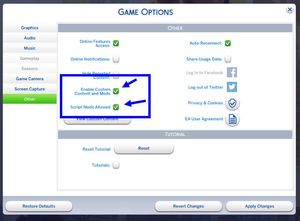


@Ariees416 A couple of notes. Check what you have in "Movies" - if it's anything but .ts4script, .package, .cfg, and .txt files, you might have your problem there. You also have a folder called Mods inside Mods, and that could cause problems - better to rename it, and make sure it doesn't contain duplicates. FInally, I don't see your Resource.cfg file there. Did you delete that? The game will recreate it, and you can just leave it there.
Also, what's the full path above "Mods"?

I checked movies, they were all .package files from the ultimate movie override mods.
I renamed the Mods folder,
and the path above previously named Mods folder is my MC Command Center folder.
I deleted my whole mods folder so it could regenerate (It helped last time I had this problem), which is why there was no resource.cfg.
I put everything back but to no avail
@Ariees416 Try putting mods in in batches instead of all at once. Delete localthumbcache between batches.
Scripts still are not working after I tried putting them in in batches. There was an update so I did that to see of that would fix my issue, and it did not. I also updated all my mods again just in case one was updated between the 5-11 and I didn't notice, but it doesn't seem to have been the problem. I guess for now I'm just gonna have to not organize my mods folder. Thank you for your help Luthienrising!!