Forum Discussion

IvaIvanaa's avatar
5 years ago

Broken/Missing Expansion Pack

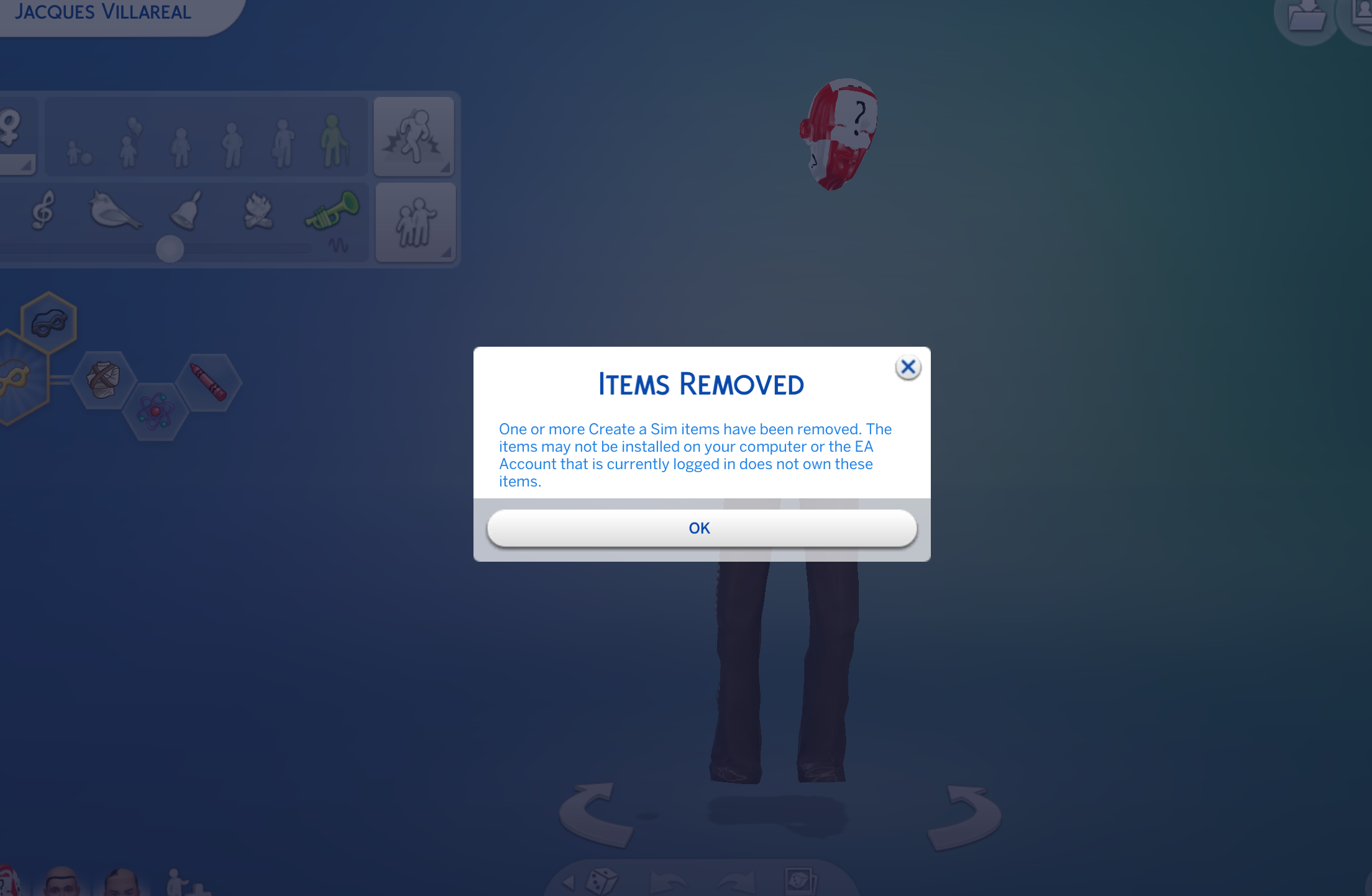
After the update, my Get Together expansion pack has stopped working. The game is not registering it. I haven't uninstalled it or anything, so I'm not sure how this happened or how to potentially fix it. All of my Sims that came with the pack are glitching (see photos) and Windenburg does not load (just goes to a white screen). Please help.

15 Replies

  • bubbladubbla's avatar
    bubbladubbla
    Seasoned Newcomer
    5 years ago

    The sims 4 updated today but upon starting the game it was noted that many of the expansions had llama icons, which was not of issue. When opening the game the llama icon continued to areas within the world but does not cause issues in game play. When entering a previously saved household, I noted that the skin tone on my characters was different. The skin tone does vary, one sim has a red and white skin tone with question marks, and another is more white. Some hair colours were also multicolour, as well as the trees and plants. Surrounding items were also this multicolour with question marks. Items are also disappearing from site after use, but Sims are able to use but as a player I am not able to select the item for use. 

  • Bluebellflora's avatar
    Bluebellflora
    Hero+
    5 years ago
    @IvaIvanaa

    Thanks! Can you remember specifically what fixed it? Having the DLC installed in a separate folder on a Mac causes a similar issue so it isn’t always easy to figure out if it’s that issue or the one in the PC tech forum ☹️

    @bubbladubbla

    Could you please check the link in my previous post and see if that applies to you? Please also read the first page in this thread for explanation about where packs install to in macOS and how to force a re-download of the affected packs.
  • IvaIvanaa's avatar
    IvaIvanaa
    5 years ago
    @Bluebellflora Sure! I repeated the same steps you outlined but also right-clicked on the game in the Origin app and clicked “repair” there.

Featured Places