Game crashing or not loading especially after updating? Post here.


Hi everyone,
I’m having a big issue with The Sims 4 on my MacBook (13”, M1 chip) running macOS Tahoe 26.0.1.
Up until Thursday evening the game was working perfectly. But now, when I try to launch The Sims 4 from the EA App:
Here’s what I’ve tried so far:
Nothing worked — the game still won’t launch at all.
👉 Has anyone else with macOS Tahoe run into this problem? Is this maybe a compatibility issue with the new macOS version or just a broken EA App update?
Thanks in advance!
The game loads up fine on Tahoe so that shouldn't be the issue.
Did this happen after updating your Mac to 26.0.1? Or updating the game as there was a patch on Thursday? Or updating EA App?
Ntshilaa wrote:The folder Documents/Electronic Arts/The Sims 4 doesn’t get created anymore.
It won't if the game doesn't even load. Where is your usual Sims 4 folder, did you move it out of the Electronic Arts folder or rename it?
If an EA Crash Reporter is popping up that would be an issue with EA App and not the game. Or is it a macOS crash log that's popping up? Can you post a screenshot of the error that's popping up please.
Hi, thanks for your reply!
Just to clarify: in my case, the EA Crash Reporter never appears at all. When I press Play in the EA App, nothing happens — no EA/Maxis logo, no loading screen, and the Sims 4 folder in Documents is not created. The game does not even begin to launch.
I did update the game — the latest Sims 4 patch installed successfully — but right after that update it stopped working. Before the update on Thursday, the game was running perfectly fine.
I already tried:
Still, Sims 4 won’t launch at all. So unfortunately I can’t provide a Crash Reporter screenshot, because it never pops up for me.
I was asking about the crash reporter because in your original message you stated this:
Ntshilaa wrote:Instead, the EA Crash Reporter pops up immediately.
but are you actually referring to the usual EA App window there? No error messages of any kind?
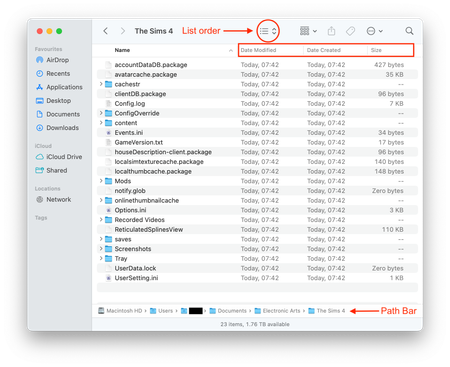
Do you currently have a Sims 4 folder in Documents > Electronic Arts?
Sorry, I explained it wrong before. What I actually meant is that the EA Crash Reporter only appeared once, the very first time I tried to launch Sims 4 after the update. Since then it has never shown up again.
When I press Play in the EA App, nothing happens at all. No EA or Maxis logo, no error messages, no crash reporter.
After I deleted and reinstalled both Sims 4 and the EA App, the Sims 4 folder in Documents > Electronic Arts never appeared again, because the game does not start far enough to create it.
So Sims 4 does not even begin to launch anymore.



