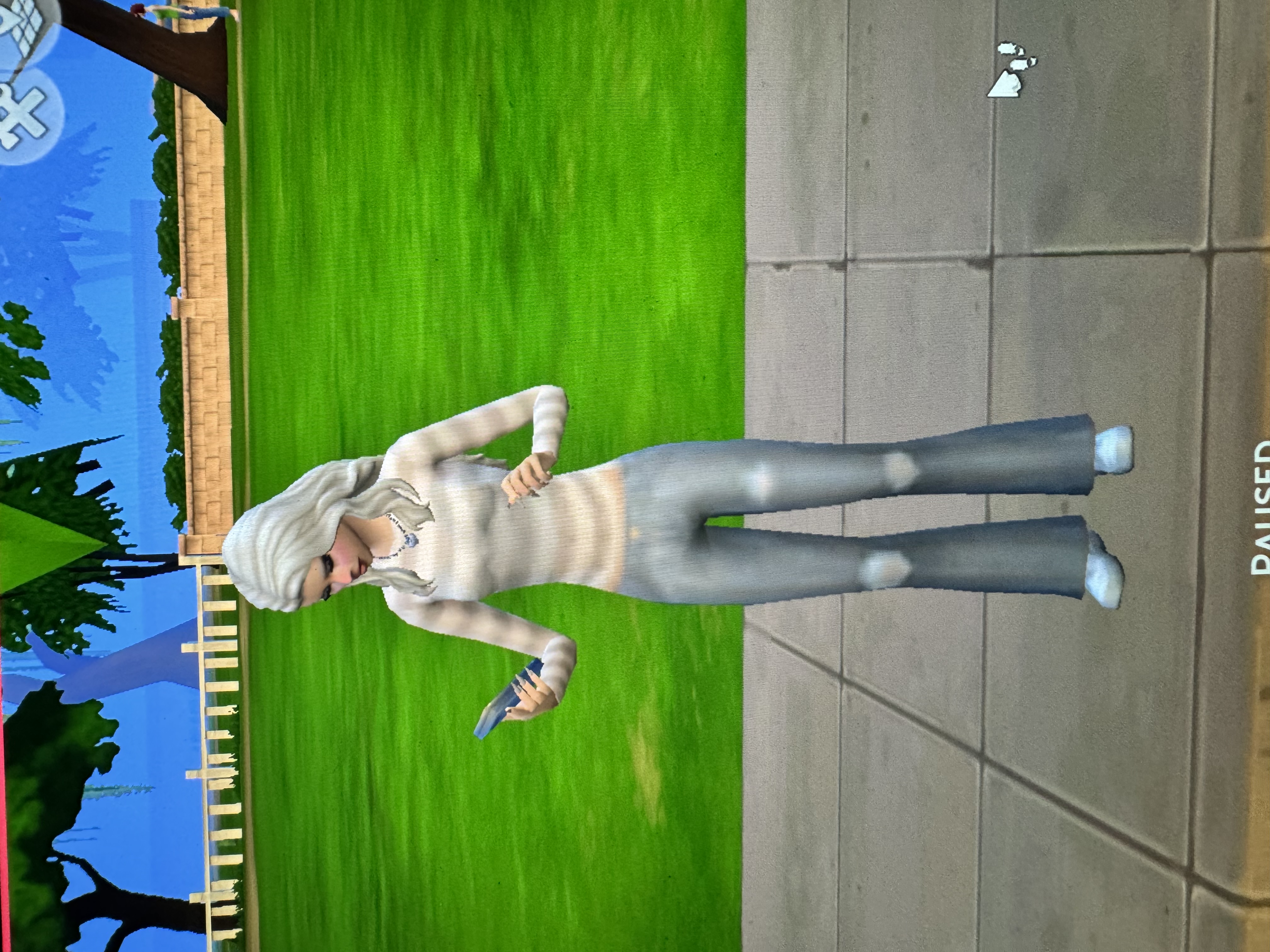
Graphics Broken after Update

Here is everything you asked for. I’ve tried messing with the graphics settings a lot and hasn’t changed anything.
Thank you sm!

Thanks. Your MacBook Air, lovely as it is, is not very powerful which is why the default settings are low. The higher the settings the more the machine has to work to provide crisper graphics. Nevertheless, please change these settings and see what happens:
Display type - change to windowed mode. You can grab the game window and resize it as you would any other app or Finder window
Vertical Sync - enable
Edge Smoothing - on
View Distance - high
Lighting - high
Visual Effects - high
Laptop mode - scroll down a bit further in those graphics options, it's underneath Post Processing Effects, and make sure it's unchecked
After changing the settings save them then quit and relaunch the game.
Your game may be a bit laggy and slow after making these changes but this is just for troubleshooting.
You could also reset the NVRAM on your Mac. I'm not sure this will really help but I would try it and it won't hurt to do so - https://support.apple.com/en-gu/102539 You have an Intel Mac.
Is there any reason you are still running macOS Big Sur? You should consider updating for security and improved performance reasons.
I changed my setting and am trying to restart my game and it won’t load in. I don’t think i’ve ever played on that high of graphic setting bc ive never really messed with them. I reset my NVRAM. Also i’m not sure what Big Sure is or how to fix it.
Ok. Close the game, rename the Sims 4 folder (just add 1 or something to it), launch the game to the main menu, change those graphics settings I suggested then save then quit. Change to medium instead of high if you like.
Big Sur is the operating system you're running. It's in the screenshot you provided of your Mac specs. You can download and install the current version, Sequoia, through System Settings. Leave that for now though.
I’ve tried everything and it’s still like that. I do also have a desktop imac if i download it on there and play do you think it would look normal?