[CURRENT ISSUE] Several Issues after incomplete Installation



Product: The Sims 4
Platform:PC
Which language are you playing the game in? English
How often does the bug occur? Every time (100%)
What is your current game version number? 1.60.54.1020
What expansions, game packs, and stuff packs do you have installed? Seasons, Get Famous, Island Living, City Living, Get to Work, Parenthood, Luxury stuff, Laundry Day, Perfect Patio, Cool Kitchen Stuff
Steps: How can we find the bug ourselves? When I load a save file all the sims have glitchy faces.
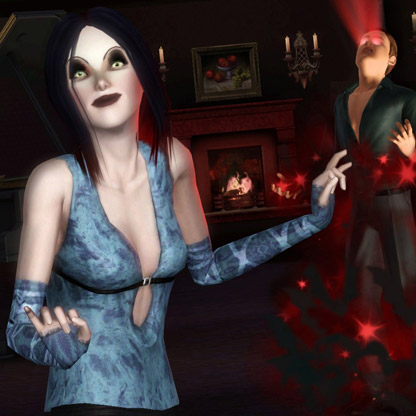
What happens when the bug occurs? The faces of the sims are blacked out or white and red with no features. I tried on two save files. They also move fragmented
What do you expect to see? The sims should have faces and move normally
Have you installed any customization with the game, e.g. Custom Content or Mods? Never used.
Did this issue appear after a specific patch or change you made to your system? Yes
Please describe the patch or change you made. This occurred after the recent January 2020 patch
Attached are pictures

I am SO glad someone else is experiencing the same issues as me!! Some lights are glitched out too, there are question marks shining over some of my floors, AND CAS is insanely glitched.

This seems similar to what others have also reported:
Try repairing your game through Origin
Wait for it to go through all of your expansion packs as well. The file check can take a while to complete depending on your computer's hardware. Then start your game and see if everything looks good again. I hope this helps!
I am having the same issue, the thumbnails to the different towns are also missing