[CURRENT ISSUE] Sims 4 Problem With Your Game's Setup


Hi,
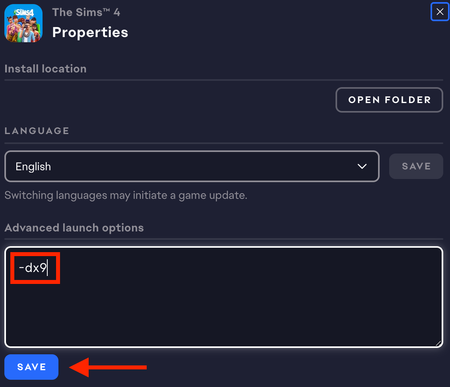
I’ve been running Sims 4 on DX9 for months because it works best for my HP laptop. However, today I uninstalled GShade and ever since, my game has only been able to launch in DX11 and when I try to launch my game in DX9, it does not open and I get a pop up instead (attached below). Does anyone know how to fix this?
Mumumw Please try the two other suggestions in the first post of this thread, under Other (since you don't have a Windows 7 or Windows N install):
[CURRENT ISSUE] Sims 4 Problem With Your Game's Setup | EA Forums - 12693084
If neither helps, try a clean boot (this isn't a clean install of Windows, just a way to disable background services, in case it's not clear), as described here:
The one service to leave enabled is the EABackgroundService, which the EA App needs in order to run. Disable the rest as described.
When you reboot your computer, go through the Task Manager's background processes list shutting down any service that doesn't absolutely need to be running, for example anything from MSI Afterburner to RGB software might still be enabled. If you accidentally kill a critical process and it doesn't restart on its own, just reboot your computer again.
Don't open anything other than Sims 4 and the EA App while testing, not even a browser window.
If this helps, you can selectively reenable services until you find the culprit, then either leave that disabled or (if it belongs to an app you want to keep using) let me know what it is so we can try to fix the underlying issue.