[CURRENT ISSUE] Sims 4 Unable to Start, Initialization Error


Hello,
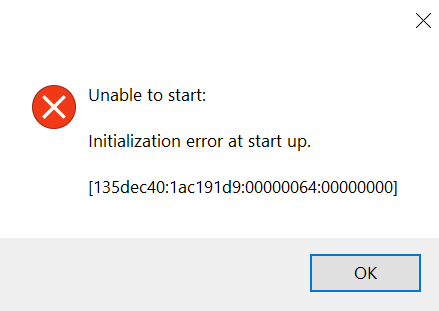
When I tried to launch the game to provide a save file containing a bug, an error message appeared:
I tried everything: uninstalling the game (but the button doesn't work: it loads for 1 second and then nothing happens), repairing it (it launches but nothing happens). The game isn't visible in my applications on my PC, so I tried manually deleting all the folders containing Sims 4 and then reinstalling it. I cleared the EA App cache, uninstalled and reinstalled EA App, uninstalled and reinstalled the C++ files, and even tried changing the file where the game is installed. I uninstalled my antivirus software and launched EA App as an administrator. I even tried launching the game directly from the .exe file in Game/BIN.
I still get the same error, and now the uninstall option on my Sims is greyed out and no longer available, as if there were no game. However, my 31 add-ons were installed correctly. I checked during installation and nothing happened. My PC didn't even go into standby mode.
I also tried using Microsoft's troubleshooting utility, but since The Sims 4 isn't even detected as an application on my computer, well... it's useless...
I don't know what to do anymore.
Thank you for your attention and assistance.
LiviSimmers This particular issue is on the user side, not the EA side, and EA is therefore not responsible for fixing it. It sounds like your current issue is different, and if you'd like help with that, please create your own thread.