
DLCs not working right
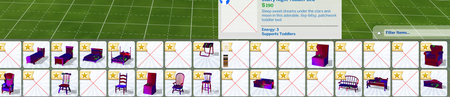
- 1 month ago
thegoldengyzer Please manually delete the folders for these packs and reinstall the content. Make sure the EA App is closed and the EABackgroundService is NOT running in the Task Manager's background processes list. Open the game's program files, here by default in a Steam install:
C:\Program Files (x86)\Steam\steamapps\common\The Sims 4
The folders are EP04 [Cats & Dogs], GP12 [Werewolves], and SP18 [Paranormal]. Delete all three, then open the Delta folder and delete the subfolders with these names as well.
Open Steam and the EA App, and clear the EA App's cache:
https://help.ea.com/en-us/help/faq/clear-cache-to-fix-problems-with-your-games/
Repair the game in Steam again, then download your three packs from the EA App, one at a time, and see how the content looks in-game.



