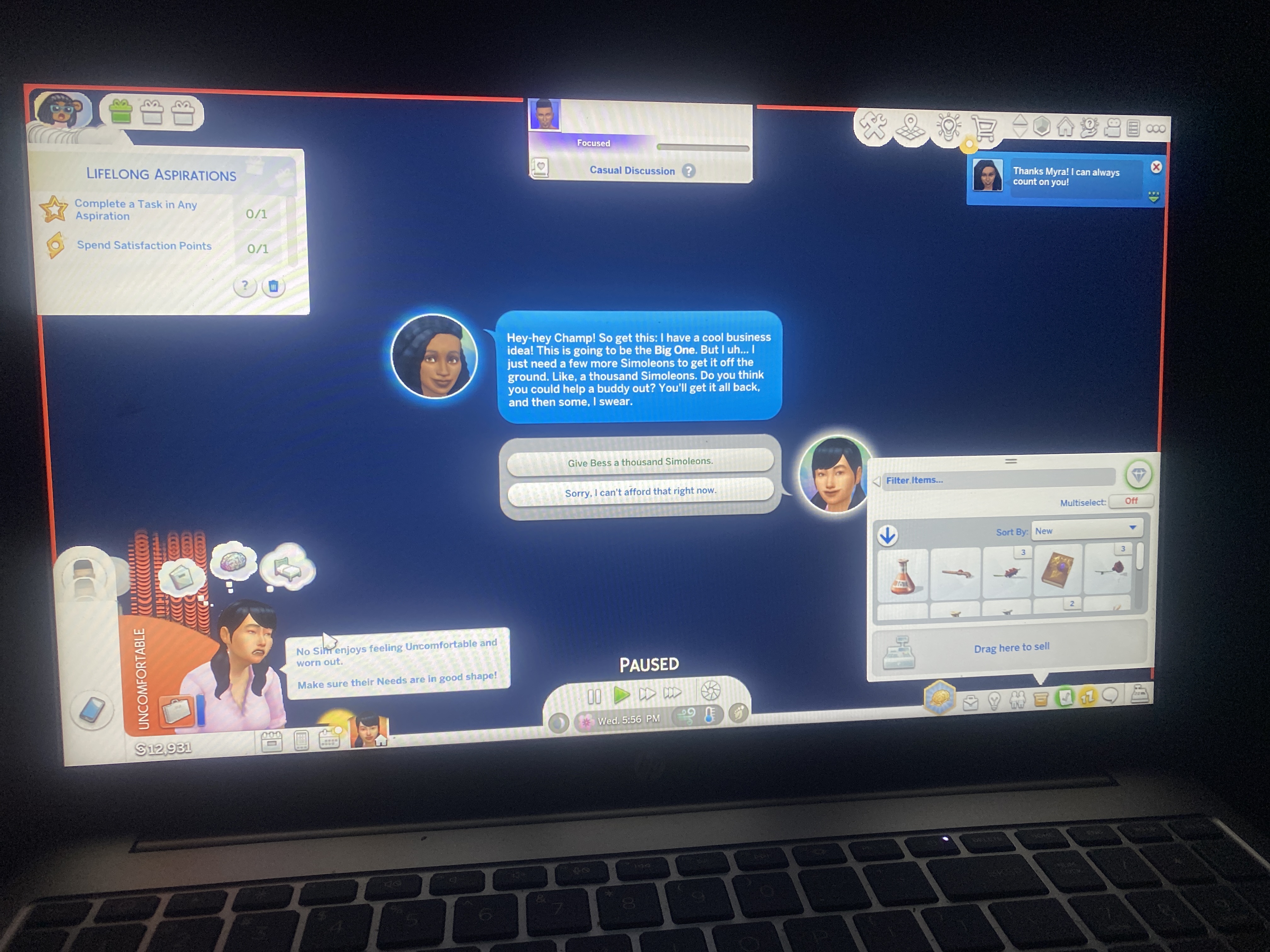
Game Bleeding
Every time I play the game, it’s doing this weird bleeding across the screen thing not really showing everything but only showing about two or three things that’s bleeding across the screen. It’ll start out OK and it will continue into bleeding and freezing. This is completely without mods I’m not sure what to do after the repair and get a few times. I’ve uninstalled and reinstalled it back with no success so I don’t know what’s going on here or what to do or have to properly describe this weird blinking the games doing essentially. It’ll like do this little blinking like for acting right and little blink and start bleeding all over the place with things moving across the screen, I have pictures to properly explain what I’m dealing with at this time. Created a new save after taking out mods so I’m unsure. What do I do next?
GoldGoddezz Sorry for the late reply. Crinrict asked me to look over this thread, but I've been away from the forums for a couple days.
At any rate, it looks like your laptop's graphics chip has been disabled for some reason. So click Windows key-X, select the Device Manager, expand Display Adapters, right-click the AMD Radeon entry, and choose Enable, then restart your computer.
If that doesn't help, you may need to reinstall the proper graphics driver. Go here:
https://support.hp.com/us-en/drivers/laptops
Enter your serial number, choose your OS (just Windows 11 is fine) if prompted, click All Drivers, expand Driver-Graphics, and download the newest Intel and Nvidia drivers by version number. The first number matters most, e.g. 32 is newer than 31; after that, the last four numbers matter.
Download the correct driver and run it as an admin: right-click the download and select "Run as administrator." Restart your laptop afterwards and before trying to play.