i cant fix this no matter what i do
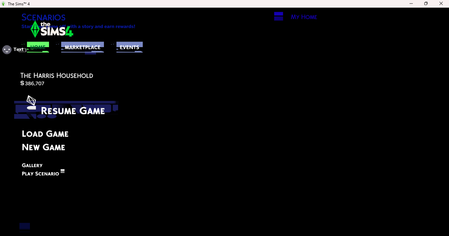


I got you! It has been driving me crazy trying to understand what has suddenly made my i7 crash. I have 24/7 IT service I pay for and they haven't been able to figure it out. Today I started putting it all together a the Sims updated and changed things and basically broke my integrated graphics files. I Googled and this is what I got.
did maxis crash the sims 4 with their new marketplace causing integrated graphics issue for pcs
While there wasn't a single catastrophic "crash" event for all PC users, the launch of The Sims 4 Marketplace and the accompanying game updates in March 2026 (and previous significant updates in 2024) caused widespread instability, specifically for players using integrated graphics or older hardware.
EA Forums
EA Forums
+2
Key Issues Reported
Marketplace & Mod Conflicts: The introduction of a built-in marketplace for paid custom content reportedly broke over 90% of existing mods. This led to frequent game crashes, "white screen" errors, and broken user interfaces (UI) for players with active mod folders.
DirectX 11 Transition: Maxis transitioned the game to DirectX 11, which significantly improved performance for newer PCs but caused integrated graphics drivers (like Intel Iris or UHD) to fail. Many players on older laptops found the game unplayable unless they manually reverted to DirectX 9.
The "Shopping Cart" Button: A controversial, pulsating "shopping cart" icon added to the UI was cited as a major performance drain on lower-end systems and an accessibility issue.
EA Forums
EA Forums
+7
Recommended Fixes for Graphics Issues
If your game is crashing on a PC with integrated graphics, try these common community-verified steps:
Switch to DirectX 9 Mode: Open your EA App Game Library, click Manage > View Properties, and add -dx9 to the command line box to bypass DX11-related driver failures.
Force High-Performance GPU: If you have a laptop with both integrated and dedicated graphics, use the Windows Graphics Settings to force TS4_x64.exe to use the "High Performance" (Nvidia/AMD) option instead of "Power Saving" (Integrated).
Clear Cache Files: Go to Documents\Electronic Arts\The Sims 4 and delete the localthumbcache.package file to clear temporary data that often causes UI glitches.
Update Intel Drivers: Ensure you have the latest Intel Graphics Driver installed, as older versions are incompatible with the recent engine updates.
EA Forums
EA Forums
+7
Would you like help finding the specific command line arguments to fix your game's DirectX version?