Forum Discussion
9 Replies
 rosemow11 months agoHero+
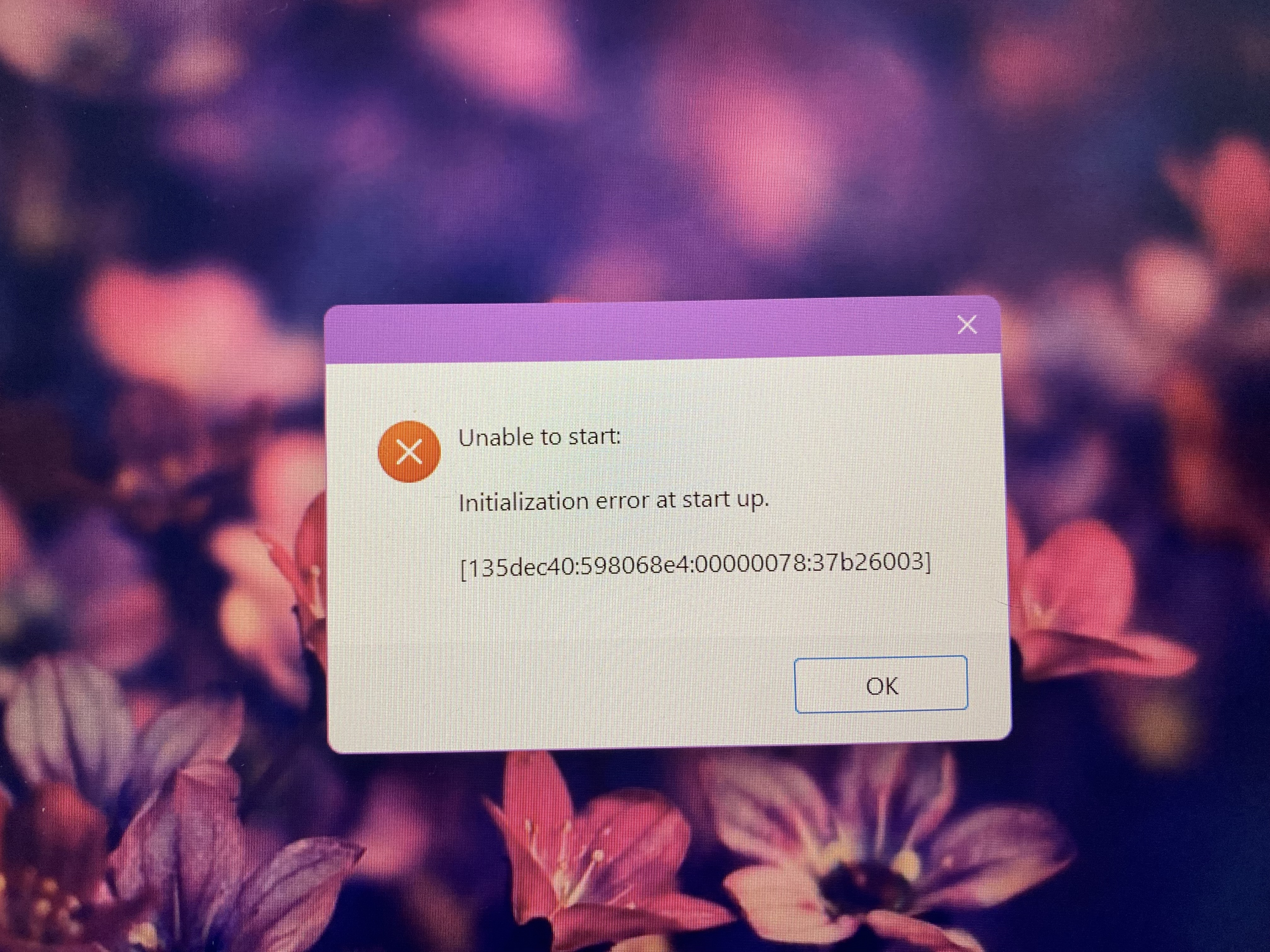
This thread may help you. Try doing the troubleshooting suggestions there
https://sims4.crinrict.com/eng/2014/09/unable-to-start-initialization-error-at-startup/ 8tqa1rk0f8uf11 months agoNew Novice
I REALLY WISH I COULD HELP SO BAD COS I HAD AN ISSUE LIKE THIS RECENTLY AND I JS KEPT DOING ANY AND EVERYTHING TILL I GOT IT TO WORK AGAIN BUT MAYBE TRY UPDATIN XML INJECTOR IF YOU HAVENT OR CHANGE THE NAME OF YOUR SIMS 4 FOLDER, LOAD THE GAME AND SEE WHAT HAPPENS.
HI keishie
what platform are you playing on ?
 keishie10 months agoNew Novice
I have an Omen Gaming laptop and it uses Windows
Moved this to PC Tech then.
 SJ03169210 months agoRising Novice
So it does have something to do with windows? hm
keishie Do you still need help? The initialization error is typically related to an overly-protective antivirus, so try setting exceptions in yours for TS4_x64, TS4_DX9_x64, and TS4_Launcher_x64, or the entire Bin folder they're in. Set one for EADesktop.exe while you're there.
You may need to repair the game (EA App > Sims 4 > Manage > Repair) as well.
- keishie10 months agoNew Novice
Yes, unfortunately I still haven't been able to start the game. I have done all that was suggested.
keishie Please try the other suggestions in this thread about a distinct but related error:
[CURRENT ISSUE] Sims 4 already running | EA Forums - 11818313

Featured Places