Forum Discussion
4 Replies
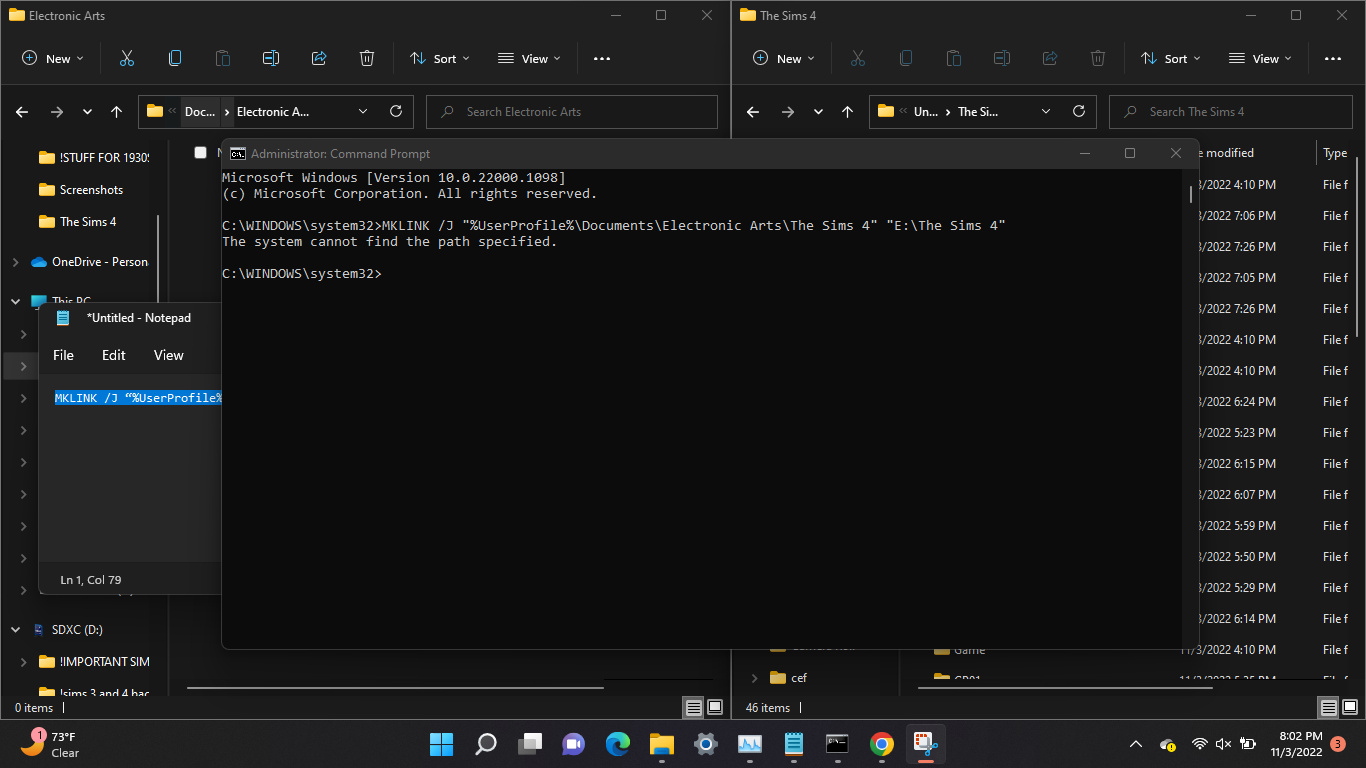
@breezyeom Please post a screenshot of the command prompt window so I can see the full file path you're typing. Please also post the full file path to the Sims 4 user folder on your external, the one you're trying to point the game to.
 breezyeom3 years agoRising Novice
The file path im trying to move it to on my external drive is “E:\The Sims 4”
@breezyeom Do you still have an Electronic Arts folder in Documents? Please make sure you're looking in the local version of Documents, i.e. not the one inside OneDrive. You can be sure you're looking at the right one by opening This PC > Users > your username > Documents. If the Electronic Arts folder isn't there, you can make one; just get the name exactly right.
- breezyeom3 years agoRising Novice
that was it! thank you so much i've been doing this all day haha! thank you 🙂

Featured Places