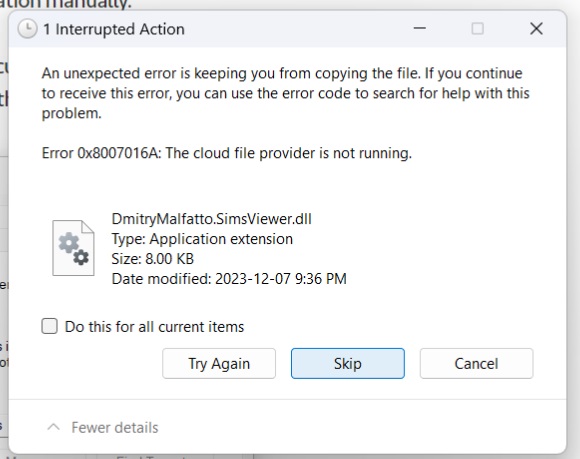
@SimSeeker What exactly do you mean that you "switched the OneDrive to Desktop"? Please tell me, and don't do anything else at all except for what I suggest. It's really important that I know the exact state of your system, at least the details I'm asking about, and if you change something, my instructions could be unhelpful or worse.
For now, please create a folder in Downloads called Sims Backups. Inside the Sims 4 user folder, copy the saves folder (right-click it and select Copy), then open Sims Backups and paste (right-click the empty space and select Paste). Do the same with the Tray folder, plus the Mods, Screenshots, and Recorded Videos folders if those contain anything you want to keep.
Next, pause OneDrive syncing for 24 hours: right-click the cloud icon in the lower-right corner of the screen to see the option. Download Revo Uninstaller (the free version is fine) and uninstall Sims 4 and the EA App, following these instructions exactly, except for the part about making a backup, because you've done that already:
https://answers.ea.com/t5/PC/CURRENT-ISSUE-Sims-4-DLC-shows-as-installed-won-t-load-in-game/m-p/12942151#uninstall
Once you've restarted your computer, reinstall the EA App, and create a new folder on the root level of the C drive called Games. (Open a File Explorer window, click This PC in the left panel, and double-click the C drive. Then right-click the empty space and select New > Folder, and label it Games.) Open the EA App, and when you download Sims 4, select C:\Games as the install location.
Do not launch Sims 4 yet. Instead, follow these instructions exactly to get rid of OneDrive, at least for now:
https://answers.ea.com/t5/PC/CURRENT-ISSUE-Sims-4-saves-user-content-disappearing-PC/td-p/12475370#Remove
Finally, confirm, through the same Command Prompt command, that your Documents directory is now here:
C:\Users\your username\Documents
with no OneDrive in the file path. If everything goes according to plan, try to launch Sims 4 and let me know whether it runs. Your saves and other data won't be available yet, but that content can be restored later.
If any of this doesn't work as described, stop there and let me know. It's better to address the issue at that point in the process rather than try something else that may make unintended changes. If any step doesn't make sense, stop there and ask for clarification, for the same reason.