Sims 4 won't launch (connectivity issues)
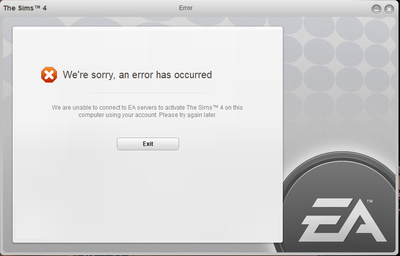


I did all the same things, and made a new account to try and play this. Not working at all on my PC ☹️


@Jourdie13
Check if your computer meets the requirements of the game
https://answers.ea.com/t5/Technical-Issues-PC/READ-FIRST-Make-sure-you-meet-minimum-requirements-PC/td-p/6420780/jump-to/first-unread-message
Fix the game in Origin
Origin/Library - right click on TS4 - option "Repair game"
Post here dxdiag of your computers
To gather a DxDiag on your computer, please follow the steps here: https://help.ea.com/en-us/help/pc/how-to-gather-dxdiag-information/
You can attach the text file to your post directly in option "Reply" - not Quick Reply
I don't work for EA
I have a Lenovo Yoga 920 and I don't think it meets all of the minimum requirements. But a year or two ago I downloaded The Sims 4 free trial on a laptop that was worse than the one I have right now and although laggy, the game still ran so I am not sure why it doesn't now
I have attached the DxDiag you asked for
@themukund
Check if there are new drivers for your gpu
https://downloadcenter.intel.com/download/28289/Intel-Graphics-Driver-for-Windows-10
and look for new drivers for your graphics card
You have also a problem with updating your Windows Defender and it is blocking yours Windows updates
Select "Check for updates" in the Windows Security Virus & threat protection screen to check for the latest updates.
If it is done check if your Windows is up to date.
https://support.microsoft.com/help/4027667/windows-10-update
Check also if your antivirus program or Windows Defender isn't blocking the game - add the game to the exceptions there
https://crinrict.com/blog/2019/03/windows-10-defender-controlled-folder-access.html



