Trees and Bushes Displayed as 2D Billboards in Almost Every World
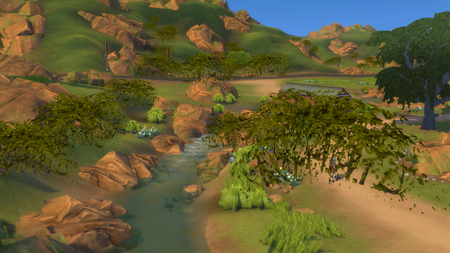


praisethebastii Try running the game in DirectX 9 mode instead. You can just check the box for it with the other graphics options.
It's also worth disabling Game Mode and Game Bar, under Windows Settings > Gaming, since the XBox game overlay crashed at least once recently.
As a side note, is it true that this PC doesn't have a dedicated graphics card? I don't see one, or a driver for it, and while that's fine, I figured I'd ask, especially since I guess your old computer had an Nvidia GPU.
I am not that educated on my PC specs, but I think it's an integrated graphics chip (?). The amazon site says it's a AMD Radeon RX Vega 8. My old computer had a Nvidia Geforce GTX 960. I remember vividly hoping the trees would look right again, when I installed the game on my new setup.






