Trees and Bushes Displayed as 2D Billboards in Almost Every World
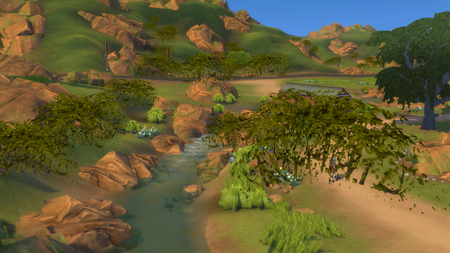


praisethebastii wrote:Trees and other world objects that are pretty close are rendered in low LODs or disappear, but change to high when I am super close.
This would of course be normal if the distance where it changed was a bit further out. Do you have any files in ConfigOverride, or did you edit your GraphicsRules.sgr at any point after deleting it and repairing? And does the behavior change at all (whether it's a fix or not) when you disable Post Processing? I realize it didn't help before, but the problem has changed a bit.
Does the behavior change at all if you slow down the camera movement or if you're zoomed in more overall? In your video, there are a LOT of objects on-screen, and they keep changing quickly as you move the camera. Your Vega 8 iGPU is not wholly incapable, but you're asking it to handle a very high workload compared to its processing power. The video you've posted is the kind of context where I often see or hear players complaining that objects are taking too long to render, when the issue is really that there are too many objects for their GPU to render in the amount of time they expect.
Please also let me know what drive Sims 4 is installed on currently. If you have time and it's not already on the system drive, please install it there. Even though you have a secondary SSD, it's not as fast as the C drive, and it's always possible that there's a small problem with a cable or connection.






