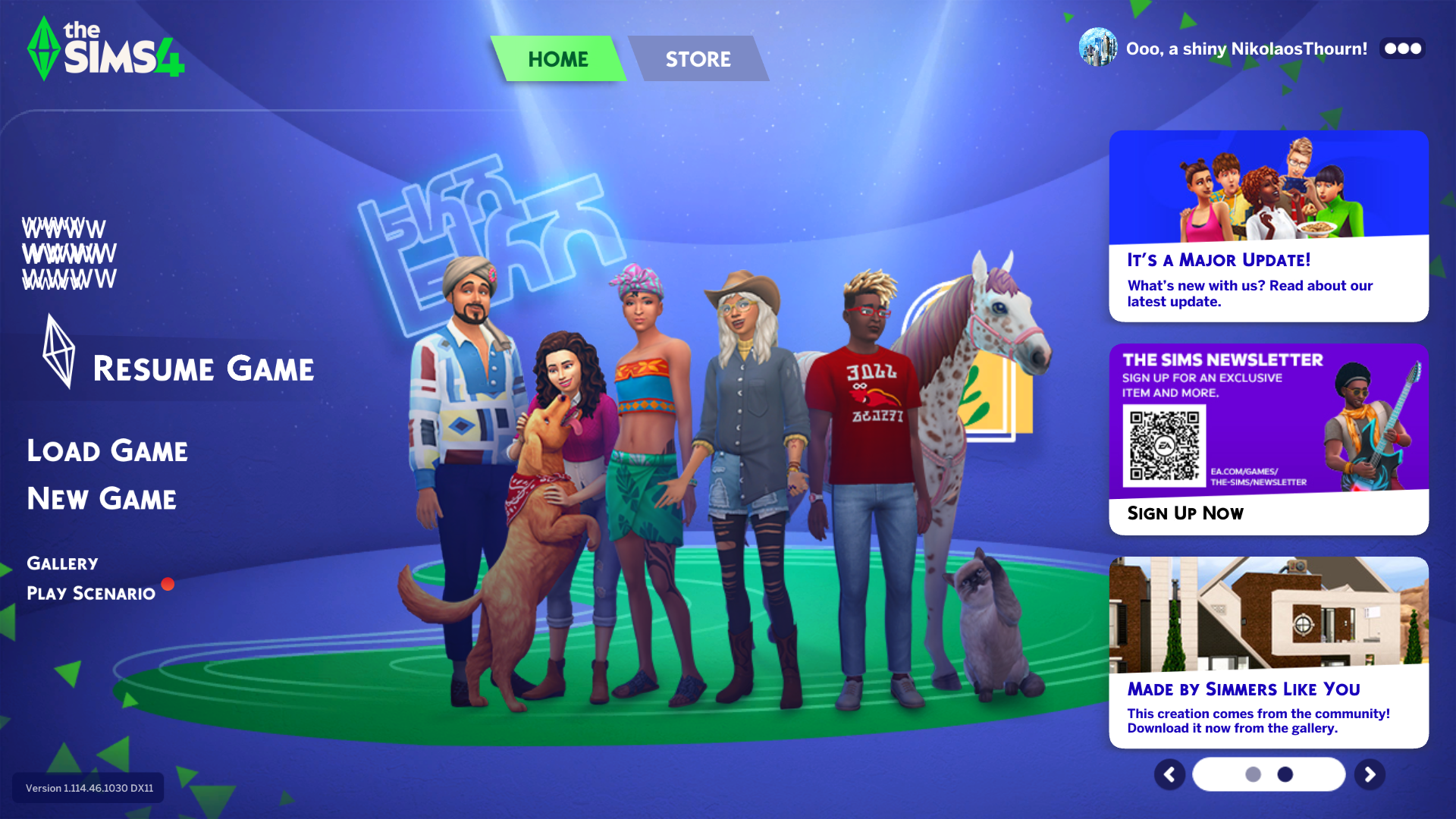
NikolaosThournRising Novice8 months agoUI Glitch on Main Menu - no mods Good evening, When loading up my Sims 4, I noticed a UI glitch where my household name and money should be. I assumed it was my mods, so I went ahead and removed them. The glitch was still there. I ...Show MoreTS4_x64 2025-05-04 19-12-42_436.png2.2 MBDxDiag.txt119 KB
ellesbellesxoNewcomer8 months agoI'm also having this issue. I've tried uninstalling everything and that didn't help either.

Featured PlacesThe Sims 4 Technical Issues - PC PC players get help with their technical issues in The Sims 4 here.Latest Activity: 4 hours ago53,150 Posts
The Sims 4 Technical Issues - PC PC players get help with their technical issues in The Sims 4 here.Latest Activity: 4 hours ago53,150 Posts
Recent DiscussionsGame Won't Connect To Gallery While Using DX11 Happy Holidays everyone. While this isn't an urgent, game breaking bug, it's seriously annoying me and I've been having the issue for a month straight. I have to alternate between DX9 and 11 just to...PC Freezing Completely After using google, researching all that I could, repaired my game files, looked through my mods and everything else, I cannot figure out what is going on. Backstory, I recently got completely new c...My EA file is not in my documents folder So, a few days ago, I redownloaded the EA app and The Sims 4. But today, I tried to add my mods and CC I had just installed and it was nowhere to be found in the documents folder like it usually is i...Mouse Stops Working When Sims 4 Launches Hello, I've seen a few discussions where people experience similar events but I have attempted to follow those guides with no success. Sims 4 on PC was working fine for me up until a few months ago, ...Game slow to respond I play with no mods or cc. I have all the packs. I play on a 2023 ASUS Tuff gaming laptop with nothing on it but the Sims 4. For some reason my game is acting up. First I couldn’t take things out of ...