
Failed to launch error when using CC
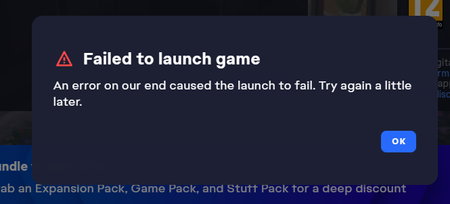

Right after the update, my sims game will no longer launch. I've tried everything I can, removing mods, changing settings, and anything else people have suggested; however, no luck. I don't know what to do or if it's happening to anyone else. Please help.
rynlove If you haven't already, please try playing in a clean user folder. Move the entire Sims 4 folder out of Documents > Electronic Arts and onto your desktop. When you launch the game, if it launches, a clean folder will spawn with no content. (Your saves and other content will be intact in the folder you've moved but temporarily unread by the game.) Don't add anything to the new folder yet; just start a new save and see how it runs.
If this doesn't or didn't help, please provide a dxdiag. Click Windows key-R, enter dxdiag in the run box, wait for the scan to finish, click "Save all information," and save the file to your desktop. From there, you can attach it to a reply using the paper clip (Attachment) icon included with the other formatting buttons.
I tried the first thing and it worked. It ran fine, so I slowly added back folders and started the game to see if I could find an issue. I thought I did because I found two folders of cc that were preventing it from launching, however it suddenly went back to the "Failed to launch game" pop up so I'm not so sure what's going on with it.
Same cause it usually it's because of a specific mod or cc but this time it's like its all of them.
Also, here's the dxdiag if still needed.
It appears to be creating a lastCrash file when this happens, if that information is helpful. I'm assuming it's opening extremely briefly and then crashing before showing me the pop-up.

Hi! Ive just tried this (i have a mac) the game loaded just fine. Could you tell me how to now incorporate the cc and file that i moved back into my game ?
My Game does exactly the same. It seems like no one can play :) ..
Many people are saying that their game crashes, also those playing without CC/mods.
The new update has completely ruined the entire game.
EA is aware of the problem and is currently trying to fix it. We can't do anything but wait for EA to come up with another update
rynlove The lastcrash file isn't going to be useful to me because most of it is indecipherable to anyone outside EA. But the "failed to launch game" error can happen after the game crashes (or doesn't start) if you don't also restart your computer before trying again. So it's possible you found the cc folder that was the original problem, but removing it again didn't work because you never restarted.
Your dxdiag shows that your graphics driver is very old, and Intel does offer a newer one for your processor and graphics chip:
I would suggest installing it even if the game is working without updating. Run the installer as an admin: right-click the download and select "Run as administrator." Restart afterwards and before trying to play.
CBachmann1 Please try the clean folder in my first reply.
Referring to you'r first reply.
No need for that :)
After an update the mods/scripts is turned off. So i already had the game opened, to turn the mods on again, after i did that the game won't launch.
But i read a lot of comment from people saying that the game aren't working correctly without mods either.
EA has announced that their aware of the new update causing problems, and there will be another update within 15 hours.
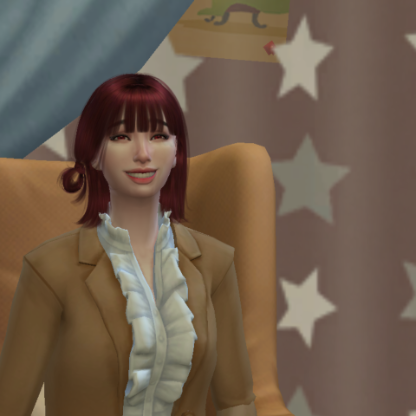
Unfortunately, the game still not fixed yet. I suddenly get another problem like black screen in main menu while using CC and MODS. Do you know how to fix this problem?
This is what happens when I attempt to do so.
rynlove The driver is compatible with your hardware, but sometimes a computer manufacturer's proprietary software blocks installation. That's less common on desktops than laptops. You can get around it easily enough though:
https://www.intel.com/content/www/us/en/support/articles/000087660/graphics.html
If you'd prefer, you can try the other suggestions first. Since the old driver worked okay before you ran into this issue, it's probably still fine now, just not ideal.
I have a suggestion that will work every time!
Stop using EA launchers or platforms, and start sailing the high seas for your games.
EA has long ago dropped the ball, and I have seen it only getting worse, in particular, to how they handle customer service. (not at all)
They don't deserve your money. I generally like paying for games that I love, but when I feel overwhelmingly unsupported, or my expectations of the game fall short by a mile, I discontinue my support and find other sources.
You should too.

Same. For me, it goes in sometimes and then I would press it again and I would get the error message. Done the 50/50 method, waiting for the modders so 🤞🏽this gets fixed

 The Sims Team