Failed to launch error/Fully Black Screen when using CC
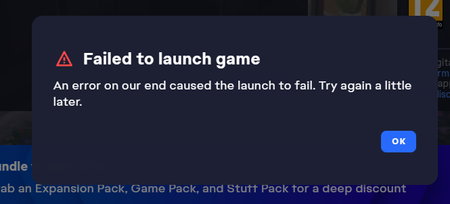

I followed all the instructions: clearing the cache, deleting the cache files, moving and replacing the custom content (CC). The first time, the game managed to start. This proves that the problem isn't with the CC, but with the game itself. Our CC worked perfectly before this update; it's not broken, contrary to what EA wants us to believe. We shouldn't have to perform computer manipulations to get the game working. Modders shouldn't be "fixing" CC that was working perfectly fine until now. Some of us have over 5,000 CC, and they all work perfectly. I refuse to delete even a single one. Fix the problem or it's goodbye. I will never pay for CC, especially when I see what you're doing, because yes, it's obvious. Never has an update been so precise in its ability to only break cosmetics and not mods, what a coincidence.
PS: I just cleared the application cache, repaired the game, deleted the resource file (located in the mod folder), and the cache files. The game just launched... What it takes to get this game working is unbelievable...
But again, this proves that the problem isn't with the custom content, but with you.

Hawalii When you put files back in the new mods folder, were you moving folders over, or did you manually make new folders and copy only files?

No offense, but why should we move over thousands of individual cc files into new folders? Why did the game suddenly decide it won't read files like it has for years? I have 118 folders in my Mods folder. I'm not going to spend days, doing a few at a time to see if the game will load.
EA broke the game in their money grab and may have turned off most of its player base in the process
I actually tried both methods; I did a 50/50 split. Some custom content (CC) worked and others didn't, then I realized that the CC that was preventing the application from opening worked after a few more tries. Realizing this, I stopped doing the 50/50 split and simply moved the folders into the mods folder. Then today, as I wrote in my first message, I didn't have to do that. I just cleared the application cache, repaired the game, deleted the cache and resource files, and it worked. Until I closed the game, everything is working perfectly. The problem is having to do this every time if it continues to work.

That's exactly what I said. Only custom content has been broken. Script mods are fine. Are they really trying to force us to buy the bs in their marketplace?? I will NEVER pay for Maxis match CC.

 The Sims Team