Failed to launch error/Fully Black Screen when using CC



Game: The Sims 4
Platform: Mac
Patch Version: 1.122.212.1230 (latest hotfix)
Issue:
After the most recent update and the supposed to fix the patch, my game is still crashing on startup and/or missing large amounts of my custom content (CC)—and I have no mods installed at all. This is unacceptable. The update has completely destroyed my game experience.
Steps to Reproduce:
Expected Result:
All previously working CC should load properly, and the game should launch without crashing.
Actual Result:
Additional Comments / Frustration:
I am beyond frustrated. I’ve spent countless hours curating CC that makes the game enjoyable and personal. The update has stripped all of that away, turning the game into an incomplete, unstable mess. What’s worse, EA released a patch promising to fix CC issues, but nothing has improved. This isn’t just an inconvenience—it’s a complete failure in maintaining player trust and game stability.
Why should loyal players suffer because EA’s updates don’t support custom content properly? This game is about creativity and customization, and right now it’s unusable for anyone who relies on CC. Fix your update process, or stop breaking the game for your community.
Request:
Investigate this ongoing CC and stability disaster immediately. Provide a clear fix for crashing and missing CC that works for players with only custom content installed. Communicate transparently about what is being done to prevent future catastrophes with updates.
Enough is enough. This patch is broken, and it’s ruining The Sims 4 for a huge part of your player base.
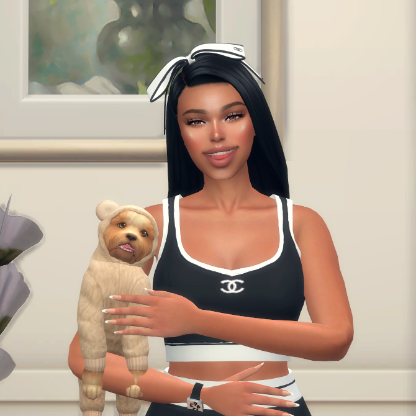
My game is glitching and all my sims are bald. None of my CC or mods are working !!

If you have an older version of your game like the one before the market place update. I recommend copying the bin files and pasting them over the new ones until they iron out these problems. That is what I did and if steam or ea app makes you update after that just do it again about the update. and you should be just fine.

it's possible you need to enable cc and script mods in the options settings. be aware that if you saved while your Sims are bald and naked then you'll need to rollback to a previous save in order for their clothes to come back after you enable mods. (make sure you restart the game after enabling this settings or they won't stick.)
if you haven't updated your game to the latest version and have mods enabled, then you might be having the bug where cc won't show in game. if that's the case, take your entire mods folder OUT of your The Sims 4 folder before you update. then make sure to enable mods in game options before loading a save.

 The Sims Team