Ideas

rrr0many
10 months agoNew Spectator
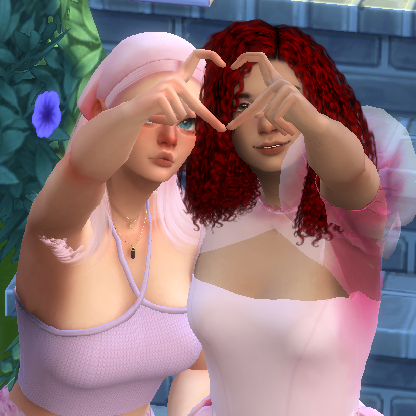
I've never had this issue before but for some reason literally all my households that are saved to my gallery are suddenly all duplicate like shown below:
I tried deleting one of the duplicates but that breaks both household saves for some reason, it shows this grey image and when I click on it it says "Item is corrupted, would you like to delete it?" so then the whole saved sims are just gone... instead of just one of the duplicates. How can I fix this?
 CyberRosie2210 months agoSeasoned Newcomer
I have the same problem with 3 sims duplicating each time I upload a new one to the gallery it. I toggle include custom content and then they all glitch out and 3 of the same sims spawn on there at the same time.
 luthienrising10 months agoHero+
Just to clarify, since this is in Mods for some reason, does this happen if you rename the Mods folder and delete localthumbcache?
- CyberRosie229 months agoSeasoned Newcomer
Mine still has the problem in base game without any mods in but i havent deleted localthumbcache though
- luthienrising9 months agoHero+
CyberRosie22 Thanks. Moving this to Gameplay Issues. Please try that and report how it goes.
 Shalimar18979 months agoNew Spectator
Me too
 crinrict9 months agoHero+
Could you try moving your tray folder to the desktop. This will remove all your uploads in your gallery but it's still there so no worries.
Then just save one items to the library and see if it duplicated too.
- CyberRosie229 months agoSeasoned Newcomer
crinrict The library is fine there is only one sim it's when i click the include cc button after uploading my sims to the gallery and also my friend can see duplicates of my sims too on her sims when she goes to my profile
- crinrict9 months agoHero+
So what do you mean by personal gallery ? The things you uploaded ?
There's something similar: Gallery: Duplicated uploads shown infinitely when using 'All' filter | EA Forums - 12872543 except it's not the all filter but the include cc one for you.
 Willowleaf6666 months agoNew Spectator
I always have had saved households or even blueprints dublicating, but they never caused any problems... UNTIL NOW. I'm raging over this stupid game as I did in fact take out all the mods, all the cc's, removed thubnail file, refreshed the tray file, repaired the game multiple times via EA and still no luck! Even the start menu of the sims is bugging now! It flashes grey before the wallpaper shows. This all occured to me after the latest bace game update, which I downloaded like, idk yesterday (21.3.2026)? And I don't mean the Feb huge updade, which I downloaded the moment it came out.
Strangely enough, also the corrupted sims of the duplicated households couldn't feel any romantic feelings! Weird I know, but anytime when they did an interaction where they should totally had gone flirty or received romantic points to the bond bar that appears while two sims talk, they just gained the friendly type bond points... Dunno what they are really called... But the scale of bond between two sims was limited to only the friendship bar. The romance bar was nowhere to be seen, and I know for a fact that it couldn't be just because the broken sim's preferences were set to asexual, because I didn't set them as one.
I don't know what to do anymore... Maybe just report the bug to EA and hope they fix it in the next upgrade...
Featured Places


