
itstenneo
1 month agoSeasoned Novice
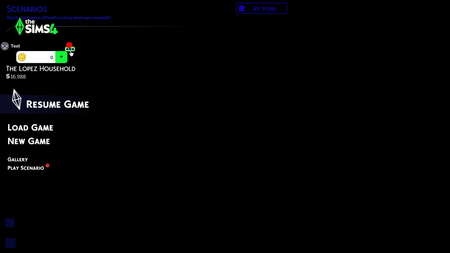
[patch 1.122] Game launches to black screen with main-menu words but no picture
I accidentally update my game without knowing that the mod and cc are broken since the marketplace is out. It updated like usual, but it won't open after that. So I tried to repair it on the EA ...
 1 month ago
itstenneo Please see Broken and Updated Mods and CC for broken and updated UI mods. And see How to Use Mods and CC on how to manage your mods when the game updates. UI issues like this are to be expected.
NOTE: Multiple mods cause this issue if outdated. The one broken for you might be one that other person posting in the thread doesn't have. Use the lists.

