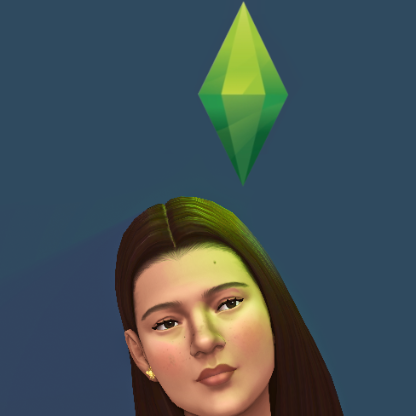
Hey! So I was messing around with creating a default skin for my sims (I wanted to create a very vanilla looking default skin) and I was testing my creation in CAS when I noticed the sim's skin looked very splotchy. I thought it only was because I blended incorrectly so I took a look at The Sims 4 own default skin for some reference but noticed that the skin looked even more splotchy. I have previously only played the game with a default skin replacement and haven´t really focused on the skin before so I don´t know how long this issue has been occuring. I repaired my game and deleted the Sims 4 folder in my documents because I thought I had messed with something and have now opened the game completely without mods or modifications (I also use sunblind mod but I haven't put it back in game after repairing) and the problem with the skin still occurs. It seems to be universal for all skintones, ages end genders but it is more visible on darker skintones. I have attached my screenshots of the skin texture, my in game setting and also how it looks with my reshade on/off (reshade comparison is only on the male images, on the rest of the pictures the reshade is off). Is anyone else having this issue or is it something on my end that I missed?
.


