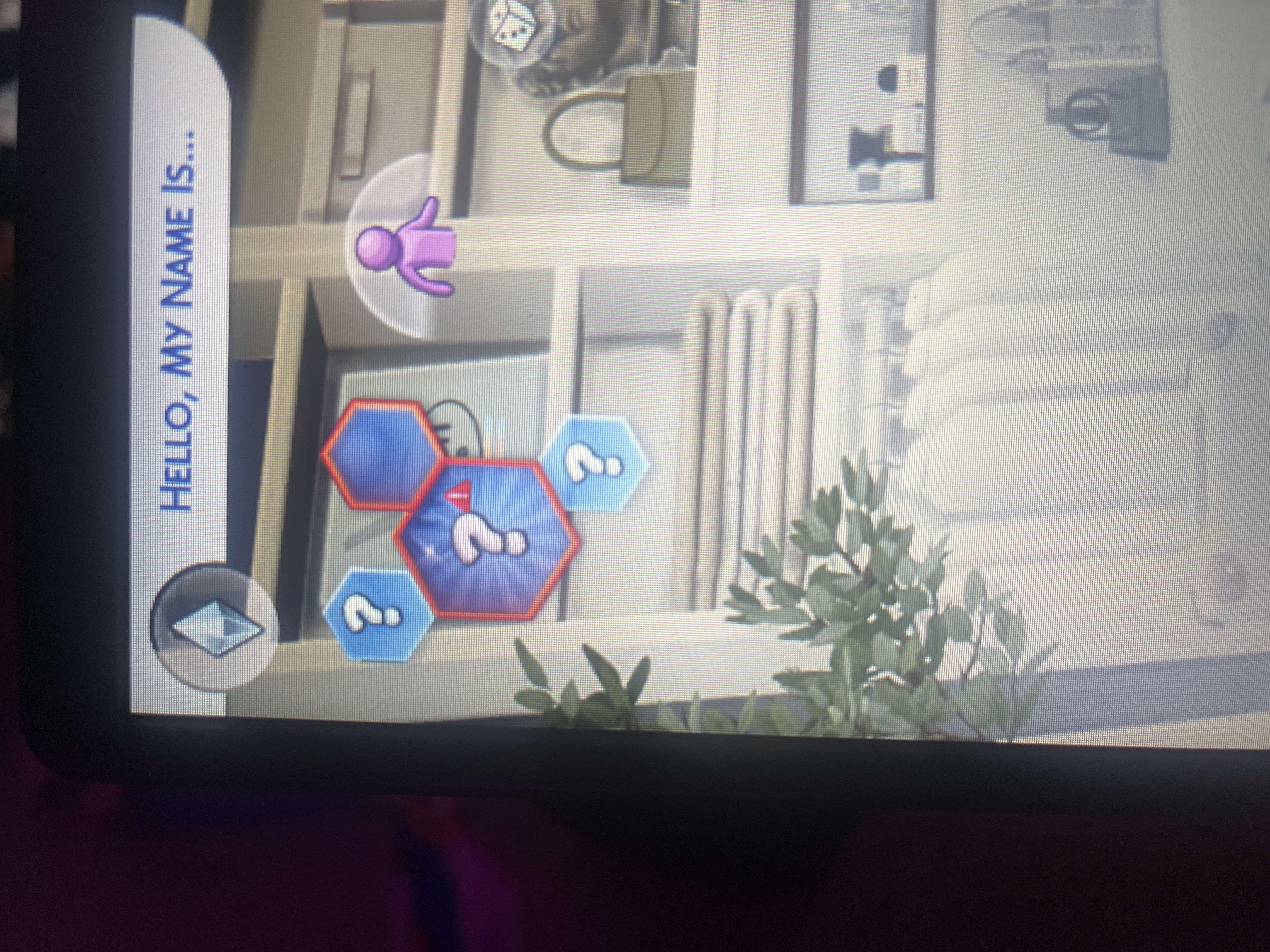
After I updated the sims I have been unable to select traits in cas even after removing all my mods and deleting and reinstalling the game
Edit By Crinrict: Adjusted Title to fit old report.
After I updated the sims I have been unable to select traits in cas even after removing all my mods and deleting and reinstalling the game
Edit By Crinrict: Adjusted Title to fit old report.

Basically when i go create a sims and go to pick traits the 3 boxes are completely missing and can not pick any to play the game. Now i have deleted all mods and add ons and the traits are still not there. I have even uninstalled the game just to see that they were still not there. Please help!!!!!

Platform: PC (EA App)
Game version: latest update
Mods/CC: none (never enabled after update)
Issue:
In Create a Sim, traits do not appear at all.
No question mark icon, no trait categories, and traits cannot be selected.
This happens with new saves, adult Sims, and even randomly generated Sims.
What I tried:
- Repaired the game
- Removed all mods
- Deleted cache
- Tested with a fresh The Sims 4 folder
- Started the game in vanilla mode
Result:
Issue still occurs.
Expected result:
Traits should appear and be selectable in CAS.
[Thread moved from TS4 IT board to TS4 EN board, please review the guidelines to find the right language board for your post. EA_Claus]


So I am playing on HP windows 11 never had an issue with the sims 4 traits. But lately ever since i updated the sims 4 (January 2026) I cannot had traits. I have deleted mods and CC, and joined back to see if it changed it did not, got mods back did not change. I have repaired it, and I have deleted the cache thing. I don't know what else to do.