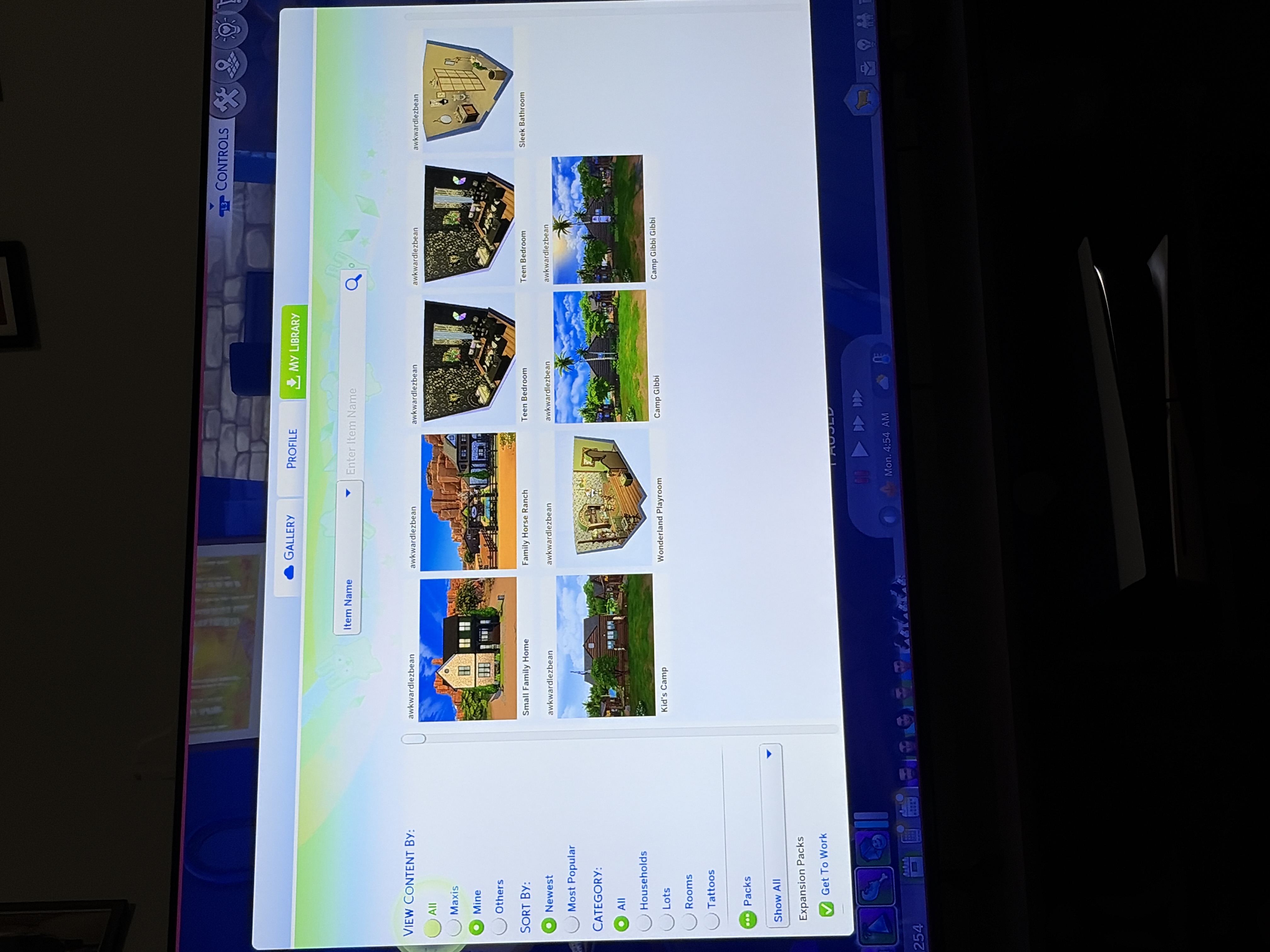
Everything I had saved to my library is gone. Other than like three of my recently saved lots/rooms. I restated my PS5, and they still aren’t there. I tried saving a few more from my gallery to the library and they saved fine but the rest of my gallery is wiped

Ideas
[XB/PS] Gallery Library Wiped
14 Comments
- ButterflyClipper2 days agoNew Spectator
Im having issue where I cant save anything that I created it wont go in my gallery and when I check it all my creation I did made over the past years are all gone the only thing I can do now is download other player stuff but I cant download my own content this happening on my ps4
- _awkwardlezbean2 days agoRising Veteran
Any updates on this? I did the update today and still, my gallery hasn’t returned. My library is still missing almost all my builds
- NutmegBucket9979 days agoSeasoned Newcomer
It was playing The Sims earlier today. And went in gallery to look for previously created Sims none of them were there. And I cannot save any new sims to my gallery. As well lots that I have found are not able to be saved to my gallery.
- _awkwardlezbean10 days agoRising Veteran
Just an update, now when I go to my gallery (profile) a whole lot of my saved lots and stuff are gone. Before they were all there and now a whole bunch of them are gone. There’s only some of them left and still “my library” has a little of my saves there most of them are gone.
- _awkwardlezbean10 days agoRising Veteran
Before, it was just my library that was pretty much wiped and now I noticed that even in my gallery (profile) a lot of the saves I put on there are gone. I’m gonna lose it if they don’t get them back.
- Shlurmen12 days agoRising Rookie
The last patch broke the Gallery. Upon opening the Gallery everything is fine. The menu is the same, it shows the Households, Lots, Rooms, and Tattoos according to default filter settings. However. Upon closing then reopening the Gallery, or simply changing a filter, the Gallery will delete/hide Lots. Even Lots that are saved in My Library are effected by this.
This happens regardless of Mods/CC. I've tested with, and without Mods/CC. Both cause the same effect.
Chance of this happening is 100%. I've tried 10 times, and all 10 attempts have had the same issue, WITH THE SAME LOTS.
However. If you click on one of the Lots that WILL be deleted/hidden, you can view it, and even place it with zero issues. Upon reopening the Gallery though, the SAME LOT YOU JUST PLACED will be deleted/hidden, and you will never find it again.
- tmq46rxmmt9z13 days agoSeasoned Newcomer
So a brief moment, I play the Sims almost every day except this last week and I heavily rely on my personal gallery for custom tattoos I've made, builds etc. going in to play my legacy save I've realised that all my saves are gone and my library is completely blank from creations I've made or from other creators. I play on PS5 so I have no mods or cc that could've broken my game. I need to know if I can retrieve my stuff back.
- XxShadowGhoulxX14 days agoNew Spectator
In the update notes it says the previously downloaded stuff in the library would not be affected yet when I log in today my households are all wiped none of them exist I want them back but me and my deceased cousin worked on a few of those together and it's sad to have lost them any fixes?
- EA_Solaire16 days ago
Community Manager
Status changed:NewtoReviewed - _awkwardlezbean18 days agoRising Veteran
Nope, I didn’t see any kind of error or warning. I just went in to find an old build and it was all gone
Featured Places
The Sims 4 Bug Reports
Report bugs for The Sims 4 on PC, Mac, Playstation, and Xbox.Latest Activity: 2 days agoRead First
- EA_Cade2 months ago
The Sims Team