F1 24 on Linux
Hello EA bug fixing Team, I discovered, after purchasing a lovely special on Steam and installing F1 24, that the game is not currently supported on Linux, via Wine, Proton or any of those amazing technical feats of software integration and emulation. This seems to be quite an oversight - in fact one might consider it an extraordinarily huge problem - calling it a "bug" seems to diminish its enormity. I have heard, around the traps, that it is related to anticheat. Be that as it may, there should be adequate support for the game to play on all systems, including Linux. I would just love to play my copy of F1 24 on my Linux PC. Would suggest this is the case for the myriad steam deck users and other Linux users out there also. Please add support for Linux. Thanks, Tristan1.3KViews4likes1Comment
Can't login to my own ea account
Actually I own the game f1 24 in the steam with the email [edit: email address removed] but when I tried to login the ea it told it has already linked in with other account that I don't know which means my account is hacked so please give back my account.Pls change the email to my email [edit: email address removed]208Views0likes10CommentsF1 24 doesn´t detect my AMD GPU
I have a AMD Radeon RX 7600 XT, but when I try to open the game, and the AC closes, it says that Microsoft Basic Render Driver does not meet the minimum requirements to play, and if I continue it just pops up a black screen and crashes. This is the only game with this problem, and by veryfing the files on steam it appears always that 3 files are corrupted, and by uninstalling the anti cheat before doing it, that doesn´t appears, so the problem is probably AC. I tried reinstalling the game, updating my GPU´s drivers and returning to a previous version, unactivating my antivirus, deleting the game file before reinstalling, changing the device ID in hardware_settings_info.xml, repairing the AC, and nothing worked. This started happening from a day to another. Does anyone have a similar problem or know a solution?87Views0likes0Comments
F1 24 IS CRASHES DURING THE RACE
로그 이름: System 원본: Service Control Manager 날짜: 2025-09-17 오후 8:30:57 이벤트 ID: 7034 작업 범주: 없음 수준: 오류 키워드: 클래식 사용자: 해당 없음 컴퓨터: 빙봉 설명: EAAntiCheatService 서비스가 예기치 않게 종료되었습니다. 이것이 1번째입니다. 이벤트 Xml: <Event xmlns="http://schemas.microsoft.com/win/2004/08/events/event"> <System> <Provider Name="Service Control Manager" Guid="{555908d1-a6d7-4695-8e1e-26931d2012f4}" EventSourceName="Service Control Manager" /> <EventID Qualifiers="49152">7034</EventID> <Version>0</Version> <Level>2</Level> <Task>0</Task> <Opcode>0</Opcode> <Keywords>0x8080000000000000</Keywords> <TimeCreated SystemTime="2025-09-17T11:30:57.4884865Z" /> <EventRecordID>2046</EventRecordID> <Correlation /> <Execution ProcessID="488" ThreadID="6060" /> <Channel>System</Channel> <Computer>빙봉</Computer> <Security /> </System> <EventData> <Data Name="param1">EAAntiCheatService</Data> <Data Name="param2">1</Data> <Binary>4500410041006E00740069004300680065006100740053006500720076006900630065000000</Binary> </EventData> </Event> ALWAYS THIS ISSUES ARE VIEW IN MY EVENT VIEWER HOW CAN I FIX THIS62Views0likes0CommentsI’m unable to properly launch F1 24 due to an EA AntiCheat issue.
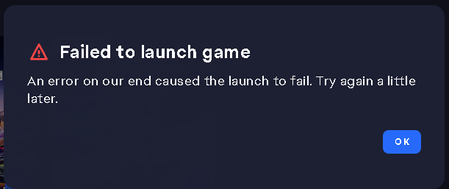
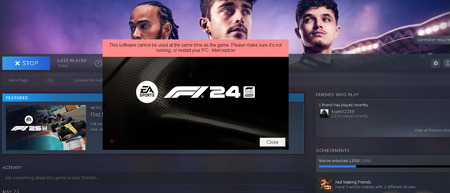
Hello, I’m unable to properly launch F1 24 due to an EA AntiCheat issue. Previously, I was getting an error saying I needed to install the latest version of the anti-cheat. I followed all the instructions, but the issue persisted. Here’s what I’ve already tried: - Downloaded and installed the latest EA Anti Cheat manually. - Verified the game files using EA App. - Launched both the EA App and the game as administrator. - Restarted my PC after each step. Now, the game launches, but after the loading screen it closes automatically without any error message. Please help me resolve this issue. Thank you!Solved600Views0likes2CommentsF1 24 won't launch, EAAntiCheat failed to obtain Origin directory
For the past several weeks, I have been unable to launch F1 24 on Steam. Each time I attempt to launch the game, it takes me to a black screen and then just returns me back to the steam game page. Each time I check the event logs it says the same thing: EAAntiCheat failed to obtain Origin directory. I have tried pretty much everything at this point. I have uninstalled the anticheat, updated it, repaired it etc. I have cleared the cache. I have tried to run the game on a different administrator account. I have uninstalled and reinstalled the EA app. I have cleared space on my hard drive. At this point I have run out of ideas. Anyone got any suggestions?117Views1like0Comments