I don't see any Epic Project Logo in my city.
It has been 2 days since my last epic project. Still, I can't find any epic project logo popping up on my residential zone in my city. My city is full of everything. Therefore, lack of specializations is not a problem. I tried deleting and re-installing entire app and it did not work. It is 01:40 AM in where I live and I still cannot figure out what is wrong. Are there anybody who are suffering from same kind of problem? Are there any way to fix this problem? What can I do to start my new epic project? Anybody PLEASE help me get some sleep. Thank you!35Views0likes3CommentsAnyone else having issues with playable ads (Gossip Harbor / Arros Puzzle)?
Hi everyone, Since the recent patch a couple of days ago, I’ve been having issues receiving rewards from certain ads—specifically interactive/playable ads like Gossip Harbor and Aros Puzzle 3D. What happens: The ad plays, but when reaching the playable end-card (asking to test the game), the script gets stuck in a loop. Even after pressing "Next" twice and hitting the close "X", no reward is granted. Regular video ads without interactive test prompts still work perfectly fine and grant rewards immediately. Is anyone else experiencing this with interactive/playable ads recently, or is it just isolated to certain devices/regions? Thanks!32Views1like3CommentsSimCity BuildIt Entertainment Index System Ruins Progression
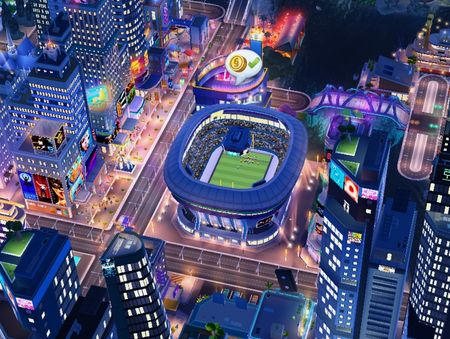
Dear EA Support Team, I am writing to express my deep frustration with the recent changes to the Entertainment specialization and index system in SimCity BuildIt. The new entertainment index requirements are honestly a very bad idea—they make no sense for progression and actively ruin the gameplay experience for loyal players.Specifically, almost none of the monthly Mayor's Pass or event entertainment buildings contribute to the entertainment index at all. This means that, after building the Entertainment HQ, it is literally impossible to unlock further entertainment buildings without spending huge amounts of SimCash—such as the 550 SimCash for the Football Stadium. The majority of other available buildings (Oktoberfest Funfair, Archery Competition, etc.) don't count for index and therefore stall any real progress.This system is extremely frustrating and punishes players who put time into collecting and building special event items. The index gates do not improve gameplay; they just slow everything down and force people to pay for progression. Please reconsider this pointless design and restore a fair, logical progression path for entertainment buildings so players—especially those who dedicate time to events—can actually enjoy building their cities.677Views6likes3CommentsTrain Season Rewards...cards for fully upgraded trains.
Just noticed that the current Steam Train Season has cards for Flying Sim. Mine is fully upgraded. How about substituting a different train or the equivalent of a diesel or electric train. Or pay out as Rail Tokens or Sim Cash. Or let us cash them in for something, but getting nothing isn't right.57Views2likes2CommentsNeon buildings still not fixed
the new update didn't fix the Neon buildings effects, it's even worse, you tried to hide the glow behind other buildings but now it's like a glitch, in some angles the glow totally disappears, so neon is not neon effect anymore. You ruined something we paid for. I'll never buy anything from you.250Views0likes13CommentsGraphic Glitch
Hi all, am experiencing for more than 10 days a glitch in the visuals. More specifically the cobblestone roads appear without trees anymore and the rivers are light blue low res rather than deep blue high res. Using an iPad 10th gen. Anyone facing the same issue here? Thanks172Views2likes6Comments