Pogo Troubleshooting Guide
This walk-through is to help with any of Pogo's wide array of HTML5 / HD games, particularly with the following issues: Is your game failing to load? Is your game lagging or moving slowly? Are games reloading during play? Are there graphical issues in the game? Are challenges not tracking Troubleshooting: Troubleshooting HD / HTML5 Games Troubleshoot issues with Pogo Pogo Recommended Specifications and Devices Check for Browser updates Chrome Edge FireFox Safari Check for Device Updates PC MAC Android iPhone Restart your Device and Internet equipment by shutting off or unplugging for 60 seconds then plugging back in and turning it on. Allow Pogo.com and the games you want to play through any Anti-virus, Firewall, or additional security on your device. Try disabling any pop-up blocker, or VPN that may be running. For Loading or overlay issues, launch your game then allow 10-20 seconds before clicking in the game. Sharing Device Information for further investigation: Share a screenshot PC Mac Providing a DxDiag/System Info Windows - DxDiag Mac - System Info32KViews11likes4Comments
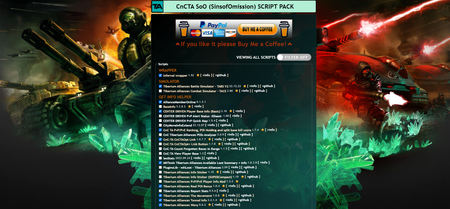
CnCTA SoO SCRIPT PACK - 1.6.5.1 - Browser Links - Updates
CnCTA SoO SCRIPT PACK Command and Conquer: Tiberium Alliances SinsofOmission SCRIPT PACK A script collection for Command and Conquer: Tiberium Alliances online game. All credits go to individual authors. Offered as a browser extension. All credits go to individual script authors. User Scripts help expert players to maximize gaming experience taking the best from the Game API. NEW STATISTICS FEATURE FOR SCRIPTS introduced with version 1.5.9 Please enable the function in Extension Options to help find out obsolete/useless scripts STATISTICS HOMEPAGE : CNCTA.TWEAKNESS.NET Opera - Version 1.6.5.1 ✅ https://addons.opera.com/it/extensions/details/cncta-soo-script-pack/ Firefox - Version 1.6.5.1 ✅ https://addons.mozilla.org/it/firefox/addon/cncta-soo-script-pack/ Google Chrome - Version 1.6.5.2 ✅ https://chrome.google.com/webstore/detail/cncta-soo-script-pack/mhohhaneodmbojhibocihibkiiafigkl Microsoft Edge - Version 1.6.5.1 ✅ https://microsoftedge.microsoft.com/addons/detail/cncta-soo-script-pack/nmkmhjeigaeiockhcaojiknafkloemef NOTE: ⛔ VERSION SENT TO REVIEW (IT COULD TAKE SOME DAYS FOR THE UPDATE AVAILABILITY) Changelog Version: Version 1.6.5.2 Update TA_CD_Player_Base_Info 3.23 Version 1.6.5.1 Update TA_CD_Player_Base_Info 3.22 Version 1.6.5 Removed some scripts that could break ToS Update TA_Report_Stats 0.5.6.2 Update TA_BaseInfo 3.2.8.3 Update TA_MHTools_Available_Loot_Summary_Info 1.8.3.9 Update TA_Tiberium_Alliances_Battle_Simulator_V2 23.05.31 Update TA_PvP_PvE_Ranking_POI_Holding_Split_Base_Kill_Score 1.7.4.4 Update TA_Map 24.02.25 Update TA_Shockr_Tools_Basescanner_Mailversion_reMod 2.9.2 Update TA_Maelstrom_ADDON_Basescanner_AIO 1.9.5 Update TA_Maelstrom_ADDON_Basescanner_Basic 1.9.5 Update TA_TheMovement 1.0.8.3 Update TA_CD_Player_Base_Info 3.21 Update TA_ADDON_City_Online_Status_Colorer_SC 0.7.6 Added TA_POI_ExporterTools 1.0 Removed TA_leostats Update JS Libs For problems/feedback please use CNCTA SOO LAB - BUGS|ERRORS REPORTING NEXT VERSION 1.66 In the next version of CnCTA SoO SCRIPT PACK you can expect these updates: - Update/fix scripts - New Soo Base Info Script with robust code (SoO City Info Enhanced)9.8KViews3likes92Comments
Mahjong sanctuary stuck in task list!
Second time posting and I am desperate for help. Customer support refuses to do anything and I am missing out on completing challenges, losing gems by not having this issue resolved! I am having an issue loading Mahjong Sanctuary on Pogo. The game loads normally, and after I click Play, a screen appears after a couple of seconds that says a birds work is never done lets get back to the task list. At that point the game becomes stuck. I cannot interact with anything except the task list. When I click it, a message appears saying I still have area tasks to complete. A hummingbird appears with a blank non clickable square beside it, and I cannot exit this screen unless I return to the Pogo home page. I have tried all fixes suggested by EA Customer Support, but none worked. They advised me to post this issue in the forums where their experts can advise. I am 100% sure this is a pogo issue, not an issue on my end. My husband also has an account and has no trouble opening the game on his computer but if he logs in under my account it will not open. Thank you for any help you can give1.4KViews6likes57CommentsError accessing Claire Hart "Secret in the Shadows" game, case 44 and 45
A while ago when there was a sale, I bought episodes in a number of cases including 44 and 45. When I try to access them now in two browsers, Firefox and Edge, I get an error message "Uh-oh! We had problems loading your episode. Please refresh your browser" with a 'refresh' tab. This has happened over several days. Case 43 and 46 are fine as have been all those up to these two. An image grab of the error is attached. Is this a known issue?1.1KViews3likes66Comments
🌈Pogo Graphics Guide - Windows Users
For PC and Laptop users when your screen suddenly turns a solid color, flickers, freezes, or shows strange patterns, it’s not random. These symptoms usually indicate something in the display pipeline isn’t working correctly, which can involve your browser, graphics driver, or system settings. Graphics drivers are very important to gamers. Without them working correctly, even a perfectly good computer can struggle to display games the way they were designed to look. ⬛ Black Screen What's happening: The game is running, but your graphics card isn't rendering the visuals. Why it happens: Driver conflicts or hardware acceleration issues. Steps to try: Toggle hardware acceleration off and on in your browser Clear your browser cache and cookies Make sure your browser is up to date Try a different supported browser → Chrome, Edge or Firefox Update your graphics driver (see below to confirm if yours can update) ⬜White Screen What's happening: Your browser or graphics driver is failing to render the game entirely. Why it happens: Several possible causes → graphics driver outdated or unsupported, hardware acceleration conflict, antivirus blocking game assets, corrupted browser cache, or unsupported browser being used. Steps to try: First confirm you are using a supported browser → Chrome, Edge or Firefox only Clear your browser cache and cookies Toggle hardware acceleration off and on in your browser Ensure your antivirus is not blocking Pogo Make sure your browser is up to date Update your graphics driver (see below to confirm if yours can update) ⚡Flickering or Visual Glitches What's happening: Your graphics card is struggling to keep up with real-time rendering. Why it happens: Driver is outdated or hardware acceleration is causing conflicts. Steps to try: Toggle hardware acceleration off and on in your browser Clear your browser cache and cookies Make sure your browser is up to date Try a different supported browser — Chrome, Edge or Firefox Update your graphics driver (see below to confirm if yours can update) 🖼️ Screen Loads But Won't Respond to Clicks What's happening: Graphics are displaying but not processing your input correctly. Why it happens: Graphics driver or hardware acceleration conflict. Steps to try: Toggle hardware acceleration off and on in your browser Clear your browser cache and cookies Try a different supported browser — Chrome, Edge or Firefox Make sure your browser is up to date Update your graphics driver (see below to confirm if yours can update) 📗 Green or Pink Tint Across the Screen What's happening: Your graphics driver is outdated or corrupted. Why it happens: Older drivers can't interpret current visual effects correctly. Steps to try: Clear your browser cache and cookies Make sure your browser is up to date Try a different supported browser — Chrome, Edge or Firefox Toggle hardware acceleration off and on in your browser Update your graphics driver (see below to confirm if yours can update) 📘 Blue or Purple Tint What's happening: Similar to green tint — your graphics driver cannot handle current visual effects. Why it happens: Older drivers attempting to display newer game features they were never designed for. Steps to try: Clear your browser cache and cookies Make sure your browser is up to date Try a different supported browser — Chrome, Edge or Firefox Toggle hardware acceleration off and on in your browser Update your graphics driver (see below to confirm if yours can update) ⚠️Can YOUR Graphics Driver Actually Update? Before updating, check whether your graphics driver is still supported. Some Windows 10 devices and older systems may no longer receive current driver updates, so please verify directly with Intel, NVIDIA, or AMD for the latest support information. How do I find which Graphics Driver Manufacturer I have on my Laptop or Desktop to check for any updates? Your graphics driver will come from one of these three companies, here are the names to look for: AMD Intel NVIDIA Checking and Updating graphics drivers is easier than you may think. Let's walk through it together. Method 1: The Fastest Way (Device Manager) Press Windows Key + X Select Device Manager Expand Display adapters You’ll see the name of your GPU It will look something like: NVIDIA GeForce RTX 3060 AMD Radeon RX 580 Intel UHD Graphics / Intel Arc Whatever name appears there tells you exactly which manufacturer to get driver updates from. Method 2: Windows Settings (Beginner‑Friendly) Open Settings Go to System Select Display Scroll down and click Advanced display Look for Display information → “Display adapter properties” A window will pop up showing your GPU name and manufacturer. Method 3: For Gamers (DirectX Diagnostic Tool) Press Windows Key + R Type dxdiag Press Enter Go to the Display tab You’ll see: GPU name Manufacturer Driver version This is a great way to see everything at once! Once you have identified the graphics manufacturer, visit the manufacturer's website to learn how to download and install the most recent updates for your device 🎉 "My Device Updates Automatically" Yes — but there’s an important catch, and graphics driver updates have changed a lot over time. For modern games to run correctly, it is often best to update graphics drivers from the manufacturer rather than relying only on Windows Update. Windows Update can provide compatible drivers, but it may not always include the latest performance improvements, fixes, or game-specific optimizations. Q&A "My Device is Brand New, it's already up to date." A device being new doesn’t always mean it is fully updated or configured. Devices can sit in warehouses or on shelves for months before being sold, so it is always best to check and verify. "Where does Microsoft state, go to the manufacturer's website?" Windows disclaimer. "There may be better drivers on Windows Update or on the device manufacturer’s website" "When did this shift in technology happen for graphics drivers?" There were a few shifts in technology, it kept evolving and changing. 1990s → The Simple Era: Drivers rarely updated, came on a CD with the graphics card, Windows built‑in drivers were usually enough, this is why some remember never needing to update anything. 1999–2003 → The First Big Shift Begins: This is the transition era. NVIDIA GeForce 256 (1999) introduced the first true “GPU”, DirectX 8 (2001) added programmable shaders and drivers started to matter more, updates improved performance however, still not required for most casual users. 2004–2007 → A Turning Point: NVIDIA and AMD began releasing frequent driver updates, Windows XP’s built‑in drivers became outdated quickly. Windows Vista introduced WDDM, a brand‑new graphics driver model and DirectX 10 arrived. 2010s → The Modern Driver Era: GPUs became essential for everything: gaming, video, streaming, Ray tracing, DLSS, FSR, Vulkan, DX12, Games launched with “Game Ready” drivers and security patches became very necessary and manual updates became a necessity. 🚂 2020s → High‑Frequency Driver Updates Begin: The 2020s are the first decade of rapid patches, constant optimizations, and nonstop feature upgrades and it completely changed what “keeping your drivers up to date” means. NVIDIA: 20–30+ updates per year AMD: 12–20 updates per year Intel Arc: 20–30+ updates per year There may be 1 to 3 updates each month. This is the reason why Windows Updates struggle to keep pace, it solely offers fundamental, stable drivers, rather than the swift gaming optimizations that manufacturers frequently issue. 📋 Still Having Issues? Contact EA Help directly anytime, for FREE private assistance → Pogo – Official EA Help support How to use the PC Health Check app - Microsoft Support Pogo Game Loading: Troubleshooting Guide for Tablets and Phones Pogo Game Loading: Troubleshooting Guide for PC and Laptop Users Pogo Error & Icon Guide: What They Mean and How to Fix Them Pogo Troubleshooting Guide Report a Problem on Pogo - Complete Guide A Pogo Player's Network Guide Information for Windows 10 Users on Pogo: Understanding Recent Changes New to the EA Forums? Start here!499Views1like0CommentsDaily Sudoku Themes
Since the end of June, My Theme on my Daily Sudoku has been a solid dark blue. It originally said that the Theme is Spanish Blue Stucco, so I assumed that it was correct. Then after 50 stars it says it is supposed to be A pat of Flamingos, but it never changed, unless Flamingos are now dark blue and blend in with the background. The preview pane says the next one is Red Stucco, but it stills shows the solid dark blue theme. Has something changed? Did I check a box that says do not change theme? Otherwise, I love this site. Chase399Views13likes11CommentsTile Hero - Stuck in a Loop and Progress
I just loaded Tile Hero and selected to load my game which is level 617. When I click on it, a pop up comes up telling me, Congratulations you have qualified for the hero league. You need to complete all chapters to enter. I click on the continue button and the pop up disappears so I go back and click on my level 617 button to load my game and the pop up comes up again. This just keeps happening repeatedly. There is nothing else to click on. I'm using Windows 11 and microsoft edge. Any ideas would be greatly appreciated.356Views37likes98Comments