[OLD] Broken and Updated Sims 4 Mods and CC: patch 1.122, March 17, 2026 +
About This OLD, OUTDATED Thread This thread tracks Sims 4 mods and CC that have been "broken" or made obsolete by game update 1.122, March 17, 2026, and the March 18 and March 23 hotfixes, or declared unsupported by their creators. It also tracks updated game mods, important updates to custom content, general news from/about creators, and new bugfix mods. FOR THE NEW THREAD SEE Broken and Updated Sims 4 Mods and CC: patch 1.123, April 16, 2026 | EA Forums - 13337074 -------------------------------------- FAILED TO LAUNCH ERROR: "Failed to Launch" message plain black screen on launch (no words) sometimes you can launch but are missing CC in CAS A patch for these specific issues was released March 23, 2026. If you have them, please update. If you still have them after that, it's possible that there are other causes. Please do a vanilla test. If the issue persists, please update your ReShade; if you don't use that or other mods that aren't Mods-folder content, go to the Bug Reports forum. ---------------------------------------- SORT THE THREAD FOR WHAT YOU NEED: For the COMPILED LISTS, sort by Oldest For the MOST RECENT INFO, sort by Newest … or FOLLOW to receive notifications of new posts! Click on the bell symbol 🔔, top right. Notifications can even be sent right to your email! Some things are NOT covered here: Early-access content and anything else behind a paywall Content outside the T (for Teen) game rating (no adult mods! including alcohol, violence) Creators/mods outside the EA and EA Answers HQ rules (especially trademark or copyright infringement and having permanently paywalled “exclusives”), and the Maxis guidelines for Sims 4 content creators. NOTE: The Marketplace is not a paywall: it’s items published by EA. The paywall rule is about content that creators self-publish. Creators who update active creators' CC/mods without permission, who upload folders of other people's mods and CC, who copy other modders' code without permission, ***NEW*** or who make tools that will break your mods Separate translation files Loading screens, CAS backdrops, main menu backgrounds, and poses unless the creator says an error is fixed Sims 4 Multiplayer Mod updates that don’t change the version number CAS and Build/Buy CC unless the creator says they're fixing an error or catching up pack content Mods and CC hosted on sites that are mostly adult content or that require joining an 18+ site In addition, news for mods/CC hosted only on Mod the Sims may be selective and/or delayed due to recent security incidents. In the end, YOU are responsible for your mod use. Because not all content and creators are covered on this official forum, many of you should be following creators directly for news. The pinned topic How to Use Mods and CC includes advice about game updates, mod management, finding broken mods, and how to avoid downloading broken and malicious content. And remember… Back up your Saves folder! Index for This Topic Newly Broken/Obsolete Game Mods and Tools Updated Game Mods and Tools, sorted by creator Newly Broken CAS and Build/Buy Updated CAS and Build/Buy Creators Clearing Mods for This Patch - gameplay mods reported by the creator or their testers to be compatible with the game update Core, Injector, Testing and Protection Mods Status: what you should be on for mods like ModGuard, Better Exceptions, venue lists, Lot51 Core, XML Injector, and MC Command Center Creator News New Bugfix Mods Start of Ongoing Reports - scroll down or sort replies by NEWEST Other Resources Previously Broken/Obsolete Mods and CC: up to patch 1.121 [MASTER POST] Common Symptoms of Mod/CC Issues, with Known Causes, including links to earlier Broken/Updated Mods threads. The previous Broken/Updated Mods thread, for patch 1.121 and its mini-patches. Patch Notes for this game update How to use Mods and CC: including how to test for broken mods/CC ("vanilla" testing and the "50-50" method) Malicious Scripts and Malware, including information about the March 2026 incident at Mod the Sims.88KViews24likes52Comments
Packs/Worlds showing as deactivated in-game/Not active after purchase
I downloaded the For Rent pack and in my game files it says the pack is there but in CAS and in build mode etc it says I don't own it, I have repaired sims and the EA app but the issue is still not fixed. Thanks Edit By crinrict: Adjusted Title24KViews100likes821CommentsBroken and Updated Sims 4 Mods and CC: patch 1.124, May 12, 2026
About This Thread This thread tracks Sims 4 mods and CC that have been "broken" or made obsolete by game update 1.124, May 12, 2026, or declared unsupported by their creators. It also tracks updated game mods, important updates to custom content, general news from/about creators, and new bugfix mods. SORT THE THREAD FOR WHAT YOU NEED: For the COMPILED LISTS, sort by Oldest For the MOST RECENT INFO, sort by Newest … or FOLLOW to receive notifications of new posts! Click on the bell symbol 🔔, top right. Notifications can even be sent right to your email! Some things are NOT covered here: Early-access content and anything else behind a paywall Content outside the T (for Teen) game rating (no adult mods! including alcohol, violence) Creators/mods outside the EA and EA Answers HQ rules (especially trademark or copyright infringement and having permanently paywalled “exclusives”), and the Maxis guidelines for Sims 4 content creators. NOTE: The Marketplace is not a paywall: it’s items published by EA. The paywall rule is about content that creators self-publish. Creators who update active creators' CC/mods without permission, who upload folders of other people's mods and CC, who copy other modders' code without permission, or who make tools that will break your mods Separate translation files Loading screens, CAS backdrops, main menu backgrounds, and poses unless the creator says an error is fixed Sims 4 Multiplayer Mod updates that don’t change the version number CAS and Build/Buy CC unless the creator says they're fixing an error or catching up pack content Mods and CC hosted on sites that are mostly adult content or that require joining an 18+ site NEW: Updates to complex mods and tools from new creators will not be reported here unless I’m satisfied they know what they’re doing as Sims modders, not just AI-coding. In addition, news for mods/CC hosted only on Mod the Sims may be selective and/or delayed due to recent security incidents. In the end, YOU are responsible for your mod use. Because not all content and creators are covered on this official forum, many of you should be following creators directly for news. The pinned topic How to Use Mods and CC includes advice about game updates, mod management, finding broken mods, and how to avoid downloading broken and malicious content. And remember… Back up your Saves folder! Index for This Topic Newly Broken/Obsolete Game Mods and Tools Updated Game Mods and Tools, sorted by creator Newly Broken CAS and Build/Buy Updated CAS and Build/Buy Creators Clearing Mods for This Patch - gameplay mods reported by the creator or their testers to be compatible with the game update Core, Injector, Testing and Protection Mods Status: what you should be on for mods like ModGuard, Better Exceptions, venue lists, Lot51 Core, XML Injector, and MC Command Center Creator News New Bugfix Mods Start of Ongoing Reports - scroll down or sort replies by NEWEST Other Resources Previously Broken/Obsolete Mods and CC: up to patch 1.123 [MASTER POST] Common Symptoms of Mod/CC Issues, with Known Causes, including links to earlier Broken/Updated Mods threads. The previous Broken/Updated Mods thread, for patch 1.123 and its mini-patches. Patch Notes for this game update. How to use Mods and CC: including how to test for broken mods/CC ("vanilla" testing and the "50-50" method) Malicious Scripts and Malware19KViews11likes20Comments
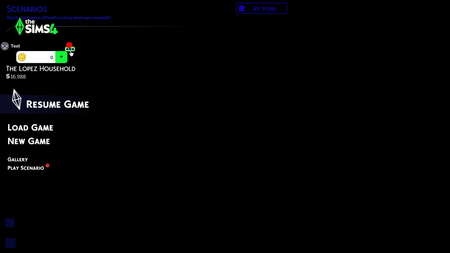
[patch 1.122] Game launches to black screen with main-menu words but no picture
I accidentally update my game without knowing that the mod and cc are broken since the marketplace is out. It updated like usual, but it won't open after that. So I tried to repair it on the EA app before trying to open it again. Failed, but I kept trying to open it without thinking to remove the mod and cc in the game. After awhile, it did open and load like usual, until the menu appeared like that. I can't interact with anything, even the escape button. I need to forced the game closed to quit the game. I might try again later with mod and cc removed. - title edited for clarity - LuthSolved9.8KViews10likes252Comments[JTB] Several Missions: NPCs don't board the Millennium Falcon/X-Wing
There is a huge problem with some missions in batuu. like to go do a cambriolage, my sims cannot go with the sims he recruted to leave. They just stand there beside the jet and the mission never gets done. In the jungle, theres some doors that never opens. Will there be an update on that soon ? Because i have seen a lot of other players having the same issues. I have no mods, just the extensions and whats legit. Edit By Crinrict: Adjusted Title fit bug report at AHQ Archived thread had around 47 me toos2.7KViews53likes48Comments
September Sale is blocking in game notifications
For the love of GOD please REMOVE the "September sale is on" banner that pops up every second in game. The full page ads at the home screen of the game, the ads in the EA app itself are ENOUGH! I do not want to be bothered with your advertisements while i am ACTIVELY playing my game. It's also annoying for creators who are recording as they play. Its a nuisance, it covers the notification wall, so you always have to move it away to read what's going on with your Sims. Please stop with the incessant advertising during game. Edit By Crinrict: Adjusted Title2.5KViews467likes45Comments
Dude, seriously, fix error 1478078408 Its not solved!!!
This is infuriating man. THIS STILL HAPPENS. YOU MARKING A LIL THREAD AS SOLVED DOESNT MEAN THIS IS SOLVED. I never had that lil skate cpt thing man so stop with that, it aint that. Me and the other ppl having this problem are SCREAMING at thier monitor at you because it's still not fixed, And you ignore their cries for help because u think u solved the problem. You didnt. I can only play the game for 5 minutes like clockwork, when your servers shoot me out of a cannon to the main menu here it wont let me back in until I close and reopen the game. 15 years. Fix it man, seriously.
How to fix the invisible friends/players bug
Step 1.) Your friends/players are invisible Step 2.) Go to the >pause menu >hub >social & spectate Step 3.) begin spectating your friend Step 4.) Cycle through spectating every player in the lobby till you loop back around to your friend(s) Step 5.) Teleport to your friend from Spectator mode Step 6.) It should (hopefully) be fixed. This has worked pretty consistently for me, I believe the issue is from desyncing with the lobby/server causing everyone to disappear, by doing this method you manually "re-sync" with the lobbly/server. Super bouncing out of the map may cause desync as well. Let me know if this method worked for you and if it does upvote if that's even a thing on these forums. If it doesn't work for you, your last resort is to restart anlaki, I'm sorry GG.[FIXED] "Failed to Launch"/black screen (NO words)/some CC missing
On game loading, you stop at a "Failed to Launch" message OR you stop at a completely black screen (no words on it) OR you can sometimes load but some CC is missing UPDATE: Patched March 23, 2026 If you still have a black main menu but with words, see Broken and Updated Mods and CC . If you still get the "Failed to Launch" message, please test without mods; there could be non-related causes. ----------------------- ORIGINAL MESSAGE Please see this Bug Report and upvote it: Failed to launch error/Fully Black Screen when using CC | EA Forums - 13264167 This is NOT caused by broken CC! It just acts like it is. A fix is in the works from EA. SimsDirect says they are testing it over the weekend. If you want a temporary fix, please try these instructions: Rename your user folder where your Mods folder is located (Documents > Electronic Arts > The Sims 4). You can also drag it to your desktop. Launch the game and exit to create a new user folder. Copy your CC files over to the newly created Mods folder, but don't copy the folders. Instead, make new folders manually. Also, do not copy over the old Resource.cfg file. Note that these instructions are not tested by EA but work for most users who follow them exactly. If you get a black screen but with a partial main menu (words but no images), see Broken and Updated Mods and CC2.2KViews11likes5Comments