Mass Effect 3 (2012) crash as soon as menu shows.
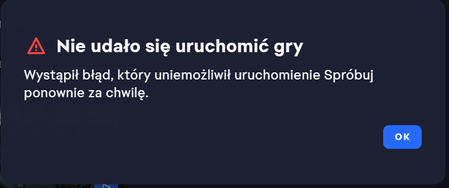
Since yesterday I have the problem again that after I launch the game it crashes as soon as the main menu starts showing. Afterwards the EA app reports 'Failed to launch the game. An Error on our end caused the launch to fail.' Is there a problem with the EA servers again or something to do with my account? Note: I have already ran a full repair of the game.102Views0likes15Comments[PC] Mass Effect Online Access Error in Multiplayer Mode
Commander, you’ve received a new message at your private terminal! When downloading Mass Effect 3 or Mass Effect Andromeda, players may run into one of the following errors: Mass Effect 3 - "An online pass is required to access the online features of the game." Mass Effect Andromeda - "Missing Online Access" Changes to the EA account cause these specific errors. These can include but are not limited to the following: EA Play subscription expired Account Mergers A separate account downloaded the DLC If you encounter this error when launching the game, first try the following steps to see if this resolves the error(s). Delete EA License Files: Make sure the EA app is closed. Press the Windows key and "R" at the same time. Type or copy and paste "ProgramData%\Electronic Arts\EA Services" (without the quotes) into the new Window > ENTER Delete all files within this folder. Clear Windows temp files: Press the Windows key and "R" at the same time Into the new window, type or copy & paste: "%temp%" (Without the quotes.) > hit "ENTER" Now your Windows Explorer should have brought you to the "C:\Users\>your user name<\AppData\Local\Temp" folder. > Delete all files and folders in it. (If some files or folders can't be deleted, reboot and try again.) If the above steps do not resolve the issue, you will need to contact our Support Team who will review your EA account and make any necessary changes with you. You can contact our live support at help.ea.com. Chose the following options Create a new case Mass Effect PC Manage my account Can’t log in In the Subject line Mass Effect Online Access Error Please describe your issue - Short, sweet, and to the point! For Example, "I downloaded Mass Effect 3 or Mass Effect Andromeda, and when I logged into multiplayer, I was met with an error that said I was missing the "Online Access." This is preventing me from connecting to multiplayer mode." At this point, you can send an email or scroll under Other Support Options and connect with a Chat Advisor. Thanks!4.2KViews7likes2CommentsMass Effect 1 2007 CD-Ver
Hello, I've been tinkering with an old Pentium 4 machine these last days and wanted to install my Mass Effect 1 CD-ver game on it (Running WinXP, 32-bit). The problem i'm having is when I try to launch the game, it gives an error message saying: "The game can not start. The game needs access to the internet in order to verify ownership of this game. Please ensure that your computer is online and try again" I know for a fact that it is connected to the internet and there is a stable connection, so my only conclusion is that the EA/ME servers for verification has been taken offline. Is there no way to get this game to work on an old XP 32-bit machine? As far as I know support for EA APP/Origin for 32-bit systems has ended, which also makes it impossible to buy through that storefront. Now I know I could just install a 64-bit system, but i'm trying to run it on legacy hardware. Any way to solve the connection/verify issue without having to upgrade to 64-bit?Takes 20 mins to Launch Mass Effect Legendary
Hi there, As the title states, I am taking supremely long to boot up the game. I had just finished LE1 and wanted to start LE2. After finishing the day, I had closed the launcher and went back in to see LE2, and it had taken really long to boot the game. I suspected it had to do with the large save files from LE1. So I followed one of the forums and tested to remove the save files and placed it elsewhere in my computer to check. I was right, once the save files had been taken out, the launcher booted up immediately. Now that I want to port over to LE2, I want to know how to preserve my game files, while wanting to play LE2 (which i can't because of the long load time). One of the errors that the EA launcher error code that shows up often is EC10604. At present I have uninstalled and deleted all mod managers and have preserved a copy of my game files from LE1 I had uninstalled and installed the game several times and the long load time still persists. I had also heavily modded the game. Anyone able to help me please, thank you!Mass Effect 2 - Failure to Launch
Every time I try and launch Mass Effect 2 I get an error screen on EA App that "An error on our end caused the launch to fail. Try it again a little later". A little later it still isn't launching and Uninstalling and reinstalling it also didn't help. I'm not sure what to do or how to fix it. Is this just me? Any help appreciated!Cannot Launch ME2 in Legendary Edition
This began last night when I began my second playthrough of ME2 after playing it successfully a week or two ago. It started out as an issue with not being able to save my new game due to a lack of disk space, but it then turned into not being able to get into the game at all after I stupidly used the 'free up space' option on the game while the game was running. When I say 'not at all', I mean that I get the intial loading screen before the game crashes and takes me back to the main menu. The first Mass Effect opens and runs just fine, I haven't checked ME3 yet. I've tried reinstalling both the game and EA, tried restarting my computer, cleared up disk space, but the issue is persisting. My best guess as a computer technology ignoramus is that I corrupted ME2, but I can't get into the main menu of ME2 in order to delete the corrupted save. Attached are my specs (minus the device name and ID). If someone has a solution to this mess, please let me know. Thank you for reading my plight and have a great day/nightMass Effect 2 begins to launch but then just shuts down
Good evening, I have tried to open my ME2 but cannot get the game to continue. once i "press any key to continue" it just shuts done and gave me the following message in the EA App, "an error on our end caused the lauch to fail. try again a little later". i have clear cache, repaired, uninstalled and re installed, try to open it in steam. nothing works please advise.169Views0likes10CommentsMass Effect Legendary Edition on Steam is not launching (EA app issues?)
I got gifted Mass Effect Legendary Edition on Steam, but I can’t launch it because of the EA App. When I click Play in Steam, it validates for a bit, then opens the EA App, but the EA App doesn’t recognize the game as installed. It just says: “To launch on the EA App, download this game through Steam” and nothing happens after that. I don't get an error message. Here’s what I’ve already tried: -Uninstalled and reinstalled both the EA App and the game from Steam. -Cleared the EA App cache (using App Recovery). -Deleted the ProgramData\Electronic Arts and AppData\Local\Electronic Arts folders. -Verified the game files in Steam. Despite all that, EA App still shows the game as “Download and launch from Steam” instead of Installed, so Steam launches EA App but the game never starts. Has anyone found a working fix for this recently? I saw old posts mentioning Origin, but since Origin is gone, I can’t try those solutions. Any help would be greatly appreciated. I just want to play the game.Mass Effect Andromeda wont launch
No matter what I try the game wont launch, it seems multiple people have been having this issue but so far nothing has been fixed, its clearly something to do with the ea app. I own the game on steam and every time I try to start it I see the ea app start to load then it disappears and the games is no longer launching, if the ea app is already running, launching the game will cause the app to close then reopen. Btw i have tried reinstalling the game, the app, restarting my pc, updating windows, clearing the ea app cache and more but the problem still remains.