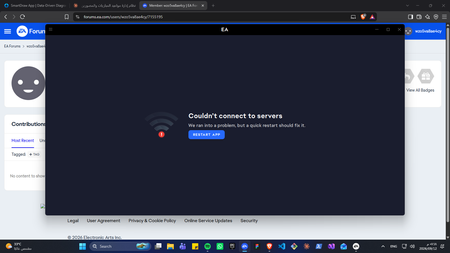
EC10005 and EC10015
I keep receiving these errors. The EA app is saying it cannot connect to servers. I have enabled EA connections in my firewall. I have tried uinstalling and re-installing the app. I have tried removing devices from my EA account. It is stuck in a loop of restarting and saying it cannot connect. I am not sure how to fix it. I am a mac user, I use Sequoia OS.
EA App isn't showing that i've already downloaded my game.
I'm on a PC and I have my game files on a usb drive. Today I had a separate usb drive plugged in at the same time and it seems like it may have changed the name of the usb in my computer files and now the EA app isn't recognizing it as it usually does. I have tried app recovery, i've tried starting a download and marking the USB with it's new name as the download location which i've seen as a solution on a different help page. I've restarted the app, my computer, ran a fix on the USB, ejected the USB and put it back in. I briefly got it to recognize the USB drive files and started the update, but got an error message saying the file location did not exist and the app went back to not recognizing the USB drive. I have no idea what to do and the EA help pages aren't helping. Is there a certain folder I should use as the download location in order for the app to recognize the existing downloads? I haven't used the app or game since june 26th but it was working fine then.EA App Crashing My PC's Wi-Fi
Every time I launch any game from the EA APP. My Wi-Fi will completely disconnect itself and then my whole computer doesn't have Wi-Fi. I have tried with multiple EA games and every time I launch them it disconnects my Wi-Fi. I have tried every fix under the sun, Tried using a vpn, tried updating and restarting the EA APP, restarting my router, I have tried cmd prompt controls and nothing has fixed the issue. With FC27 coming up and me building a whole second computer for my brother to play with me, I would like to solve why I cant play any EA Game without my Wi-Fi turning itself off.
Can't play offline
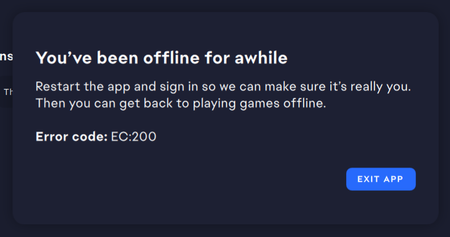
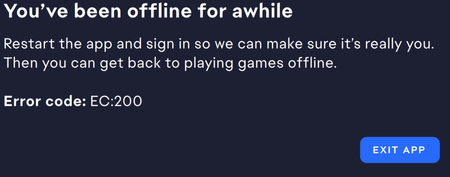
Whenever I go offline and start The Sims 4 either from desktop icon or within the EA Launcher, I get an error in the app saying "You've been offline for a while. Restart the app and sign in so we can make sure it's really you. Then you can get back to playing games offline. Error Code: EC:200" I restart the app, I log in, everything loads, I go offline, I start the Sims 4, and I get the error again. This was not occurring before the emergency fix was rolled out. I'm playing with mods. Sims 4 is NOT updated to the latest. (because I want to play offline)Solved3.3KViews13likes64CommentsMy ea games suddenly stopped launching
I was playing "Dead Space 3" in Steam with my friend for several days and yesterday when I opened it, new window appeared saying "initialization", "authentication", "cloud saves syncing" and "booting game". Then it just closes and nothing happens. Same goes with burnout paradice remastered which I had installed too. I have never seen this window on launch before. I tried reinstalling the game and starting it with ea launcher, but it doesn't work.
Syndicate (2012) Not launching
Whenever I try to launch my digital copy of the game, Syndicate, it tells me the product can't be activated on my computer using the Origin account provided. If I try to enter my product activation code, it tells me my computer is offline, when it's not, and that the code can't be entered. I think this has to do with Origin being replaced with EA launcher, since I used to be able to play it on my computer, before the launcher was changed. Please fix this so that your game I bought is still playable.
PC_inst-3-1920 Error - EA APP unable to update and install
I´m really getting annoyed by the continous EA App and Patch Errors this company delivers. I´ve never had problems in the last 25 Years with any of the other companies apps - Steam, Ubi, Epic etc., only EA is taking me whole weekends and weeks to fix the bugs. The start of BF6 and the patch afterwards have been a desaster. Setup: AMD Ryzen 9 9950X3D 16-Core Processor (4.30 GHz), 64GB Ram, NVIDIA GeForce RTX 5080 (16 GB), Windows 11 Pro I´m experiencing this now for over a week, first the app popped up upon launching the computer and told me, that the update doesn´t work. One time the app loaded, I purchased the new bf6 pro season and played. Yesterday nothing worked for me. I´ve been trying several things now, to get this up and running. tryed to repair the app - didn´t work deinstalled the app and swiped the leftover files and tried to install new - didn´t work putting the app in the ms defender preventing problems with the firewall - nothing happened clearing the cache with the EA Tool loading the eabackroundservice manually trying the EAUpdater starting the Programs with admin following all this https://www.youtube.com/watch?v=E0Uz-4TWra0&t=254s installed the newest Microsoft Visual C++ Redistributable I took an image from 18.07.26, which I made and I tried this 2 times to get the app working again - nothing. I don´t know, what to do now. Hoping the next patch will fix all of this and not playing? wow...
EA App - Sims 4 Update Settings & Offline Mode EC:200 Error Loop
Context: Today a Sims 4 Update happened. I have mods, so I did not want the update to be installed until modders got around to updating their mods. Issue 1: EA Setting to stop auto-updates only works if your game is offline However, despite having auto-updates turned off when I tried to play the game it started to download the mod. I have since learned that the setting only works if you keep your game in offline mode, Issue 2: Pause update, break offline mode So I tried to enter offline mode and ended in the EC:200 error loop: (1) go offline, (2) try to launch installed game, (3) get EC:200 error about making sure its you, (4) log in and now you are online, (5) repeat. I have since learned that if you pause your update rather than "cancel" you will cause the error loop. Issue 3: Infinite load when attempting to launch the game page In an attempt to cancel the update rather than pause, I opened the game page in my library in online mode. However, the App infinitely tries to load the options for the game. There is no play, manage, or update. Its just the image and the add-ons or moola you can buy. Assumed Issue 4: The fix suggested will be to reinstall the game If the fix is to reinstall the game, then the game will be reinstalled with the update I was trying to avoid. If there is actually a different fix that would be much appreciated. Genuine concern: At the heart of the issues are that this is about player control and trust. Yes, its also a quality of life feature to not need your game to be updated immediately so that your mods don't break. Mostly, though its about choice. I've seen updates that players haven't wanted and I'm afraid of updates in the future changing parts of the game I do like. I've spent my time and money on the sims, I've valued this community and I feel like its disappearing. What new microtransaction, pop-up, or AI bot will be forced upon us next? What underbaked update will lose us our legacy saves, our photos, our family trees? (I also want to clarify this isn't an attack on the developers or the people helping on the forum, its a concern about what is being prioritized) Fix: Give players control over the content of their games as a feature not a loop hole that doesn't work unless its perfect. EA Report ID: df35b673-5093-48a6-8315-9d774e16af3e
Error Code: EC:204 (can't play offline, says "game license has expired")
Whenever EA puts out a game update, I don't update immediately and switch to playing offline for a week or more (depending on how bad it is) while I wait for mods to be updated and for the worst of the new bugs and glitches to be resolved. I've done this since the EA App was released without issue. So the EA App updated shortly before the 7/23 game update and when I went to play offline last night, I discovered I suddenly couldn't. I click on "go offline" and it shows Sims 4 as an installed game, but now when I click play, instead of launching the game offline as usual, I'm getting an error message telling me that the game license has expired and that I need to launch the game to renew the license and gives the Error Code: EC:204. I've never had this issue before. So now I cannot play the game at all as I've seen how lit it is out on the bug report forum and there's no way I'm updating my game right now with all the issues the patch has created. And I can't go "online" with the game without it automatically pushing the update. Is anyone else having this issue with playing offline right now? And is anyone aware of a work around? (Note: I have already logged out and back in, uninstalled and reinstalled the EA App, cleared the cache, restarted my PC, and ensured by XBox and EA accounts aren't linked (they never were).)9.6KViews23likes41Comments