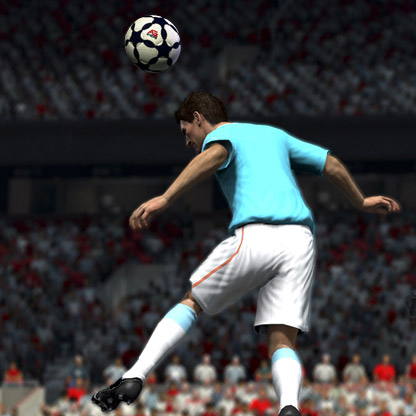
Mass False Bans for “Balance Transfer” on PC
Throwback to 24.12.25, when EA’s automated detection system flagged thousands of PlayStation accounts for “balance transfer.” After 8–10 hours, they fixed the issue and unbanned everyone with a single click. Everyone thought the problem was resolved, the Wildcards promo continued, and the money kept flowing. Now, three weeks later, guess what’s happening on PC? Exactly the same thing that happened on Christmas Eve. Multiple accounts in my community have been banned over the span of just two days. Casual players, traders — you name it. I even tested the issue myself by hopping onto unused accounts, trading a few cards, and playing a couple of Rivals games. And guess what? After about 10 hours of normal gameplay, I got banned for literally no reason. We didn’t sell coins. Most of us didn’t use any external web app add-ons or bots. Just regular Weekend League gameplay with some trading on the side to improve our teams — literally using the in-game market as intended. My friends and I did some research to figure out what might have caused this. We reviewed the cards we bought and sold, as well as our profits and losses. Across all 14 accounts, there was exactly one common card purchased on every single account: Ibanez Winter Wildcard. The point of this post is to make this issue public and hopefully get it noticed by someone at EA. Many people have lost their time, money, and nerves. EA Help’s policy is based almost entirely on automated responses, so when you try to appeal a ban, you’re stuck resending the same message only to get rejected by a bot 24 hours later. It’s incredibly frustrating. I've already made a post on Reddit and X both got quite a big attention, but still no action by EA. So please, if you’re in the same situation, upvote this post. Feel free to comment about your experience with EA Help, and if you managed to get unbanned, let us know how you did it. Fellow EA FC 26 players — cheers.10KViews44likes246Comments
iOS Companion app not saving squad
I am using the latest version of the iOS FC26 Companion app (26.3.0). Just recently when I make changes to my squad through the companion app (in the starting squad AND the bench) and then close the app and re-open it, my changes don’t save. It just restores to the last version before the edits. Tried creating a copy of the existing squad and got an error (An error occurred and your Squad was not saved. Please try again later.). Tried creating a whole new squad with the changes I wanted, and when I try to set it as my primary squad it still shows the same error. And when I close and re-open the app, that new squad becomes empty. I attached a screenshot of the first time I got the error in the app.248Views1like2CommentsFC 26 PC Bug – Unable to access Team Management during a match
Hello, I am experiencing a critical bug in FC 26 on PC that is causing me to lose matches in Division Rivals and Ultimate Team Champions. The Problem: Mid-match, when I pause the game to make tactical adjustments and click on "Team Management", the menu begins to load for a fraction of a second, then instantly closes and automatically kicks me back to the main pause menu. It is completely impossible for me to access my formation or make any substitutions. Impact: I am forced to play through matches without being able to adjust my tactics or replace tired players. This severely hinders my progression and causes me to lose out on crucial rewards due to a technical flaw in the game. Request: As this is a game-breaking technical issue, I am requesting a clear technical solution to fix this bug. Additionally, I am requesting compensation on my Ultimate Team account for the time and matches lost due to this issue. Thank you in advance for your assistance. Best regards,301Views3likes4Commentsmenu lagging too much, the game is not
I am contacting you regarding a persistent freezing issue in EA FC that occurs only when I use my EA account. The game freezes mainly in the menus (packs, squads, tabs, transfer market, matchmaking search, etc.), while gameplay itself is fine whenever it manages to load. To avoid repeating steps, here is everything I have already done: Full game reinstall (deleted all files + downloaded again). Rebuild Database from PS5 Safe Mode. Reinstall PS5 System Software via USB in Safe Mode. Tested multiple EA accounts on the same console → all other accounts work normally, no freezing at all. Tested my PSN & EA account on another PS5 → the same freezing happens only on my EA account. Stable internet connection, and other online games (like Fortnite) run with zero issues. Storage checked, no bad sectors, and every other game works smoothly. Since the issue happens exclusively with my EA account, even after reinstalling system software and testing other accounts/consoles, this clearly indicates a server-side or account data issue on EA’s end.151Views0likes1Comment
No More Mixed Teams!!
I love womens football. My wife was a professional player, so I watched a lot of it. And of course watched tons of mens of football as well. I used to play a little too. There is no comparison between mens and womens football. Not even in the highest levels of womens football and that's because of physics/nature (call it what you will). I 've watched many mixed gender friendly games of professional teams (mainly for charity and/or promotion) and there is no way to compare the physicallity of men to that of women. Men central defenders devour women attackers, even if they are the smallest and fastest women attackers. What EA is doing to this game is WRONG. It takes away the "truthfulness", the sense of the game that most people know, love and appreciate. I understand that there are a lot of players that are not interested in football, don't know how it's played properly and/or don't even care. They probably never played the real game and/or watched one. They only want fast/small/powerfull players and EA provides just that, by (wrongfully) overpowering women football players. But for those of us that like True Football, this is crazy! Does not make sense and it is something that, in the future, may affect the real game. Would you like to see Pina playing for the Barcelona Mens team? She would have a hard time even concetrating from all the "grabbing", pushing, shoving, cursing, hitting that happens during a real game. Would it be nice to have Haaland playing with the Manchester City ladies team. Who would be able to stop him??? And because Haaland plays a bit dirty (the nature of the game), he would end up with harassment lawsuits every week! Please put an end to this!!!1.4KViews2likes8CommentsHow EA could revive ultimate team
I genuinely think EA could make Ultimate Team much better by slowing down the content cycle and making the game more focused on skill, grinding and actually enjoying the game. For example, gold cards could be much more relevant during the first couple of months, with TOTS later becoming one of the major points of the year. Icons and Heroes could remain extremely rare and actually get that feeling like you beat the game when you pack one and instead of constantly releasing new promos, there could be fewer major promos throughout the year. I’d also reduce the number of SBCs and Evolutions released at once. Rather than being able to complete everything in one day, give players a few genuinely good options and make them choose which one fits their team. That would make the decisions feel more meaningful. On evos they have ruined the power curve and there whole purpose should have been to bring a bronze player you might know or you’ve seen playing for your local club, up to a gold rating or just be usable enough to play in your team becuase you enjoy playing with the nostalgia of using that exact player not what it is used for now they are way too overpowered and everyone’s focused on what evo comes out this week becuase they are better than the cards in promos and half of the sbcs so just make them a smaller part of the games focus. Content also doesn’t necessarily need to be released every single day. Giving players more time to actually use and enjoy the content they’ve earned would make the game feel less like a constant grind. The store should also be less focused on pay-to-win. I’d like to see more ways for free-to-play players to earn useful rewards through actually playing the game, rather than having to spend money or grind an unreasonable amount of time for coins. Most importantly, I’d improve the gameplay and make it more skill-based and rewarding. Add things like player IDs, a proper Weekend League/competitive system, Top 100 leaderboards and a 2v2 Weekend League. I’d also seriously look at PlayStyles and whether they make the game too dependent on specific card mechanics rather than the actual stats and ability of the player. I don’t think Ultimate Team needs more content. I think it needs better content, better gameplay and a better reason to keep playing.Winger Wonders Bug
The winger wonder objective has not been updated however I’ve score 10 goals in 2 game with my LW and I haven’t received the reward for it and the objective is marked as not complete. I think I should receive some sort of compensation as this is a terrible waste of 2 matches to not even complete an objective I specifically planned to doSolved661Views6likes6Comments