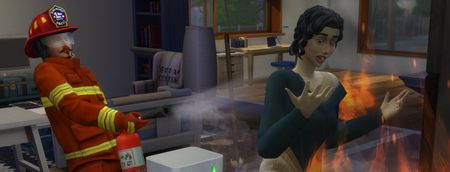
Still having a bug since the March 20 update, anyone else?
About a day after market place was added, my game stopped working correctly. Now when I start running Sims 4 it loads up just fine but then I’m stuck at the Home Screen and none of the buttons work. Also the background where it would normally display the last played household is just completely black. Pressing the ‘resume game’ button does nothing. The latest hotfix still didn’t fix it. Also I know this is solely related the game and not my computer because everything else on my PC (It’s a windows) works fine. I’ve already tried restarting my PC but it still doesn’t do anything. I also cannot close the Sims 4 without fully shutting down my computer. Don’t know if this is important but I never got the ‘Game failed to launch’ error on the 20th of March. I’ll try to add a picture of my screen to this post.
Broken and Updated Sims 4 Mods and CC: patch 1.122, March 17, 2026 and hotfixes
About This Thread This thread tracks Sims 4 mods and CC that have been "broken" or made obsolete by game update 1.122, March 17, 2026, and the March 18 and March 23 hotfixes, or declared unsupported by their creators. It also tracks updated game mods, important updates to custom content, general news from/about creators, and new bugfix mods. -------------------------------------- FAILED TO LAUNCH ERROR: "Failed to Launch" message plain black screen on launch (no words) sometimes you can launch but are missing CC in CAS A patch for these specific issues was released March 23, 2026. If you have them, please update. If you still have them after that, it's possible that there are other causes. Please do a vanilla test. If the issue persists, please update your ReShade; if you don't use that or other mods that aren't Mods-folder content, go to the Bug Reports forum. ---------------------------------------- SORT THE THREAD FOR WHAT YOU NEED: For the COMPILED LISTS, sort by Oldest For the MOST RECENT INFO, sort by Newest … or FOLLOW to receive notifications of new posts! Click on the bell symbol 🔔, top right. Notifications can even be sent right to your email! Some things are NOT covered here: Early-access content and anything else behind a paywall Content outside the T (for Teen) game rating (no adult mods! including alcohol, violence) Creators/mods outside the EA and EA Answers HQ rules (especially trademark or copyright infringement and having permanently paywalled “exclusives”), and the Maxis guidelines for Sims 4 content creators. NOTE: The Marketplace is not a paywall: it’s items published by EA. The paywall rule is about content that creators self-publish. Creators who update active creators' CC/mods without permission, who upload folders of other people's mods and CC, or who copy other modders' code without permission. Separate translation files Loading screens, CAS backdrops, main menu backgrounds, and poses unless the creator says an error is fixed Sims 4 Multiplayer Mod updates that don’t change the version number CAS and Build/Buy CC unless the creator says they're fixing an error or catching up pack content Mods and CC hosted on sites that are mostly adult content or that require joining an 18+ site In addition, news for mods/CC hosted only on Mod the Sims may be selective and/or delayed due to recent security incidents. In the end, YOU are responsible for your mod use. Because not all content and creators are covered on this official forum, many of you should be following creators directly for news. The pinned topic How to Use Mods and CC includes advice about game updates, mod management, finding broken mods, and how to avoid downloading broken and malicious content. And remember… Back up your Saves folder! Index for This Topic Newly Broken/Obsolete Game Mods and Tools Updated Game Mods and Tools, sorted by creator Newly Broken CAS and Build/Buy Updated CAS and Build/Buy Creators Clearing Mods for This Patch - gameplay mods reported by the creator or their testers to be compatible with the game update Core, Injector, Testing and Protection Mods Status: what you should be on for mods like ModGuard, Better Exceptions, venue lists, Lot51 Core, XML Injector, and MC Command Center Creator News New Bugfix Mods Start of Ongoing Reports - scroll down or sort replies by NEWEST Other Resources Previously Broken/Obsolete Mods and CC: up to patch 1.121 [MASTER POST] Common Symptoms of Mod/CC Issues, with Known Causes, including links to earlier Broken/Updated Mods threads. The previous Broken/Updated Mods thread, for patch 1.121 and its mini-patches. Patch Notes for this game update How to use Mods and CC: including how to test for broken mods/CC ("vanilla" testing and the "50-50" method) Malicious Scripts and Malware, including information about the March 2026 incident at Mod the Sims.67KViews24likes34Comments
Young Ghosts Return Thread 2.0
I had to remake this thread since 1 edit to correct stuff since It was way outdated got it falsely removed by auto mod and wanted to get the main page up to date. So I have to remake it. I'm going to use the info from mod the sims to make it easier on myself. This mod brings back the old days where you can cheat Younger sims to be ghosts. With the Life and death update. The sims team restricted on which ages can be which type of Ghosts. Which made Toddler, Infants, adult pets and baby pets to no longer be ghosts. This mod allows the old days again so they can be ghosts again. There are side effects like stretching from young meteor ghosts doing the death animation. Toddlers walking slow but other then that it works well. Toddlers who have the laughter trait can make people playful like adult. This will also fix certain features like The premade Ghost Dog Captain Whittaker and fix the wishing well issues when you get a Ghost Child from there. I made this mod personally but I had people ask me from places to share it. Pets can only be Old age for reasons. I will say this. Bugs. I don't want to get this one removed and that might have been the reason. It brings the old days. They still can't die but you add the ghost traits with Cheats like the trait equip cheat. MCCC or UI cheats. The traits were enabled for them so all ghost types in the normal game are enabled for them but not death. You just have to add the traits to them with cheats like how it was before Life and death patch. If you use Young Ghosts Return and want to upload them to the Gallery or somewhere. Make sure to include this in the description. #YoungGhostsReturn That way. People will know the mod used in the upload with young ghosts and why it's marked as custom content. It will help a lot and clear things up. This thread you will see updates and the status of the mod in the comments.
Infinite Loading 'View CC' & Missing CAS items (94GB)
Game Version: 1.122.218.1030 Platform: PC / EA App (Unlinked from OneDrive) Mods/CC: 94GB (Primarily Alpha CC, 1-2 folders deep) The Issue: Since the March 23rd hotfix (.218), the "View Custom Content" list in Game Options enters an infinite loading loop. In CAS, the catalog appears empty (only ~8 items show) even though the scroll bar is long. Steps Taken (None of which worked): Deleted localthumbcache.package and resource.cfg multiple times. Repaired the game via EA App. Reset the user folder/generated a new Sims 4 folder. Forced -dx9 launch. Verified no subfolders are more than 2 levels deep (except for Objects). The Criticism: This is an indexing timeout. Prior to the Marketplace updates, this library loaded perfectly. The new verification service is failing to "crawl" large libraries, stalling the UI and leaving the catalog empty. I have attached my DxDiag. Edit By crinrict: Adjusted Title, removed some unrelated thread tags542Views1like19CommentsGibbi Point is just a white screen
The world shows on the main page but once clicked to load in, its just a white screen. I can click on gallery and it will populate but i can NOT go back to the worlds as that button is no longer clickable. I have to exit to main menu in order to see the world page again (or to load a game). I have repaired my game through EA app and still no fix.Solved
Black screen when starting up the game with cc after last update
So since the latest update with marketplace, I have not been able to play my game at all, with or without cc/mods. I’ve had to delete and reinstall every single game and I’ve made sure all of my cc/mods that I’ve reinstalled where up to date with the latest patch and I still cannot play the game. It will launch but all I get is a black screen with the games music playing. I’ve tried repairing and taking the cc/mods out again and nothing works, and everything is fully updated.124Views0likes3CommentsNewest Update: "Failed to Launch Game" Error
I tried to start my game and it was stuck on a black screen. I tried to close the game and restart but it wouldn't close so I had to restart my entire PC to try to open the game after 3 tries I went to Steam to see if anyone else was dealing with this then I saw your newest update on Mon, March 23rd. I checked the comments and almost every single person is having the same problem. Some have no custom content and others do (like me), it is not because of custom content it is just the game seems to be broke for a large group. I have over 1,000 mods/custom content and my game ran just fine before the update. That is all. Hopefully this helps fix the problem.78Views0likes4Comments
Having trouble loading the new update
Hello, has anyone else been having problems loading their game with the new update? Build mode and live mode refuse to load and idk what to do. I’ve got a lot of mods (better build buy, etc) maybe that’s the problem. I also recently downloaded the life and death pack. Hope someone can help me out, i don’t want to have to uninstall the game. Thanks! CM edit: removed mention of specific mods
My mods and CC still wont show up
I waited to do the updates until the bugs were all worked out, I updated today, took all my mods and cc out before running the game, then I only put CC in and made sure in the settings that the mods and cc were on, and went to start the game up to see that the cc didn't show up in the main menu, nor in the game. I THOUGHT EA FIXED THIS ISSUE!!! THAT'S WHY I WAITED TO UPDATE!!!