Player Career: Height/Weight Attribute Modifiers Stack After Saving AXP Upgrades
Platform: Xbox Series S Game Mode: Player Career Issue Type: Player Attributes / AXP Progression Description I have found a reproducible bug in Player Career Mode involving the attribute modifiers caused by the player’s height and weight. When creating a player, the selected height and weight apply positive and negative modifiers to certain attributes. For example, depending on the physical configuration, some attributes may receive a +3 modifier, while others receive a -3 modifier. These modifiers appear to work correctly when the player is initially created. However, after progressing through the career and earning AXP, there is a bug when upgrading attributes. Every time I spend AXP to upgrade an attribute and then save/confirm the changes, the game appears to apply the height/weight attribute modifiers again, on top of the modifiers that were already applied. This means the modifiers are stacking repeatedly instead of being applied only once. Example If an attribute has a minimum value of 69 after taking the player’s physical build into account, and the player’s height/weight configuration applies a -3 modifier, saving AXP upgrades can cause the attribute to decrease repeatedly: 69 → 66 → 63 → 60 → 57 → 54 → 51 The same thing happens in the opposite direction with attributes receiving positive modifiers. For example, an attribute whose normal maximum for the current build is approximately 92 can continue increasing because the +3 modifier is reapplied every time changes are saved, eventually reaching 99 even though the normal progression/build limits should not allow it. Importantly, this can happen even when the AXP being spent is used to upgrade a different attribute. Simply modifying the player’s attributes and saving the changes causes the physical-build modifiers to be calculated again. Steps to Reproduce Start a Player Career and create a custom player. Select a height and weight combination that gives positive and negative attribute modifiers. Note the values of the affected attributes. Progress through the career and earn AXP. Enter the attribute upgrade screen. Spend AXP on an attribute. Save/confirm the changes. Check the attributes affected by the height/weight modifiers. Repeat the process after spending additional AXP and saving again. Each time the changes are saved, the positive and negative modifiers can be applied again. Expected Result The height and weight modifiers should be calculated once based on the player’s current physical build. Spending AXP and saving attribute upgrades should only change the attributes that were actually upgraded. The existing height/weight modifiers should remain constant unless the player’s height or weight is changed. Actual Result The height/weight modifiers are reapplied every time attribute upgrades are saved, causing them to stack repeatedly. As a result, attributes can eventually reach values that should be impossible for the selected build, including attributes falling significantly below their intended minimum or reaching 99 despite having a much lower normal maximum. Additional Information I have video evidence showing the issue occurring and the attribute values changing after saving the upgrades. The bug significantly affects Player Career progression because repeatedly saving AXP upgrades can drastically and incorrectly alter the player’s attributes and overall build.1.9KViews18likes48Comments
Year One After Action Report
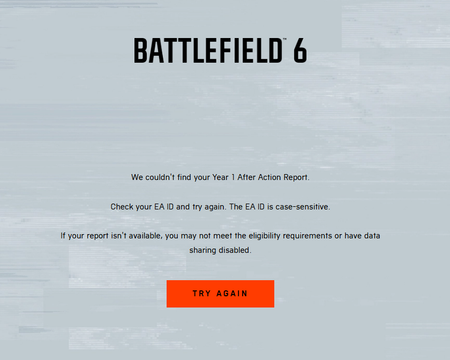
Hello I play Battlefield 6 on Xbox and have been playing since launch. I recently discovered that my Year 1 After Action Report is missing. When I try to access it, the website displays: “We couldn’t find your Year 1 After Action Report.” I have since discovered that Gameplay Data Sharing was disabled during the relevant period. I understand that this may affect eligibility, but I would appreciate an investigation into whether my gameplay statistics were retained and whether my report can be recovered or generated retrospectively. Could you please clarify: Whether enabling Gameplay Data Sharing after the reporting period has any effect on report availability. Whether my account’s historical Battlefield 6 statistics still exist on EA’s servers. Whether the report can be manually generated or restored by your technical team. Whether there is an official eligibility policy that prevents accounts with data sharing disabled from receiving the report. I have played since launch and would appreciate a clear explanation of whether recovery is possible, rather than simply being told that the report cannot be found. Thank you for your help.Solved311Views3likes3CommentsFC 27 Web App Transfer Market locked on TWO separate EA accounts – PC
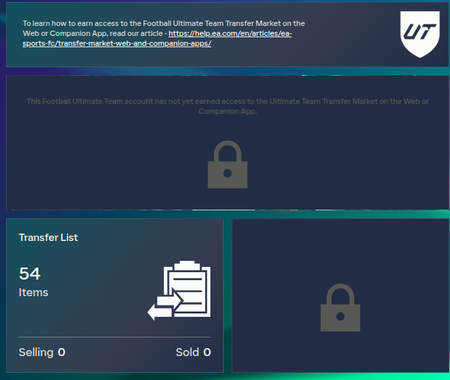
I have been unable to access the Transfer Market through the FC 27 Web App and Companion App for more than a month. I have already contacted support and followed the standard recommendations to keep playing Ultimate Team. However, the issue remains unresolved. I want to highlight an important detail that I believe requires further investigation. I have TWO separate EA accounts, both used on the same PC through the official EA App. Account 1 (my main account): Had full Transfer Market access in FC 26. Has an empty Penalty History. Can use the Transfer Market normally inside FC 27. Cannot access the Transfer Market through Web App or Companion. Account 2 (a newly created EA account): Also has an empty Penalty History. Has no known violations or sanctions. Also cannot access the Transfer Market through Web App or Companion. Both accounts display the same message: "This Football Ultimate Team account has not yet earned access to the Ultimate Team Transfer Market on the Web or Companion App." I have been playing Ultimate Team daily for more than a month, regularly completing more than three full matches per day. I understand that using multiple Ultimate Team accounts on the same device can increase the time required to unlock the Transfer Market. However, having two separate accounts with no visible penalties, both experiencing exactly the same issue for over a month, makes me suspect there may be a problem with the device eligibility system or account activity tracking. I would appreciate an investigation into the following: Whether my device has any eligibility restrictions affecting multiple EA accounts. Whether both accounts are correctly registering their active Ultimate Team days. Whether there is an issue with the automated Transfer Market eligibility system. Whether my main account should have received automatic access based on its FC 26 history. Whether a manual review by the appropriate technical or account security team is possible. I am not requesting an exception to EA's rules. I am requesting an explanation and investigation because the standard unlocking requirements have not resolved this issue after more than a month. Thank you for your time. I hope this can be escalated to someone who can investigate the actual eligibility status rather than simply recommending more gameplay. Best regards.21Views2likes1Comment
Abandon penalty
Hello! Im playing ranked on ps5, i won a game then qued into another one, when the game started i could not even land because the lobby had 500 ping and i got kicked, when i tried to join back it said the previous game is over. I got put in the lobby, got 10 minute penalty for “abandoning” the game and taken away 150 rp. I was on 526 and now im on 364 its very fustrating, and this happens several times a day. Please give me back my rp!!!🥲Manager Career – Player automatically requests transfer after summer window
I have encountered the same issue twice in two separate new Manager Career saves. In the first career, the issue occurred with Declan Rice, and in the second career, it occurred with Gabriel. In both cases, the player was playing regularly and there were no apparent issues with his situation at the club. A new contract had been offered and accepted by the players, and I had also specifically selected the option indicating that I did not want to receive transfer offers for the player. Everything worked normally during the summer transfer window. However, immediately after the summer transfer window closed, I suddenly started receiving transfer offers for the player. When I went back to the player settings and tried to select the option to block transfer offers / mark the player as not for sale again, the game would not allow me to do so. It stated that the player had submitted a transfer request. There was no clear reason for the transfer request and I did not intentionally put the player up for sale and most importantly didn't receive any messages from player that they want to leave. The issue appeared automatically after the summer transfer window closed even when both players were happy and in good form. I have reproduced this issue twice: 1. New Manager Career – Declan Rice 2. Another new Manager Career – Gabriel In both cases, the same problem occurred after the summer transfer window. It appears that something may be incorrectly triggering a transfer request when the summer transfer window closes, which then overrides the previous setting preventing transfer offers for the player. UPDATE: I created a separate save specifically to test this issue and simulated the season until mid-January. Unfortunately, the problem does not resolve itself over time and affected multiple key players. By January, three of my important players were affected: David Raya, Gabriel and Declan Rice. David Raya – In January I was able to negotiate and renew his contract successfully. He accepted the new contract, but the game still showed that he had submitted a transfer request. Signing a new contract did not remove the transfer request. Declan Rice – He was playing regularly throughout the season, yet in January he sent me a message saying that he wanted to leave because he was not getting enough playing time. This was despite him playing essentially every match. Gabriel – The transfer request remained active and I was unable to resolve the situation. This suggests that the issue is not simply a visual bug or a problem with receiving transfer offers. The incorrect transfer request appears to persist and may also affect the player's playing-time/satisfaction logic. I have now experienced this issue with several key players across my test saves, so continuing a long-term Manager Career is currently very difficult. UPDATE V2: I started another completely new Manager Career, this time with Olympique de Marseille, because I wanted to test whether this issue might only affect highly rated players, for example players with an overall rating of around 90 or higher. Unfortunately, that does not appear to be the case. Immediately after the summer transfer window closed, I received a transfer offer for Igor Paixão despite having previously set him as a player for whom I did not want to receive transfer offers, just as I had done in my previous saves. When I checked his status, the same issue had occurred again: the game treated him as if he had submitted a transfer request, despite there being no indication beforehand that he wanted to leave. This means I have now reproduced the same issue across multiple completely separate Manager Career saves, with different players and different clubs. My previous cases occurred with Arsenal players including Declan Rice, Gabriel, David Raya and William Saliba. I have now reproduced it with Igor Paixão at Olympique de Marseille as well. This also appears to rule out my previous hypothesis that the bug only affects very highly rated players (around 90+ OVR). The pattern remains the same: the player is kept at the club, transfer offers are blocked, there is no indication that the player wants to leave, and then after the summer transfer window the game suddenly starts generating offers and treats the player as having submitted a transfer request. At this point, this issue makes Manager Career effectively unplayable for me as a long-term game mode. It is not a minor visual issue. It directly affects squad management, contracts, player satisfaction and transfers, and there does not appear to be a reliable way to prevent or resolve it. I have now restarted my career several times specifically because of this issue, only for the same problem to occur again with different players and even at a different club. Considering that I specifically paid extra for Early Access and one of the main reasons I purchased the game was to play Manager Career, I find the current situation unacceptable. Early Access has very little value if a major bug prevents me from properly playing my preferred game mode. I would appreciate confirmation that the development team is aware of this issue and whether it is currently being investigated, as a fix is urgently needed for Manager Career. UPDATE V3 – Early Access impact: I would also like to emphasise the urgency of this issue. This is not a minor bug that can simply wait until after the worldwide release. It directly affects the core systems of Manager Career and makes it extremely difficult to start and maintain a long-term career. I specifically paid extra for a version of FC 27 that included Early Access. Manager Career is my main game mode, and because of this issue I am currently unable to properly use the Early Access that I paid for. I strongly believe that serious issues affecting entire game modes during paid Early Access should be addressed BEFORE the standard edition is released. If a fix only arrives on or around the standard release date, then Career Mode players affected by this issue will have effectively lost most or all of the Early Access period they paid extra to receive. Early Access should not function as a paid public beta where customers spend their additional access time discovering, testing and reporting game-breaking issues while waiting for fixes. I understand that investigating and testing fixes takes time, but given the severity of this issue and the increasing number of players reporting similar problems, I hope this is being treated as an urgent priority. Please provide an update on whether the issue has been identified and whether a fix is being worked on before the standard release. We paid extra to play early. We should be able to use that Early Access to actually play Manager Career.4.5KViews64likes83Commentslogin problem - this profile is already logged in on another device
My Xbox account was previously linked to a different EA account. I unlinked it and connected it to my current EA account, which is also linked to my Steam account. Apex Legends works normally on Xbox, but when I try to launch it on PC through Steam, I receive the error: "This profile is already logged in on another device." I have completely quit Apex on Xbox, restarted both devices, and signed out of my EA account, but the issue persists. I'm also unable to unlink my Xbox account again until August 2027. Can you please investigate the login-session conflict and help me access Apex on PC without unlinking my Xbox account or losing my progress? [CM edit - descriptive title]15Views0likes1Comment
Bug: Multi-Tactics Position Modifications Revert and Won't Save
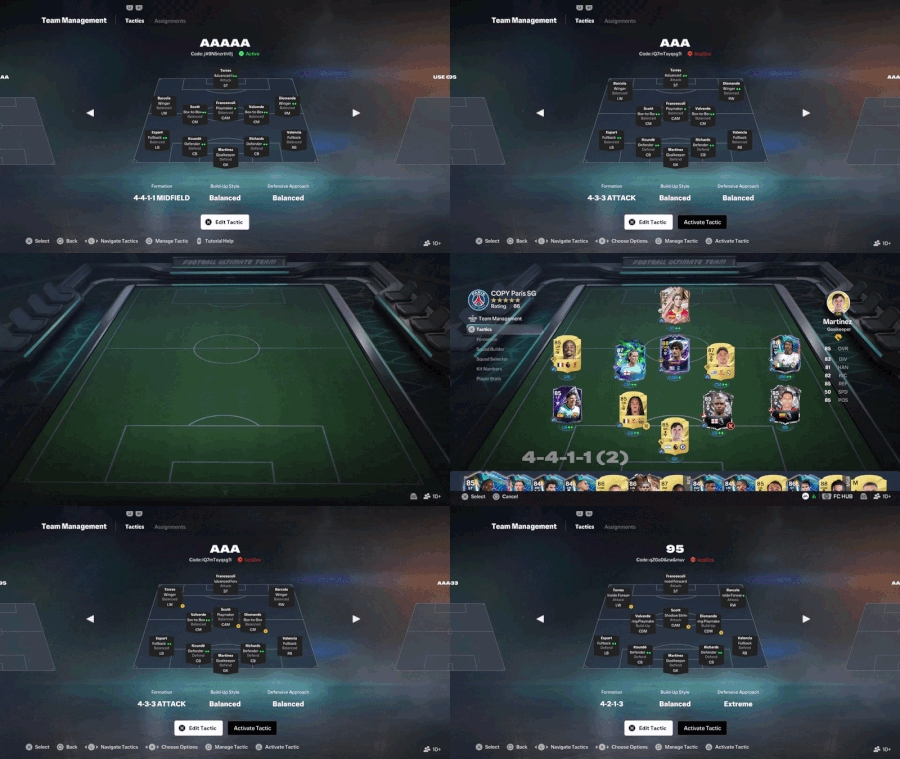
First of all, we would like to acknowledge and thank the development team for addressing the previous major issue regarding scrambled player positions in multi-tactic setups, as reported in our previous topic: Team Management Bug: Multi-Tactics Scramble Positions in Game. That fix was successfully implemented and verified. The New Issue: Unfortunately, a brand-new bug has surfaced right after that fix. When modifying or swapping player positions within secondary/alternative tactics inside the same team sheet, the changes fail to save properly (as clearly demonstrated in the attached video clip). https://youtu.be/PArj4ZuF2pI?si=A5UfsnQIMV-2x5mH Gameplay Impact & Consequences: 1. Quick Tactics Failure: Players cannot effectively utilize the Quick Tactics feature during matches because customized secondary positions revert or refuse to stick. 2. Unfair Advantage to Opponents: It disrupts flow, gives opponents an undue advantage when shifting shapes, and forces players to waste valuable time trying to manually adjust formations. 3. Wasted Pause Limit: Because the tactic changes don't save correctly, players are forced to burn through one of their precious in-game Pause allocations just to fix positions manually mid-match. Requested Fix: Please investigate the team management saving logic for secondary/multi-tactics slots to ensure player position modifications persist correctly without resetting or failing to save. For all previously reported bugs and feedback, check our main archive here: Years of Unnoticed Reports: A Comprehensive Feedback & Bug Archive8Views0likes0CommentsNo Loss Glitch / Match Desync Hack
People have worked out how to quit the game without receiving a loss. This has been the case for over a year and over two titles (FC26 and 27). It happens frequently and has made the game completely unplayable. It is happening in Seasons. The match results often (not always) show on the Seasons Results page but the win and the points are NOT reflected in the Current Season or WDL record. In previous games turning off cross-play offered a workaround but this no longer makes any difference. Are you ever going to fix this? I'm playing on Xbox Series X. TO ANYONE READING THIS SUFFERING WITH THE SAME ISSUE PLEASE UPVOTE THIS POST.9Views1like0Comments