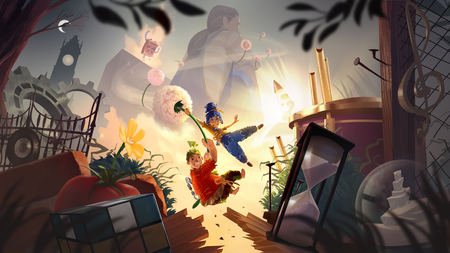
Split Fiction: 30ps docked, higher handheld. Please add FPS unlock for docked!
Playing the beginning of Split Fiction on the Switch 2 - love it, and I'm so glad it was a launch day port. Waited to play it see if it came to the platform and sure enough! The crossplay can't be overstated enough, either. I have one question/request, though - I've noticed while playing docked on the TV that the framerate is 30fps. When I undocked it to play portably, however, I realized the game was running much smoother! I'm not sure if it's at 40fps or just generally unlocked and running between 30-60, but it feels great, whichever it is. Would it be possible to offer the option to unlock the framerate while playing docked on the TV? The smoother/higher framerate in handheld mode feels great, and I'd love to have the option to allow for that in docked mode, too. (Even if the option is only for a 40fps performance mode, that would be awesome - I have a 120hz TV that is capable of it and would love it.) Thank you! (One extra note - I noticed a video review mention that while docked, certain sequences seem to run higher than 30fps, and then the game will revert back to a 30fps lock afterward. I'm not sure what's going on with that, but if it could be unlocked throughout, that would be awesome!)1.2KViews1like8Comments
It Takes Two is Coming to Nintendo Switch 2 on October 15!
Hey everyone, We have some exciting news to share today: Hazelight Studios and EA Originals are bringing the critically acclaimed, Game of the Year-winning co-op adventure It Takes Two to Nintendo Switch 2 on October 15! Whether you have already played through Cody and May's chaotic journey or are jumping in for the very first time, here is everything you need to know about the upcoming release. What to Expect on Nintendo Switch 2 Enhanced Visuals and Performance: Enjoy higher resolutions, smoother frame rates, and richer visual effects tailored for Nintendo Switch 2. Cross-Play Online Co-Op: Play online with friends across modern platforms, including Nintendo Switch 2, PC, PlayStation 4, PlayStation 5, Xbox One, and Xbox Series X|S. Local GameShare Support: Connect and play locally with friends on Nintendo Switch using GameShare. Free Upgrade for Existing Switch Owners: If you already own It Takes Two digitally on Nintendo Switch under your Nintendo Account, you can upgrade to the Nintendo Switch 2 version at no additional charge. How Friend's Pass Works As always, It Takes Two is built purely for two, and only one of you needs to own the full game: Own the Game or Download Friend's Pass: One player owns the full game, while the other downloads the free Friend's Pass from their platform's digital store. Connect: Both players will need an active internet connection and a platform online membership for online play. Send an Invite: Send an in-game invite to your friend across any supported cross-play platform. Play the Entire Story Together: Experience every level, puzzle, and mini-game from start to finish at no extra cost to your co-op partner. Release Details Launch Date: October 15, 2026 (October 16 across selected APAC regions due to time zone differences). Price: Check your retailer for local pricing (Free Trial via Friend's Pass). Languages: Full audio and subtitle support across multiple languages worldwide. Grab your favourite co-op partner and get ready to dive back in! Let us know your favourite mini-games and moments in the comments below.92Views0likes0CommentsSplit Fiction digital download error
I purchased a digital copy of split fiction in person and the code for redemption is coming up as an error code of 9001-0040 saying it’s already been used even though it is not in my virtual game cards or Home Screen on the switch 2. Is it possible to get the redemption date to see if it was used and returned, or get the error fixed? Nintendos customer service sent me here so I don’t know where else to go to fix this615Views2likes6CommentsIt Takes Two will only access Friend's Pass on Switch
After playing It Takes Two using the Friend's Pass on my Nintendo Switch, I decided I liked the game so much I wanted to have it for myself. However, after redownloading the game after purchasing it, it will still only open the Friend's Pass. I've tried restarting the console, restarting the game, deleting save data, checked for corrupted data, deleted cache data. I have no SD card so the full game is downloaded on the console itself. The console is the primary console out of the two systems that I share virtual game cards between, the other system also only has access to the Friend's Pass. Nothing has worked. Someone suggested the issue might be that my EA account is not linked to my Nintendo account, but I cannot figure out how to fix that either. On my EA account, Nintendo is not one of the services that I can link accounts with and vice versa. Neither do any of my EA games on my Switch give me the option of logging into my EA account. At this point I am all out of options (and hope and positivity), does anyone have any idea how I can access the game I paid for?383Views0likes0CommentsUnable to connect to the EA servers
I want to play It Takes Two on Nintendo Switch. When I try to play online, I get the result code 401-6d and cannot connect to the EA servers. I have already cleared the cache from the console settings and synchronized the time via the internet, but the issue is not resolved. How can I connect to the EA servers?146Views2likes0Comments
Lost in Random Switch Edition Icon
So, I've been chasing this issue for years without an update. The Nintendo Switch version of this game has a placeholder icon instead of the official game art. It looks absolutely atrocious on the home screen of your Switch and hasn't been fixed for many years. It's been passed along to the publishing team, but so far, haven't heard a single thing about it. Can this please be fixed? I love this game but don't want it on my homescreen cause of hot ugly the icon is. I wanna be able to show this beautiful piece off.385Views1like3CommentsSplit Fiction on switch 2 and switch 1
Hi. I have Split Fiction installed on my Nintendo Switch 2. It is said that you can play it with another user on switch the switch 1 using game share. But when I try that I get the same split screen on both the consoles. Am I doing something wrong? I was expecting there to be no split screen and the two consoles have different screens for the 2 players. Is this not possible with the game share option?5KViews1like2Comments