Forum Discussion

Stuffs57's avatar
1 year ago
Solved

account

Have this issue I think, says I need to reset my EA password but no code ever appears in my email. Had to create this new account to post

  • EA_Lanna's avatar
    EA_Lanna
    1 year ago

    Hey @Stuffs57

    Oh great! You may be able to log in using the Xbox account linked up to the EA account using these steps


    @EA_Help wrote:

    Try logging in to your EA Account right here on EA Help using your connected platform account where you play your EA games.

    1. Go to the EA Account login page.
    2. Choose to log in with your PlayStation Network account, Xbox Live account, Steam account, Apple ID, Facebook account, or Google account.
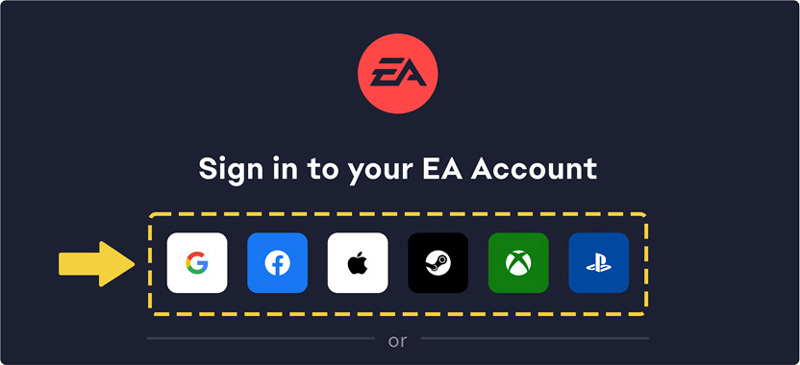
      EA Help sign-in prompt with first-party login buttons for Google, Facebook, Apple, Steam, Xbox Live, and PSN.
    3. Another pop-up will appear for the platform you choose. Log in using your sign-in details for that account.
    4. If the account you sign into is linked to an EA Account, you’ll now be logged in on EA Help where you can view your account information.

    Once inside, head to your EA Account Portal to confirm if you are sending a password reset link to the correct email address.

    - EA_Lanna

4 Replies

  • EA_Lanna's avatar
    EA_Lanna
    Icon for Community Manager rankCommunity Manager
    1 year ago

    Hi @Stuffs57

    Is the EA account you're looking to reset the password for, connected to any other account? Like Steam or Playstation? 

    - EA_Lanna

  • EA_Lanna's avatar
    EA_Lanna
    Icon for Community Manager rankCommunity Manager
    1 year ago

    Hey @Stuffs57

    Oh great! You may be able to log in using the Xbox account linked up to the EA account using these steps


    @EA_Help wrote:

    Try logging in to your EA Account right here on EA Help using your connected platform account where you play your EA games.

    1. Go to the EA Account login page.
    2. Choose to log in with your PlayStation Network account, Xbox Live account, Steam account, Apple ID, Facebook account, or Google account.
      EA Help sign-in prompt with first-party login buttons for Google, Facebook, Apple, Steam, Xbox Live, and PSN.
    3. Another pop-up will appear for the platform you choose. Log in using your sign-in details for that account.
    4. If the account you sign into is linked to an EA Account, you’ll now be logged in on EA Help where you can view your account information.

    Once inside, head to your EA Account Portal to confirm if you are sending a password reset link to the correct email address.

    - EA_Lanna

  • Stuffs57's avatar
    Stuffs57
    1 year ago

    Nah it will not send me an email. No rules not in junk so stuck. Also if I try and do it via xbox I get this 

    Doing it on the PC is the same or playstation. All try and email me but nothing appears

Featured Places

Node avatar for Apex Legends Technical Issues

Apex Legends Technical Issues

Having issues with Apex Legends? Join here to find help with connectivity, performance issues, crashes and more.Latest Activity: 34 minutes ago
40,006 Posts

