Forum Discussion

Midnight9746
1 month agoHero+
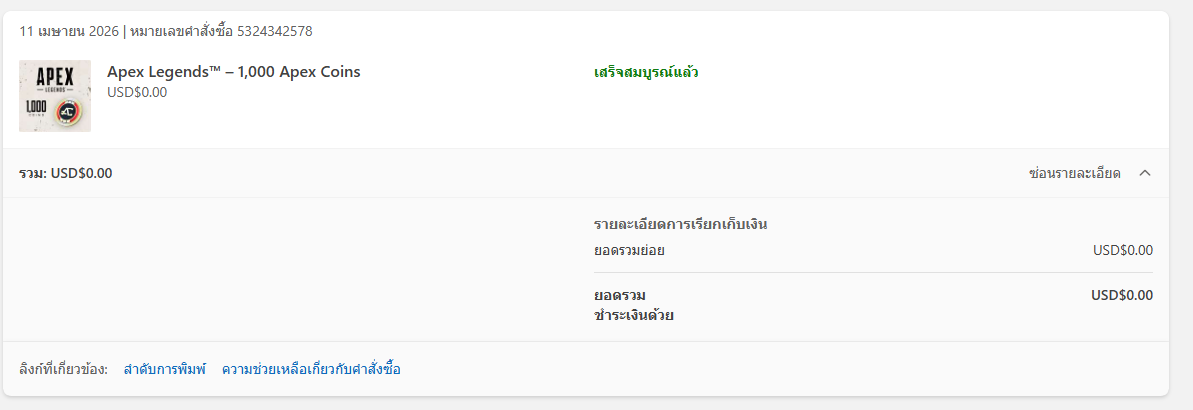
zooaunzoo1 The only solution is to log into your account through an Xbox because when you make purchases or redeem codes on other platforms, it isn't shared with EA, so your EA Account has no idea that there was anything redeemed on Xbox.
Once you log in on an Xbox, then your Xbox Account will activate the Apex Coins that you had redeemed, at which point it would then be made aware to Apex that you now have Apex Coins.
Note: I've had a similar issue where a friend had gifted me Apex Coins and a few Legend Editions, (when those were still around), through Steam, but I use the EA App and was forced to download Apex on Steam just to redeem those items.

zooaunzoo1
1 month agoSeasoned Novice
Midnight9746 I understand what you’re saying, but in my case, I already tried launching the game through the Xbox app on PC. The problem is that it only gives me the option to run Apex via the EA App or Steam anyway. So even if I start it from the Xbox app on PC, it still redirects to EA App or Steam, which means it doesn’t actually activate anything on the Xbox side. From what I understand now, that means using the Xbox app on PC doesn’t help at all in this situation. The only way to make it work is to log in and launch the game on an actual Xbox console, right? 😅 If that’s the case, then I probably won’t be able to access the coins since I don’t have an Xbox. Thanks again for your help.
- Midnight97461 month agoHero+
zooaunzoo1 Yeah that would be correct, the Xbox App on PC won't work since it's on PC.
The only thing that I can think of is seeing if there is a cloud gaming service, (similar to Nivida's GeForce Now), where you can launch Apex through your browser where it would play Apex on an Xbox, (but I don't think one exists).
Besides that, the other option is to use a friend's Xbox, (but please don't share your login information with them).
Featured Places