Solved
90-100% CPU usage when playing even on lowest possible settings
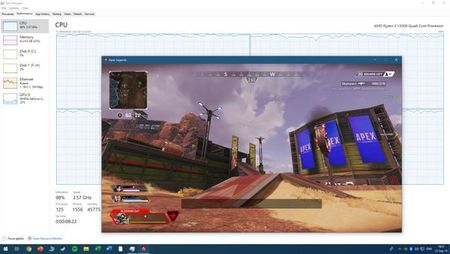


Windows 10 reinstall fixed this issue.

It's not a good idea to set your graphics settings to very low. Because your FPS going to increase, If your CPU isn't good enough to handle it, it's going to bottleneck. It's pretty normal. Set your settings highest possible and test again. Also, check your CPU temperature and thermal compound.
As I wrote: The same happens with maxed out graphics.
In ANY other game, including same engine game Titanfall 2, adequate resource distribution with at least 50 fps on max settings. Apex issues happened all of a sudden.
I switched gpus and changed CPUs and the same * still happens for me.
Windows 10 reinstall fixed this issue.

 Community Manager
@JohnTravilta wrote:
Windows 10 reinstall fixed this issue.
@JohnTravilta
Glad that helped you out!
 Community Manager


