Forum Discussion

IIllIlIIIllIl's avatar
IIllIlIIIllIl
Seasoned Newcomer
1 day ago

Anticheat

I get into  apex the javelin anticheat seems to work but then when  i try to go to firing range it takes a while sitting on "Matchmaking." After this it takes me back to  the main menu. Receiving this message. 


3 Replies

  • Hi everyone, I'm having an issue with EA AntiCheat in Apex Legends. I launch the game through Steam, and everything works fine until I try to queue for a match. Then I get the error: "The client is not running the anti-cheat, or has failed the anti-cheat authentication. (4)"
    I've already tried several fixes, but nothing has worked. I checked Windows Services, and the EA AntiCheat Service is running with the startup type set to Manual. I also checked Task Manager, and the anti-cheat process is running while Apex Legends is open.
    So, the anti-cheat appears to be running correctly, but the game still fails authentication every time I try to join a match.
    Has anyone experienced this issue or found a working solution? I'd really appreciate some help because I can't play the game at all.

  • IICENZII's avatar
    IICENZII
    Seasoned Novice
    1 day ago

    same here :/ it started happening to me today as well.


  • IICENZII's avatar
    IICENZII
    Seasoned Novice
    1 day ago

    Platform: PC
    Operating System: Windows 11 Pro
    CPU: AMD Ryzen 5 5600X
    GPU: NVIDIA GeForce RTX 3080 12GB 
    RAM: 32GB DDR4 
    Motherboard: Gigabyte B550 AORUS PRO V2

    Bug Description

    Since October 18, 2026, I'm unable to launch Apex Legends due to anti-cheat errors. The game was working perfectly fine on October 17, but the issue started suddenly today.

    Initially, I received the following error:

    The client is not running the anti-cheat, or has failed the anti-cheat authentication. (4)

    After attempting to launch the game again, I also started receiving a second error:

    The client failed an anti-cheat runtime integrity check. (1)

    Troubleshooting Already Attempted

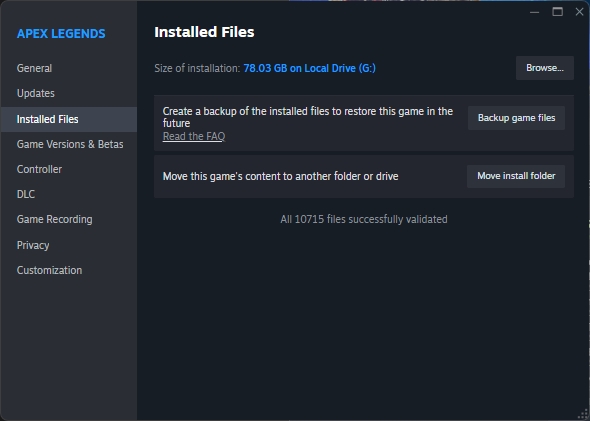
    • Completely uninstalled and reinstalled Apex Legends.
    • Verified the integrity of the game files.
    • Attempted to relaunch the game multiple times.

    Unfortunately, none of these steps resolved the issue.

    Additional Information

    The game was working normally the previous day, and I haven't been able to launch it since this issue began. Both errors have appeared during my attempts to start the game.

    I've attached screenshots of both error messages.

    Could an EA representative investigate this issue and advise on a solution? I'd also like to know whether this is a known problem affecting other PC players.

    Thank you.

Featured Places

Node avatar for Apex Legends Technical Issues

Apex Legends Technical Issues

Having issues with Apex Legends? Join here to find help with connectivity, performance issues, crashes and more.Latest Activity: 1 hour ago
42,264 Posts